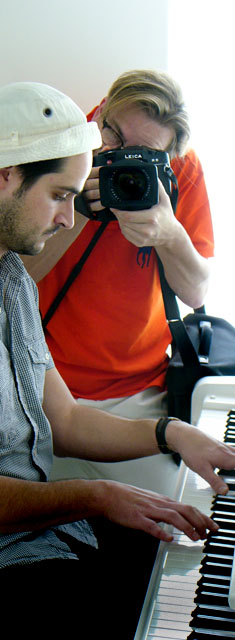
It's the Leica Lingerie Department. Or as close we get to anything resembling it. This page is about all the extra stuff some can't live without, which others don't understand how anybody could possible live with. It's a matter of personal taste and probably also money worth and a collectors gene.
Personally I prefer Leica cameras to be as original as possible, and I don't protect them against being worn, wet or scratched. Others pack their Leica gear in bags, pockets and cases. Some even in bank vaults.
In any case, a variety of add-ons exist from Leica Camera AG them self or third party companies, and this page is dedicated to those things. Some you will buy immediately, some you won't.
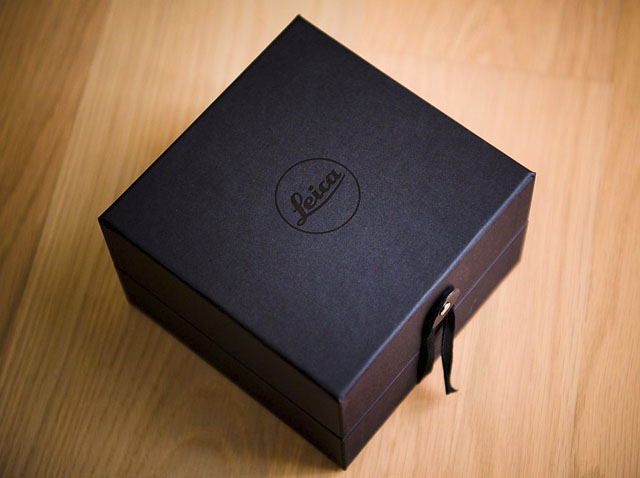
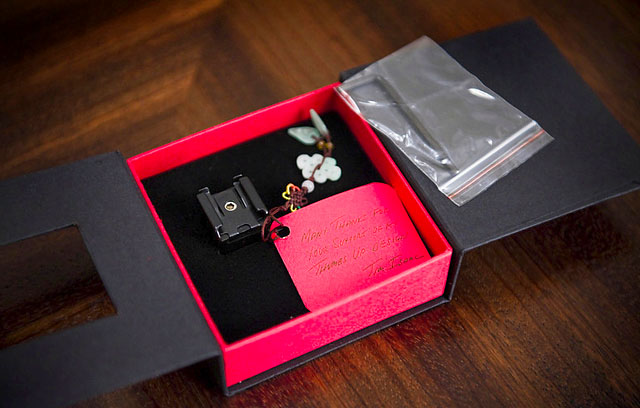
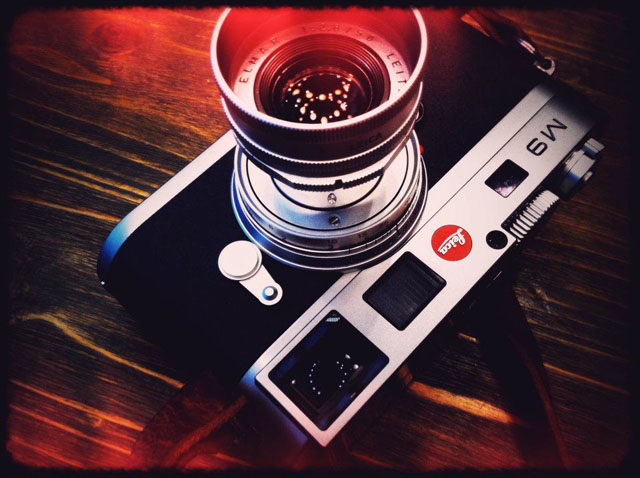
From the Leica Lingerie Department. A jewel box with a jewel in it. Photo by Wai-Shan Lam.
The personal engraving
One thing I had done to my own camera was an engraving of the top plate. Most people didn't think it would be possible to apply Leica Camera AG's "a la carte" program to the Leica M9 - which is the program where one can get the Leica MP or M7 tailored to ones personal preferences in a number of diferent leather qualities and colors, with or without engravings, with red, black or chrome Leica dot (or without), technical details such as viewfinder types and different types of chrome, hammerthorne or black paint finish to the metal surface of the camera. But when my M9 anyways had to go to the Leica Mothership for an adjustment, I tried to write on the order form, "please engrave 'Leica' on the top plate in the style of the 2003 MP," and much to my surprise they simply send me an order confirmation. Highly encouraged by the possibilities, I then added to the order that I wanted my name as well engraved. Nothing less.
The day after I had requested it, I regretted. Did I really want my name on my camera. Yes, in some way I did. Then again, I like not to be noticed when photographing, and how does that go with ones name engraved. The resale value of a camera with ones personal name undoubtedly goes down unless the new owner has the same name (and I know nobody else with my name). But then again, would I really care to ever sell it. Probably not. And was it really a big deal if I had it or not. Nah, let's just go on with it.
Perhaps destiny was involved, or some higher powers - because the camera came back with just the Leica engraving. They had probably not noticed that I had added the name request. In any case, it looks great and for a couple of hours I felt I had accomplished something very special. That was how long it took before I found out that Jaap in the Netherlands had also gotten that engraving - but with his initials below as well.
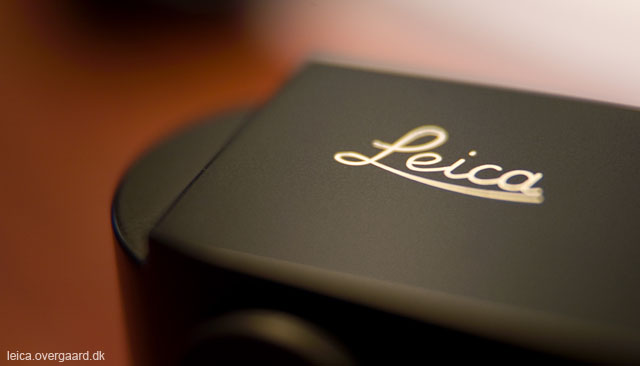
My Leica M9 top plate with my "Leica" engraving a la the 2003 Leica MP special edition (same size and placing on the top plate).
It's a delicate matter ... it's a balance between what "we" know is special, and then how it is percieved by others. To name an example, one or two persons asked if I had made it my self. So that is how exclusive Leica it is pecieved from the outside world - this unique wonder edition with "Leica" logo on top. If it's of any comfort, those who would assume you did the engraving home in your basement at night are the same who think it's an old camera. So they are in any case uneducated and what cedertified doctors and Leica engeneers (whom all wear white kilts why they know better than most) would classify as "hopeless cases." Probably illiterate too.
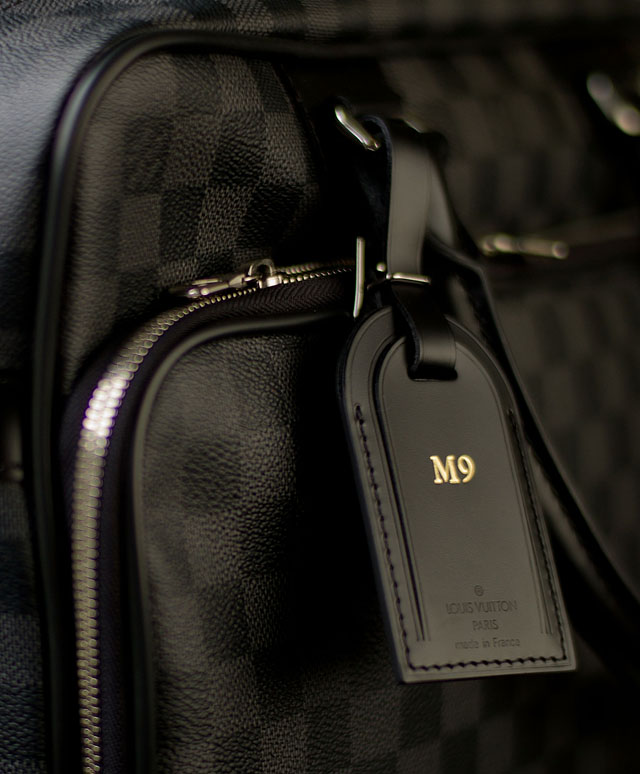
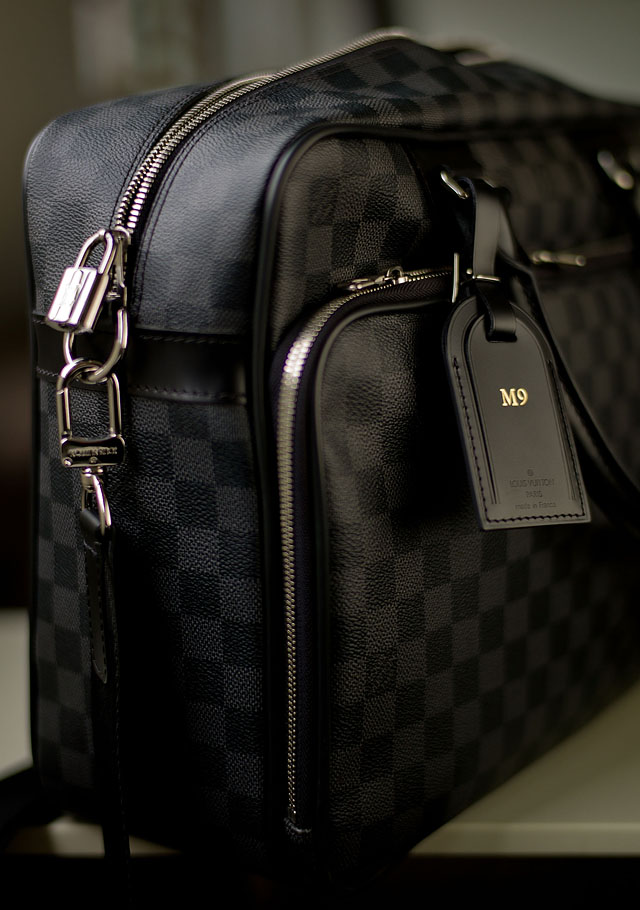
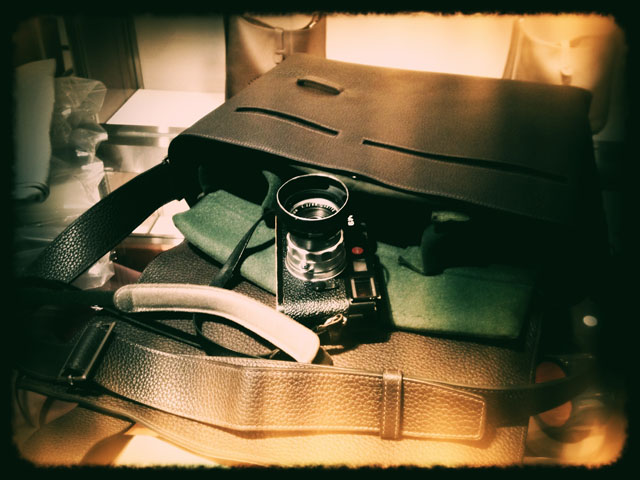
The Louis Vuitton "iCare Damier Graphite." See full picture and more bags below.
The personal touch and Leica a la Carte for Leica M9
Without having asked Leica Camera AG I feel confident that any request would be considered. Ask for a sapphire glass screen and if technically possible, they will give you a quote saying how much it would cost. Ask for a change of color from black to grey, or even into a white Leica M9 with white leather, and the chance you might get a quote and not a "No" is quite high. In fact Leica Camera AG product manager Stefan Daniel said on a post-Photokina 2010 briefing in October 2010 that "Leica M9 is now available for Leica a la Carte" even I haven't seen any official statements on the Leica a la Carte website or other. So do ask.
All Leica cameras are hand build in the first place, and all reapirs and quality control is likewise done by hand. So special requests requiring that person to reach out for another screen, another color leather ... why not?
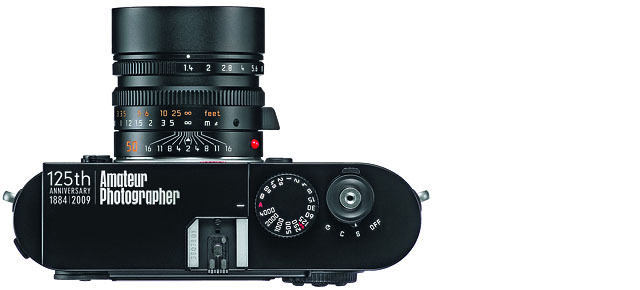
An example of a specially made Leica M9 to mark the 125th year of publication of Amateur Photographer, the UK's oldest consumer photographic magazine. It might not distinguish itself with an aesthetic engraving, but it's the one and only in the world of it's kind.
As to value of "collectors items" I think there's a distinct difference between a made-to-order special Leica camera and an official released limited edition. There simply has to be a limited number of the same edition for it to have a value. Unika Leica cameras made in blue with red leather because that happen to be your favorite color celebrating that your grandad participated in the French revolution ... its a personal camera and not a collectors item. Unless you are royal, famous or president of France. And I guess that is where the limit goes. Whatever request you could make that happen to lie too near a limited edition - existed or planned - it not going to happen. But that's just my idea.
The soft personal touch
Soft buttons exist for all Leica M cameas, and some can even be used on other cameras as well. The idea is generally that the different surface allows you to press the shutter more softly. And it does really work. Those exist in many colors so as to satisfy any personal taste, and as they cost very little, one might stock up different ones so as to be able to change into something more fashionable. Like cufflinks, it doesn't have to be the same every day. Check the types from www.rapidwinder.com and www.matchtechnical.com
This one is either a flower power edition of the soft button release, or it's the artist edition. In any case you never feel alone with those friendly eyes staring up on you! It's different and could probably work wonders for the children photographer to familiarize the children with the camera. Photo courtesy of Birgit Krippner who also supplied the red wig for this photo shoot (no, it's not a rya carpet).
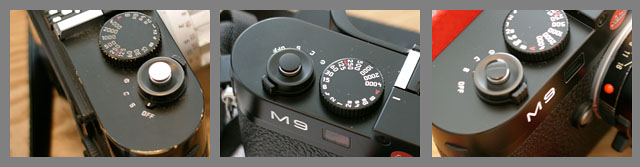
Here's three types of the smaller soft butons, originally made for the Leica M3, and as can be seen, much smaller than most of the current available soft buttons. This is a chrome that goes well with the chrome shutter release of the Leica M9, a non-glossy black, and a glossy black that is a tiny more glossy than the Leica M9 in black. A glossy chrome also exist.
The "Thumbs Up" and the "Thumbie"
I would say that about 40% of the Leica M9 and Leica M9-P users I meet have a thumb support and like it.
This is the Thumbs-Up that you attach in the flash shoe and then it provides rest and support for your thumb. Better grip on the camera in all, and especially for those slow shutter photos. Available in two different lengths and with and without flash shoe on top (as you use the flash shoe on the camera to attach the ThumpsUp, you may want to have on on top (as in the photo), or prefer not to have other than a flat area covering the flash shoe). Available in both chrome and black. Photo by Wai-Shan Lam.
The Thumbs up without a flash shoe on top.
Another possibility if you need stabilization is the Leica M8/M9 Thumbie (above) made of solid brass and sticked onto the body without damaging it or the hotshoe. It's from Steve Barnett whom you can e-mail directly and get it sent internationally. Price is about 30 Pounds including international shipping.
The Walter M-Stedi
Another way to make the camera more steady is The Walter M-Stedi. A very simple attachment to the camera that supports it .
Just one of those things. A 49$ battery wrap
The perfect gift for your precious Leica batteries
It's not for the digital age. In fact it's a battery wrap for batteries for film cameras. However, there's no doubt a wrap for Leica M9 batteries will see the light of day pretty soon. Till then, this one will carry two 1/3N batteries or four PX76s.
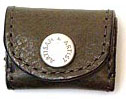
Available in black, chestnut, turquoise, hammertone grey and garnet red leather from Artisan & Artist.
Soft rest for the Leica M9
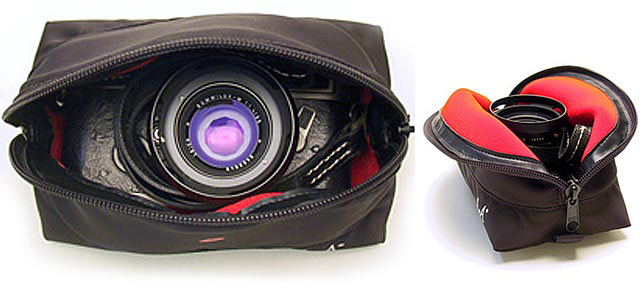
Artisan & Artist also does quite a number of very nice and useful things for Leica M cameras and lenses. The famous japanese TV personality and known Leica fanatic, Rina, requested them to produce something that could protect a Leica rangefinder camera when accompanying other stuff in a suitcase - and just in general. And what they came up with is the "Rina Case," a 100 gram foam-fitted case with smooth neoprene inner lining that provides a very high shock-absorptionraw.
It looks very expensive, but it's only 119$ from Artisan & Artist. The "Rina Case" named after the client who requested it. They also made a special Rhina Case for the M8/M9, available from Leitax.com in Spain for 77€.
Focus adjustment of the camera - once in a while
Due to use, change in temperature, humidity, air pressure on trarvel and all, the Leica M9, Leica M9-P, Leica M-E and Leica M Monochrom focus mechanism will go off. Once I left Denmark with my main camera slightly off and my backup Leica M9 in focus. Two weeks later, in the US, it was the opposite. So those things go back and forth and are not to be worried about too much.
But it is good to get the camera adjusted once in a while, and it is a great feeling (of confidence) to have the camera freshly adjusted. Manual focusing has a lot to do with confidence as there is no beep sound or green lamp telling you when you got it. You have to decide for your self when it is there, and knowing the camera is in sync will help that decision.
I got my two Leica M9's and the Leica M Monochrom adjusted in December 2012 at Camera Electronics in Perth, Australia, and after that the Leica 50mm Noctilux-M ASPH f/0.95 was just spot on, on all three cameras.
Focus adjustment is usually just the camera. Though, if you examine how the focusing works, it seems possible that the lens could be damaged or simoply work to a degree so that the lens also needs adjustment. But mostly it is the camera.
How to adjust the rangefinder focusing (don't do this at home)
There is one screw behind the center logo on the front of the Leica M9, Leica M-E, Leica M 240 (on the Leica M Monochrom and Leica M9-P it is behind the small decoration screw where the logo usually would be) that adjusts the level of focus window. This screw require a special tool, not just an ordinary screwdriver. Though this adjustment is seldom necesasry: What it adjusts is the level of the focus window, and only if the two focus windows inside the viewfinder is not aligned on the same horizontal level would you adjust on this screw.
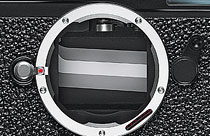
The chrome wheel in the top behind the bayonet, and a screw behind it, those two elements have to be aligned on close focus, middle focus and infinity to get the focus right.
The actual focus adjustment (of distance) is done inside the camera. The focus mechanism is in the top that you can see when you take off the lens. The chrome wheel you see there is the one that is moved back and forth by the lens' focus ring; and that is how the focus is done in a Leica M rangefinder camera.
The ring and the screw a bit further back are individually adjusted so that the camera focus correctly at close distance, medium distance and at infinity. And it is usually done (by someone who know what he or she is doing) with a 90mm lens as that is the most critical to focus shift.
When done correctly, the camera will be 100% in focus with all lenses till it needs the next adjustment. But as said, don't worry so much about focusing. I have worked with Noctilux for months whilst my Leica M9 focus mechanism was broken loose (in which case it has to be glued back on and is beyond a normal adjustment). Read more about how to focus in the section "Focusing with the Leica M9" on page 13.
For a closer look throught the Leica M9
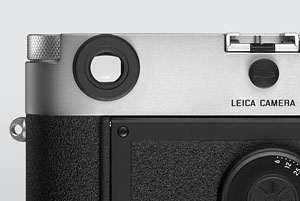
The back of a Leica M with a original Leica diopter mounted on the viewfinder. This for use without glasses, for people who normally wear glasses. Price is around 100$
Diopter origin: Late 16th century, from French, from Latin dioptra, from Greek, from di- ‘through’ + optos ‘visible.’
A pleasant surprise for users of SLR cameras (SLR=Single Lens Reflex) getting the Leica M9 is that you no longer look through a small lens onto a screen, but look directly through a range-finder lens mechanism and out on the scenery. What does this mean? It means that your eye doesn't have to adjust to a artificial distance but see's a real distance. So if you wear glasses, you will experience that you can use the Leica M9 rangefinder with reading glasses, normal glasses, screen glasses or no glasses. The framing and focusing is possible and feels natural with any choice - whereas on a SLR you would have to use your normal "long distance" glasses in order to see right.
Nevertheless, a number of diopters exist from Leica Camera AG, from +3.0 to - 3.0 with 0.5 steps all the way, either to remedy eyesight, or - more often - to change the size of the viewfinder so that you see a large crop of it (when shooting 75mm, 90mm or 135mm), or a slightly larger part of the viewfinder (when shooting 28mm or 35mm). For most glass wearer the 50mm lens frame in the Leica M9 viewfinder will feel comfortable, the 35mm you have to move around a bit to see all corners of.
Prior to ordering, it should be noted that the Leica M's viewfinder is preset by default to -0.5 diopters. So anyone wearing glasses of 1 diopter strength would require a +1.5 diopters M system correction lens (which is why some have noted that there's a difference between figuring out diopters for Leica R cameras and Leica M cameras). A number of third party solutions exist as well, which - in my opinion - would compare to non-prescription glasses bought on the gaz station: If there is one thing Leica know about, it's optics. So if you fit a diopter to a 7,000$ camera, don't save 100$ on it. Please!
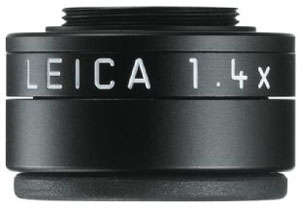
The Leica 1.4X magnifier is around 350$. This if for people who doesn't wear glasses, as well as those who do.
The magnifier is a different story. This is for people with glasses, or without, for magnifying the look through the viewfinder. Typically to zoom in so that one can use a 75mm, 90mm or 135mm lens more precisely. Price is in the range of 325$ and the 1.4X magnifier then magnifies with 40%. It comes with a leather case that fit onto the camera strap.
The Walter Eyepiece
If you suffer from astigmatism, have a look at the Walter Eyepiece that works for the Leica M8 and M9 and actually allt he way back to the M1.
External viewfinders
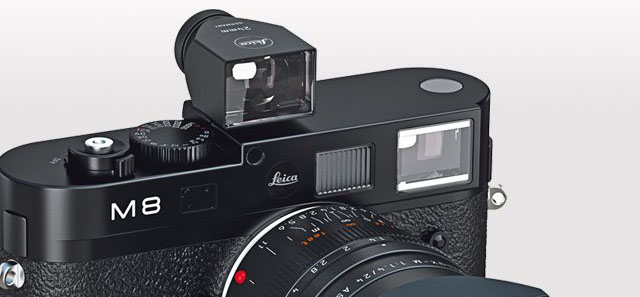
This is not exactly an item made to "sex up the Leica M9" ... but the price of them and the quality of optics make them worth mentioning in this context. With a price of 759$ it's an expensive little add-on to the Leica M9 - but necesary if you want to use 24mm, 21mm or 18mm lenses because the internal viewfinder only goes as wide as 28mm.
It's a quite simple device which only serve as a framing device. You still have to focus via the rangefinder. But as all optics made by Leica, these viewfinders are great looking through. I sometimes sit and look through them for the beuty of it, and to preview perspectives. They are clear and bright and has a reflex mechanism built-in so that the frame is lit up (and the new editions of these include frame lines for both Leica M9 fullframe and Leica M8 cropped frame).
A 24mm external viewfinder on top of a Leica M8 so as to allow
one to see the 24mm frame (the internal rangefinder doesn't go wider than 28mm on the Leica M9).
The Leica M9 with your own leather
Since September 2010 Leica Camera AG have opened up for "a la carte" for Leica M9, though they have not publicised it much. So all we know is that theoretically, the options available for Leica M7 and Leica MP on Leica-a-la-carte.com should be available for the Leica M9 as well. Though aparantly the Leica M9 steel grey only allows for two types of leather (due to the surface of the camera and what can stick to it). In any case, one will have to contact Leica Camera AG or a dealer directly to find out the options.
Another way is to order a leather for the Leica M9 from Camera Leather. They may not win the price for best designed website, but their leather is made very precise and is economical to come about. The website cameraleather.com will advice as to which leather, and how to mount it. Having seen a few home-mounted leather pieces, I would recommend doing what Birgit Krippner did, which was ordering Griptac Medium Grey leather from Camera Leather directly, and then visiting Leica Customer Service in Solms to have them mount it when anywas performing adjustment and service on her Leica M9. When I saw it, I thought it was a Leica a la carte leather. Very precise cut, and very precise mounting. Be it.
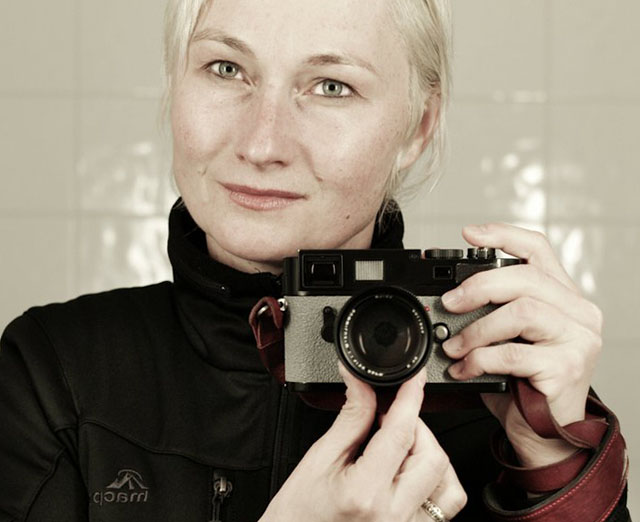
Birgit Krippner with her Leica M9 and 50mm Summilux-M ASPH f/1.4 with Griptac Medium Grey leather from Camera Leather, and mounted by Leica.
Black tape, toothpicks and (god forbid) black paint
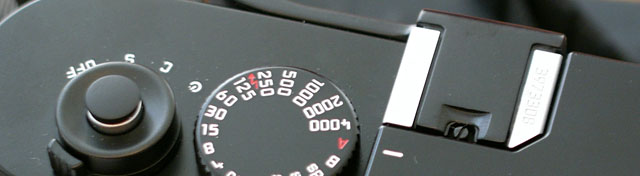
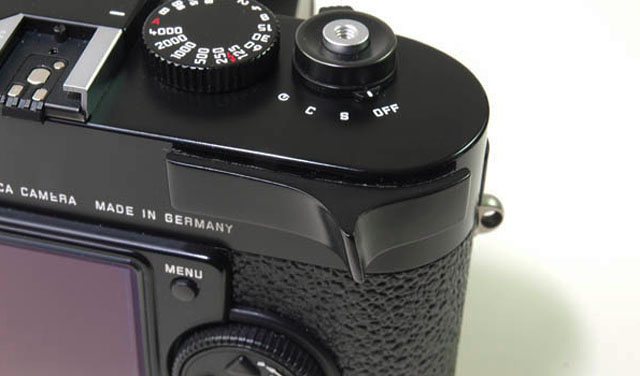
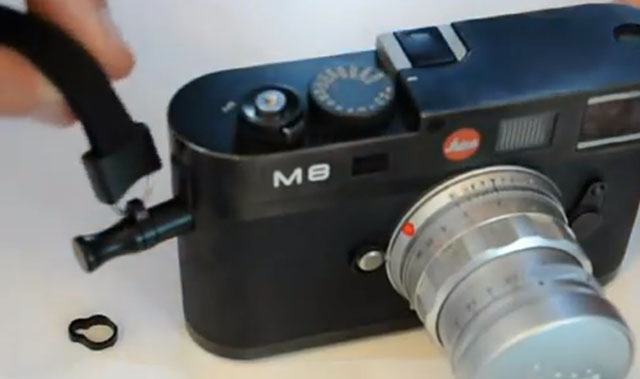
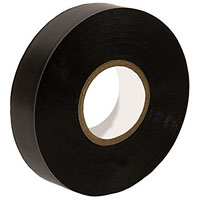
And speaking of custom made looks, let's touch on the habit some have of removing the M9 lettering on the front with a wooden toothpick (which is quite easily done - and Leica can repaint it if you regret), or by adding black tape over the M9 white letters and/or the red Leica dot. The proper black tape to use would be insulation tape (also known as electrical tape or PVC tape). Easy to mount, easy to remove without leaving glue (and if it does, this can be removed easily with gazolin). Duck tape is very thick and has a different surface than insulation tape, and will leave more glue when removed - and sometimes take off the lettering as well when removed.
I've also seen cameras painted over with black paint or ink, and it just doesn't look pretty; because the paint will usually be another color and reflection than the camera body. Just not a great look even it seem easy and easy to do. But please, don't.
Black Leica dots are also available, in case you want the look of the Leica M8.2 but don't want to seal the Leica logo completely. Some dealers may have them available, but Leica Camera AG definitely have them.
No red dot (and no black dot either)
MG Productions in Hong Kong made these black metal plates that are painted black, as a replacement for the red dot. Visit their Facebook Page for more info, or send them an e-mail.
The black painted brass dot from MG Production in Hong Kong. $10 including shipping.
Leica M9 upgrade to Leica M9-P silver or black
An upgrade for Leica M9 owners is available from October 2011, making the Leica M9 into a Leica M9-P by replacing the top plate with the Leica M9-P in desired color (Silver or Black), MP-style engraved without red dot , an accompanying bottom plate, and sapphire glass on the screen. The black M9-P top plate will further feature a black flash shoe. Prices is around 1,050 € and includes an extended warranty of one year on the camera. If you want it, it is advisable to e-mail Leica Customer Service at cs@leica-camera.com and book a time slot for the operation. The service may also be available for example in Leica Store Ginza Tokyo, Leica London and other places where Leica do repairs and adjustments.
For 1,050€ You get one year of extended warranty, sapphire glass on the preview display and new bottom-and top plate in Leica M9-P design - and if a black Leica M9-P also black flash shoe.
What I worry about, is the flash shoe cover
I am not the only one who have seen - the need would to strong a word, so let's call it - the possibility for a flash shoe cover for the Leica M9 and Leica M9-P as the one designed for the Leica M9 Titanium. Unfortunately I have searched high and low and in holy places such as the spare part department of Leica Customer Service, and so far I haven't been able to get one.
The Stealth Shade for Leica lenses (Ninja Hood)
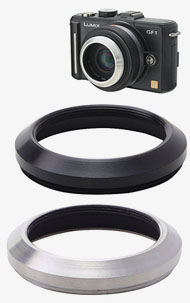
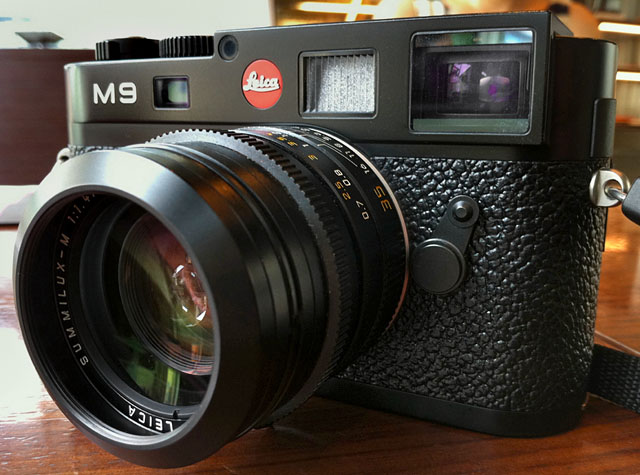
If you are into stealth mode with removing the Leica logo and the white M9, you may want to consider getting some of these very inexpensive 46mm Mini Hoods whihc we have named "Stealth Shade" because when you see the camera from front, you don't see the white letters on the front of the lens. In other words, with the M9 and logo taped over and a Stealt Shade, all the subject sees, is an all black camera.
The metal bumper made for the Panasonic Lumix G 20mm f/1.7, which works as a "Stealth Shade" on Leica 46mm lenses.
Pieter Franken, a Dutch living in Tokyo for ttwenty years, discovered this little gem, and tells: "It works on all 46mm lenses: The M90mm Elmarit-M f/2.8, the 90mm Summarit-M f/2.5, the 75 Summarit-M f/2.5, the 50mm Summilux-M ASPH f/1.4, and the 35mm Summilux-M ASPH f/1.4 and the 28mm Summicron-M f/2.0 (and the Lumix 20mm pancake). On 28mm and 35mm there's slight vignetting when shooting wide open, but can be corrected in LR."
The Stealth Lens Shade is made by Etsumi (part no E-6309) and sells for 3,900 Yen (45$) in Japan, for example from Japan Exposures. You may also find it for less if you shop locally in Tokyo.
Moreover, the lens shade is a compact and rather strong protection of the lens. As mentioned elsewhere, and whenever somebody asks, I never use UV filters for protection of my lenses (and never had any regrets or accidents). But I do use lens shades as protection, and have had a few of those external ones and built-in ones replaced. As Leica lenses are hand-made and Leica Camera AG maintains a large stock of spare parts for many many years, you can always send in a lens and get the built-in lens shade replaced. Even on very rare lenses built in few numbers.
In any case, on for example my 90/2.5 I use the lens shade as protection (and not to avoid light from the sides going into the lens), and that is one big lens shade. With the Stealth Shade the 90/2.5 becomes a very compact lens, almost the size of the 50mm Summilux-M ASPH f/1.4. So have a try with the Stealth Shade if you like the idea. Of course it's always a question of cosmetics as well, and you really can't tell till you have tried.
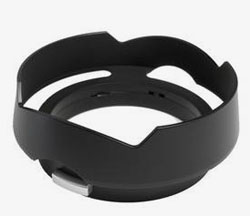
The 46mm Mini Hood from Etsumi for the Lumix G which Pieter Franken from Tokyo figured out worked as well for a number of Leica M lenses.
The sexy shade for the 35mm Summilux and 28mm Summarit
Leica lens hood 12 466for the 1994-2010 35mm Summilux-M ASPH
Don't ask why, but in 2011 Leica designed this mother of all lens shades for the older Leica 35mm Summilux-M ASPH f/1.4 just as they had introduced the new 35mm FLE (FLoating Elements). It's a 350 Euro lens shade, and the good thing is that it also fits the current 28mm Summicron-M ASPH f/2.0 [11604] and the previous 28mm Elmarit-M f/2.8 [11809] as well. It's the sort of thing everybody think is overpriced, yet love when they have gotten it. In all fairness it's not just a piece of metal but does have some moving mechanical parts inside enabling it to be mounted as a clip-on shade.
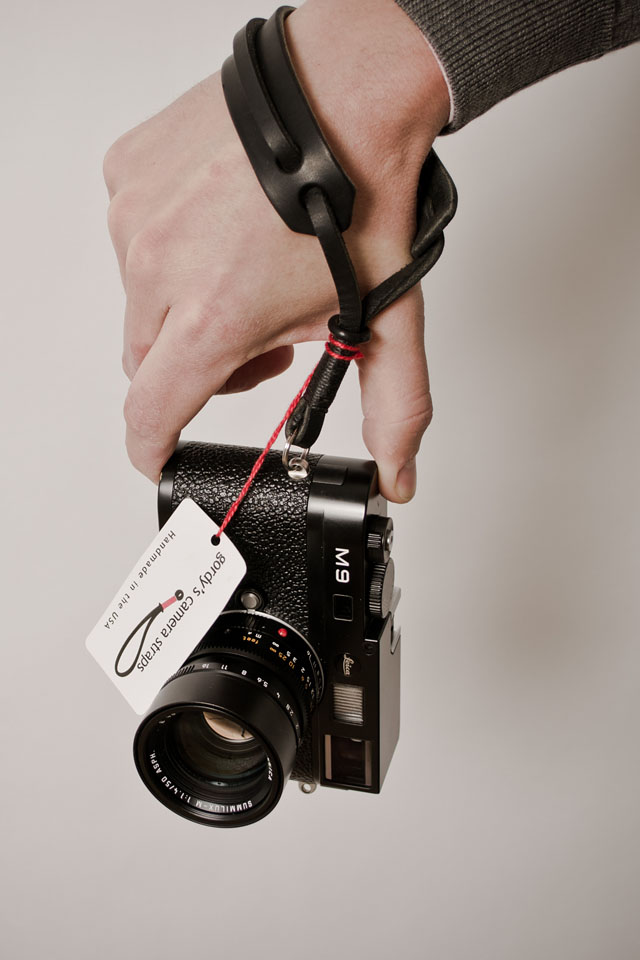
Leica lens hood 12 466 on the 1994-2010 35mm Summilux-M ASPH edition. Leica M9-P silver and Gordy's Camera Staps.
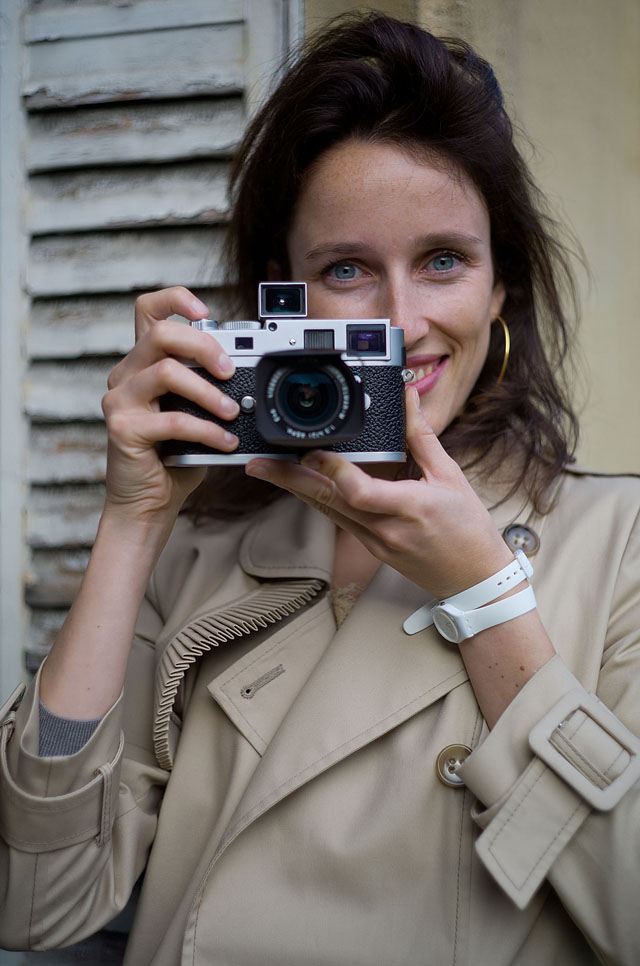
Even the videly available (and good) Leica 35mm Summicron-M ASPH f/2.0 can be made into a sexy looking lens with the original Leica 12504 lens shade. It can be found in black, whereas in chrome as the above you will have to look in every corner of many camera stores. As Malou Lasquite from Switzerland did to acquire this one for her Leica M9-P and matching chrome lens.
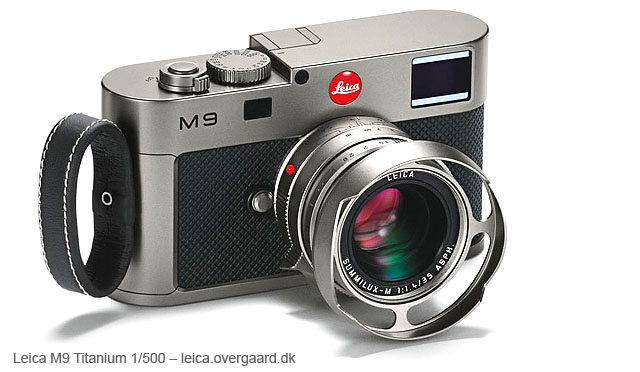
The Leica M9 Titanium limited edition
For 22,000 Euro you may be the owner of the Leica M9 Titanium that was released as a 500 pcs. limited edition on September 20, 2010 (available November 2010). Included in the price is a similar limited edition history book about the camera and a 35mm Titanium Summilux-M ASPH f/1.4 with a special (never-before-seen) titanium lens shade.
Leica M9 Titanium with 35mm Summilux-M ASPH f/14 limited edition of 500 set, designed by by-Walter de'Silva
This limited edition marks a new beginning of Leica limited editions comparable to the limited editions of Mont Blanc in that there can be limited editions of cameras made with different leather, in different colors (but technically the same as existing models), and then actual special editions like this Leica M9 Titanium which has been redesigned by Audi designer Walter de'Silva (famed for the design of Alfa Romeo 156 and his hand in the design of Audi A5 and VW Sirocco). As such the outer of the camera has gotten a titanium section instead of leather where you would usually hold it with your right hand, and in that concept are two leater straps for your fingers included in the limited set box.
The special edition and limited Leica M9 Titanium also features a newly designed pistol holster like strap that will be a sure conversation piece at the airport security. There are no strap lugs on this edition, so it's either the pistol like holster, or a jewel case.
The remote trigger on the shutter release is gone, and the camera has gotten a shield over the flash shoe. The significant red dot (which average Leica M owners traditionally have fun replacing with grey or black ones - if not taped over with black tape) is a special developed new 'bulked' dot. More interestingly one will notice that the traditional window next to the viewfinder window has disappeared. Yes it has, and that reveals that there are also changes inside in this special edition: The framelines are made with red LED lights, which means that the light from the extra window is no longer needed. The frame lines appear one at the time for the appropiate lens (whereas the traditional frame lines appear in sets).
One last detail - like it or not - is the titanium lens shade that is more bulky than the traditional 35mm Summilux-M ASPH f/1.4 lens shade, and has cut-outs in the front so as to not appear in the frame. Yet the design draws back to the traditional lens shade design of Leica.
All in all the special edition is not only a very special edition for those who fancy such collectors items, it's also a design study that may inspire the people at Leica Camera AG.
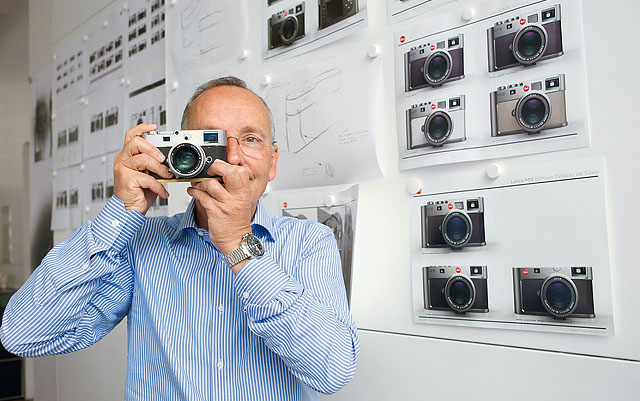
Now, the real special edition to get would of course be the one in these design studies to the Leica M9 Titanium. Look at the slightly changed top plate on this camera, as well as the bended right side of the camera, not to mention the strap lock. If we will see any of these design studies made into reality in a future Leica M10 will be intersting. If nothing else, the design study has brought about some new ideas to the design of the Leica M.
Walter de'Silva in front of some of the design studies to the limited edition Leica M9 Titanium.
If you dare, have a look at this video where de'Silva tell about the Leica M9 Titanium. You may find it hard to live without one after 3:30 minutes...
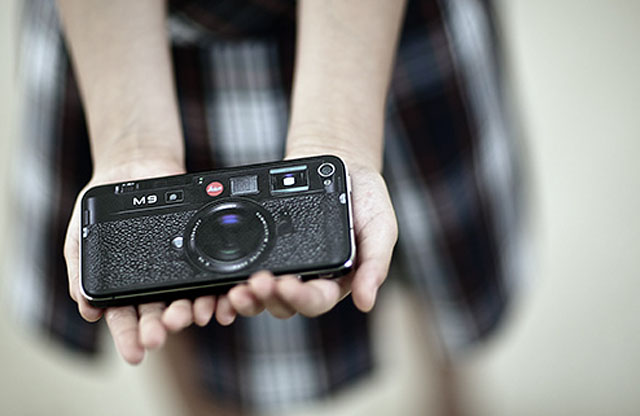
The iPhone 4 made into a Leica
The less expensive solution, which at the same time works as a smartphone and even features a built-in flash, is the iPhone 4 made into a Leica M9. As you may recall, Steve Jobs compared the new Apple iPhone 4 to a "good old Leica camera" when he introduced the telephone in 2010. And soon several people started experimenting with completing that concept. You can read a nice article about that on the blog of machoe here.
With the Leica M9 you're in the digital sphere which no doubt imply that you use a computer to download, view and adjust your images. And without any doubt, you need to calibrate your compouter screen, no matter how good a screen you think you are using.
Computerwise, the long and short of it is that a Mac computer is the one to get, unless you want to use a PC for religious reasons, or perhaps because you need it for other work you need to do. The photographers choice in MacBook Pro computers would be the 15" MacBook with Antiglare High-Res display and 7200 rpm 500GB harddrive or - better - the 250Gb or 500GB SSD (Solid State Disc). The antiglare screen is a wise choice, and so is a faster harddrive (7200 rpm), as big a harddrive as you can afford, and as much RAM as you can afford. Though reality is that you can work with photos on any Mac, even the MacBook Air 13". It's just a matter of how many photos you work with and how fast you want to get done with editing them. But no Mac is too small or unable to handle even Leica S2 37.5 MP photo files. It's a wonder to me why Steve Jobs has not yet gotten the Nobel price yet.
Right MacBook Pro or Mac Pro for photos (and video)
When you import images to Aperture/Lightroom and the software is creating previews, and you then look through the images to select the ones you want to use, zoom in to check sharpness and do actual edits, the harddrive and processor are the main bugs for slow or fast workflow. Hence, the expensive SSD drives are the thing that will really speed up this as every time you "call" a new photo by going through an album with the left or right arrow key, Lightroom/Aperture have to fetch the file from the harddrive. And thus the SSD is the fastest workflow, the 7200 rpm (rotations per minute) harddrive the second-wisest choice. The somewhat traditional 5400 rpm harddrive will be a bug in the workflow.
The i7 processor in the MacBook Pro supports the 64-bit in Aperture and Lightroom software, whereas the older MacBook Pro computers doesn't support 64-bit, and doesn't allow Lightroom to use more than 4GB of RAM.
The RAM for photo work should be 8 GB, and more in the future as image files naturally will grow in file size (you can feed the MacBook Pro 16GB RAM, but it's very expensive compared to the price of 8GB).
Thunderbolt and SSD
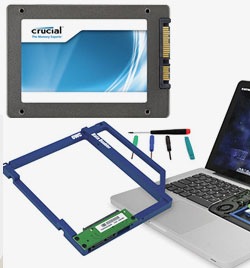
Crucial 512GB Solid State Drive for MacBook, with the Other World Computing Data Doubler allowing you to replace the DVD-drive with an extra harddrive in your MacBook.
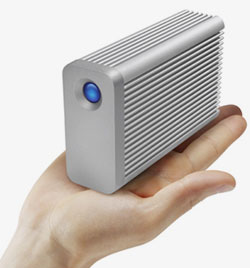
LaCie Little Big Disk with Thunderbolt
Witht the Tunderbolt drives from LaCie and others, this sounds awful tempting. However, I would fist invest in a 512GB SSD harddrive (798$ from B&H) as extra harddrive in the MacBook Pro, rather than the LaCie 1T Little Big Disk (399$ from the Apple Store). For once, the speed of the SSD will be faster. But it will also be more compact as it is inside the MacBook Pro. And then there is the comfort. Where the Thunderbolt requires a power cupply and fills up space, the SSD is powered inside the MacBook Pro (and even uses less energy than a traditional drive.
The stuff to look for is the Other World Computing Data Doubler, which is a kit that allows you to take out the DVD drive of your MacBook Pro and insert a harddrive in its place. So you can put the SSD in to run system and Lightroom, and then put the original harddrive in the extra space, using that one for music, film, backup and documents that doesn't require the speed of SSD.
You may also put in two SSD drives (256GB or 512GB) and rund them as raid, but that is for the experienceed user. I like more basic stuff and have heard a few who tried to get the raid running but had trouble with it.
The fairly new 4TB and 6T LaCie RAID Thunderbolt harddrives is another story. The price is almost the same as traditional 4Tb and 6TB RAID drives, but with much faster transfer. And if one note that the new MacBook Pro with Retina screen does not have FireWire anymore, it's obvious that one should move onto the Thunderbolt drives. Just not the Little Big Disk that is with too small capacity, and too expensive.
MacBook Air for travel and fast hard drive
If you can do with it, the MacBoo Air has the advantage that is has a fast harddrive alreaady in that it is supplied with 128GB or 256GB flash memory. So if you can live without the FireWire connection, with the 13" instead of 15" screen, it may be a good choice. And it's only about 1,250$.
Mac Pro may be overkill for photo only
If one consider the very powerful Mac Pro computers for photo work, reconsider this. The 8-Core really is overkill compared to the i7 MacBook Pro. But if you want to attach two or three 30" or other large screens to one computer, or want to edit video, the Mac Pro could be a wise choice. You can add quite many extra graphic cards to the Mac Pro (one for each huge screen). When importing video, especially HD video from camera formats where the import has to be processed by the computer into another format, the 8-Core processor - as well as the harddrive - will be the element determining if the import of one hour vide otape takes one hour or two hours. And from hard drive recorders it can be less. But the actual editing of video in Final Cut Pro is not hard work for the computer and may be performed on a MacBookm Pro.
Another possibility that is enough power for photo editing is an Apple iMac with 27" screen and SSD drive. Apart from the fact that it is glossy screen, it is perfect for photo editing and you can easily attach one more 27" screen to it via Thunderbolt.
A note on Safe Hard Drives with fingerprint recognition
It may be tempting to get a harddrive with fingerprint recognition for safewty, for example for travel. I have a couple of them on 2TB drives, but make a note that when Apple updated their OSX to Lion 10.7, it took LaCie two months to come out with an update for the software that is necessary to open the harddrive! One could start the MacBook up in 32-bit mode (holding down 3 and 2 keys while starting up), and then one could access the Safe hard drives. But it does make you think if you should give safe hard drives the finger, also if the fingerprint reader gets damaged during travel. At least, do make a backup!
The X-Rite Color Munki display color calibration on the screen. Once a month you place it there, start the software for it, and it measures the actual output on th screen and create a profile for the computers graphic card so that it can send the proper amount of colors for that partcular screen.
Calibrator
What the calibrator does is that it measures the colors that actually display on your screen, and then create a color profile which basically tell your computer "tone down the yellow 4%, 7% more blue" etc. so that what you see on the screen is standardized colors. Which mean that anyone else who has a calibrated screen see the exact same colors. This could turn out to a long story, but the simplicity of it is that this has only to do with colors on your screen.
The color profile called Adobe RGB 1998, sRGB, etc. in your computer is a different story which defines how big a color palette you use in your images (and which by the way follows an image so that the color palette you choosed for an image follow that image to the next computer or printer). Adobe RGB 1998 and sRGB are just diferent "translators" of colors. If you imagine a colored dot in your image as a number, the color profile defines which shade of yellow that dot is.
As for printer calibration, some color calibrators can calibrate your printer and your projector as well. But most inkjet priners come calibrated from the factory.
So the simplicty is: Your internal camera software and computer software already agree which colors are which in sRGB and Adobe RGB 1998. And your printer basically does too. So the color calibration of your screen is for you to be able to see those colors correctly. And so that when you adjust a blu color towards a darker blue, it's going to be the same blue for anyone else who has a calibrated monitor. But for those who hasn't got their monitor calibrated, it's going to be any shade of blue. And the point is: You can't adjust a color if you can't see it correctly in the first place, because then you are basically adjusting the original image so that it looks correct on your un-correct screen. And then when you print, it looks diferent. Hence the color calibration so that colors look the same on screen, print and others screens.
A nicer look with a proper screen
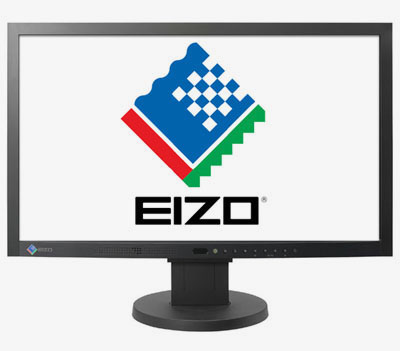
TheEizo screens are state of the art I guess. But the Apple isn't all bad and you can get a couple or three 27" Apple Imacs for the price of one 30" Eizo. Best buy Eizo screen is currently model Eizo Coloredge CG223W - at least I think so.
Color calibration will improve any screen greatly. But you might consider a better screen for several reasons: A larger screen so as to allow you a better look and have more spacae for tools. A better quality screen for more precise colors and a bigger number of tones. A better quality screen for more pleasant image that is not flicking.
The short of it is that probably Eizo produce the best screens available in terms of color accuracy, constant picture and even with as big color space as the full Adobe RGB 1998 color spectrum displayed on a screen (which is almost impossible as most screens only display 8 bit which is some of them, whereas print usually display all of them, which is 16 bit). The Leica M9 records images in 14 bit so you miss out on quite some colors when you use a 8 bit screen - and most of us does!
Eizo also produce more and more screens with built-in color calibration, "hardware calibration" as they call it, which mean that you spare the external color calibrator. Apple screens might do 70% - 90% of the Eizo, which is not bad. When you get into screens for PCs, you get into a very big variety of third party producers who produce all sorts of image quality. Visit a super store and look at the images on their flat screen televisions and you will note that the colors differ greatly, and not necessarily the best (most true) colors on the most expensives. In any case, what you look at there is the variety of color output. And the same goes for computer screens when you move away from Apple, Eizo and similar companies who have a "color philosophy."
Best buy, at least I think so
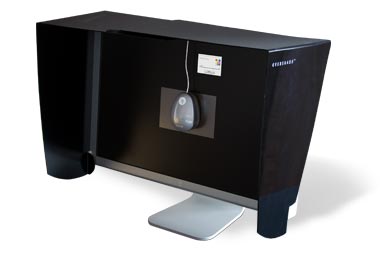
If you work on a MacBook Pro or any PC, you might consider getting an external screen for color work. Even if you work on an Apple iMac with 27" inventory you could cosider attaching the new 2010-model 22" Eizo Coloredge CG223W screen that will show up to 95% of the Adobe RGB colorspace. And it even has hardware calibrator built in (an improvement from the previous model Eizo Coloredge CG222W) and monitor hood so that room light doesn't reflect in the screen. This is a 1,200-1,500$ investment. You can get Eizo screens larger and more expensive, and less expensive models as well. But this one does the job without offering a whole lot of inventory (the Eizo 22" offers only 1680 pixels wide where a 15" MacBook with Antiglare High-Res display and 7200 rpm 500Gb harddrive also offers 1680 pixels wide on its smaller screen.)
If you want to go complicated on this, visit www.eizo.se and use their comparison tool (Product Guide) to define exactly what your screen should be used for. As you will notice, the Eizo Flexscan models are not suitable for photography work but only for less color-precise graphic work. You may notice that if you buy directly from the Eizo website, that their prices are lower than some countries.
White balancing
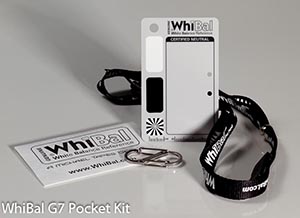
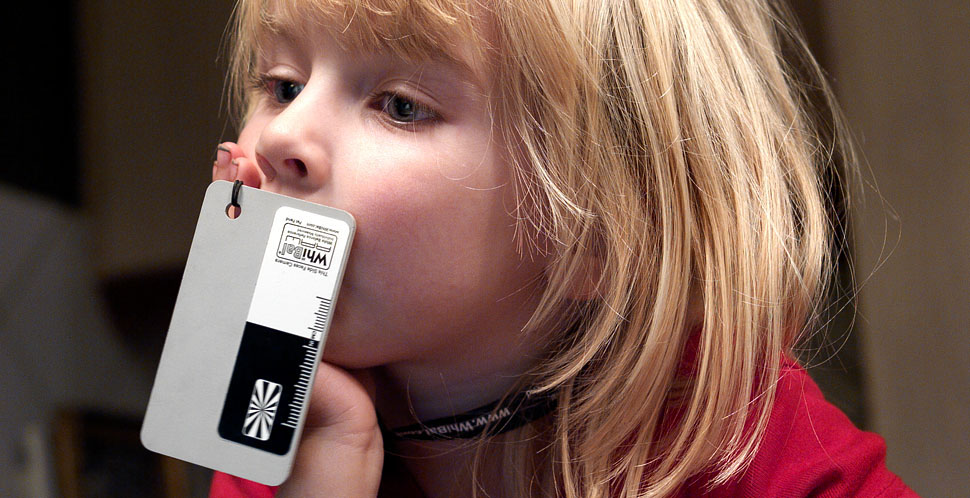
The WhiBal greycard is the proper way for doing manual white balance. It's called a grey card becauase it is grey, but don't get it confused with a greycard for light metering. The grey card for light metering is a middlegrey card reflecting 18% whihch is what you would use to measure the amount of light (all light meters base their readings on what they expect to be a scenery that are all-together middlegrey, hence the problem with brigh or dark sceneries that gets over-or underexposed).
The WhiBal greycard is 11% or something, so it's not for light metering. The point is that the grey is neutral grey, meaning it doesn't contain any warm or cold colors. And that is what makes it perfect for manual white balancing as the Leica M9 needs something neutral so as to adjust the light temperature (Kelvin) to neutral white (daylight colors).
You can also use a white wall, a white cloth, a white piece of paper or something other white or grey. But paper differs in temperature and is seldom neutral. If you don't have any greycard with you, go ahead and use any white surface. But if you want a standardized and consistent workflow where you can trust and predict things, you use the same piece of paper or plastic each time. Hence the WhiBal.
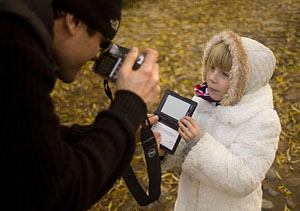
You can view a video on how to do it and read more about White Balancing in my article"White Balancing for More Beauty" to find out more about what it is and how to obtain true and pleasant colors in your photos. It's a very misunderstood subject. The G7 PocketKit abovein credit card size is a good start, and get one extra (they tend to get lost). I would recommend getting one of those, and then one of the sets where you get a Pocket Size G7 and a larger G6 for the camera bag or home. Then you have three cards.
X-Rite color adjustment
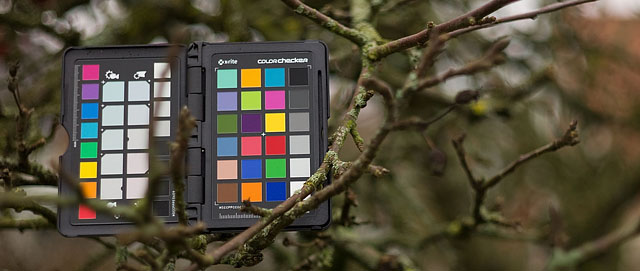
The neutral gray palette in the small black X-Rite "passport checker"which contains the color palette as well (see photo below).
Read my article The Right Colors [PART II] about the X-Rite, as well as video tutorial.
If you want to make sure that the colors in the real world is in real synch with the rest of your workflow, what you can do is use the X-Rite color palette with accompanying software. Which in essence mean that you bring a real color palette to the real world, photograph it with your Leica M9, and then measure it in Lightroom so that the software can adjust the overall images(s) to the exact colors.
The X-Rite also contains a middlegrey page for manual white balancing.
So with the small plastic "passport checker" you can open up on the middle-grey first and make sure the white balance is correct, then you fold the page and get the color checker whihc you photograph. In Lightroom you can then adjust colors automatically, as well as create a camera profile. It's neat and precise - and I will be writing a complete artcle at a later point in 2010 when I get the hang of it.
The X-Rite ColorChecker card. They don't grow on trees, it's just that there wasn't any blonde girls nearby to assist in holding it. Read my article The Right Colors [PART II] about the X-Rite, as well as video tutorial.
Litterature about Leica cameras, lenses and history
Erwin Puts have written and compiled the big Leica Compendium with Leica history, lens hisotry, camera history, serial numbers and much more. In just six months this highly specialized book went into print three times. Available at the Erwin Puts website. It will be available as an ePublication (digital version) some time later, most likely in 2012.
Also Erwin Puts published the companion book, called the Leica Practicum by end of 2012. The Leica Practicum coversi a number of major themes: An investigation into the art of Leica photography and how it differs from photography in general, a round-up of the status of chemical photography, a review of the state-of-the-art of digital imagery and of course the important topic of the intrinsic differences between digital and analog photography, and finally an in-depth treatment of the use of the Leica rangefinder camera, illustrated by the Leica MP and the M9-P for the analog and digital workflow.
Classic, exotic lenses
While on the waiting lens for new exotic lenses, perhaps try some of the classic lenses that you may find in Germany, Hong Kong or other places for a reasonable price. Here it is Bryan Loo's Leica M9 fitted with a Leica 50mm Elmarit-M f/2.8 collapsible lens with accompanying original chrome lens shade.
I will get on with bags, I have a few. But for the Leica M9 I found one partcilar nice one, the Billingham Hadley Pro Original (35 x 12 x 25 cm) in black. I also have a Billingham L2 (25 x 11 x 15 cm) in Khaki which I started using again with the Leica M9: It fits a Leica Digilux 2 or Leica M9 as backup and two or three lenses plus spare batteries, grey card and such, though I can't stand the Khaki color when in Denmark. It's okay in India or some other country where you change into the operation sandstorm or safari look. Billingham does Khaki, Black and Olive green.
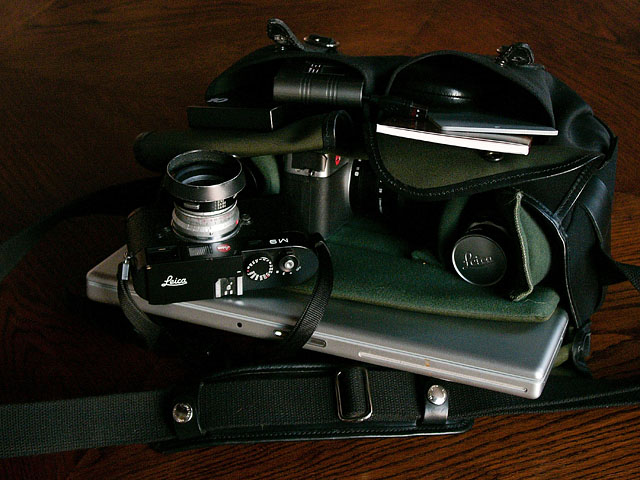
The Billingham Hadley Pro Original (35 x 12 x 25 cm) is said to "fit a small laptop" but actually takes a MacBook Pro 15" whcih makes it the perfect small bag. You wouldn't believe there was a 15" laptop inside if you saw it over my shoulder. There is padding for the inside so you can design your own departments. In this case I usually have two or three lenses in the right side, a lightmeter in the left side and then a backup camera in the middle - sometimes with a set of large Sony Monitor headphones as well(!). The 15" fits in the back pocket and there is still space for an A4 folder 1,5 cm thick or something. The front pockets can be made slightly larger than shown here. There's a button you can open up so the hole is expanded. But the left pocket can fit a large multi-card reader, a small cardreader, a modem and a tiny LaCie USB/FireWire disk - and then in the right pocket extra glasses, notebook, pen, greycard, MacBook charger and stuff. I hardly ever put the Leica M9 into the bag; it's always over the shoulder why I use this bag only when I have to carry a laptop as well. There is also a zipped "secret" pocket for passport and papers on the backside towards your body.
As always, when you have had a bag for a couple of weeks you learn to use every single corner of it and you can fit a lot more than you thought to begin with.
In any case, I came by Red Dot Cameras in London in December and they have the full catalog from Billingham in stock.
I have a hard time ordering bags online, I have to see them and feel them so I was thankful that Red Dot actually carry the full line as well as accessories such as shoulder pads. B&H Photo Video also carrry the full catalog of Billingham bags, but I wasn't in their store. And one very important thing I found out was that I could fit my 15" laptop into the model that was most likely meant for a 13" only. Because apart from the Khaki color, the L2 is perfect over the chest and shoulder sitting almost on your back, and then the M9 haning over the chest and shoulder the same way, but towards the front of your body and slightly higher then the bag. That is plenty of space for two or three lenses and a backup camera: With the Leica M9 wou can travel really light, uncomplicated and discrete. (I will get back to this as airplanes are really not made for dSLR camera equipment).
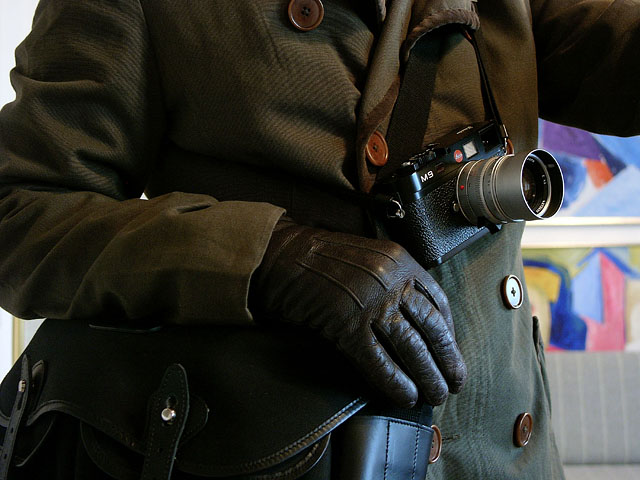
Leica M9 is always across the chest and over the opposite shoulder with the bag hanging lower and towards the bag of the body where it rests well, also hanging over the opposite shoulder. Remember to buy a Billingham Shoulder Pad, it's a really good investment no matter how little or how much you put in the bag. Apart from the distribution of weight it makes the bag stay firmly in place. (For the fashionistas it's a Paul Smith Long Jacket (Main Line) and Mulberry leather gloves).
I would estimate that CIESTA is an upcoming brand in camera bags. It's italian leather made in Corea, and the prices are very favorable. Buy online from Mayisell.
One warning: Don't wear your Leica M just over the right shoulder only when you have a bag hanging there as well. Very often the camera will take rest on top of the bag and it doesn't hang on your shoulder but now stands ont he top of the bag and will fall to the ground as soon as you make a move. I tend to have cameras just over one shoulder when working, and then across the chest and over the opposite shoulder when I walk. It's a miracle I haven't ruined a lens and camera yet!
The "dothebag" series from Monochrom in Münich and Berlin
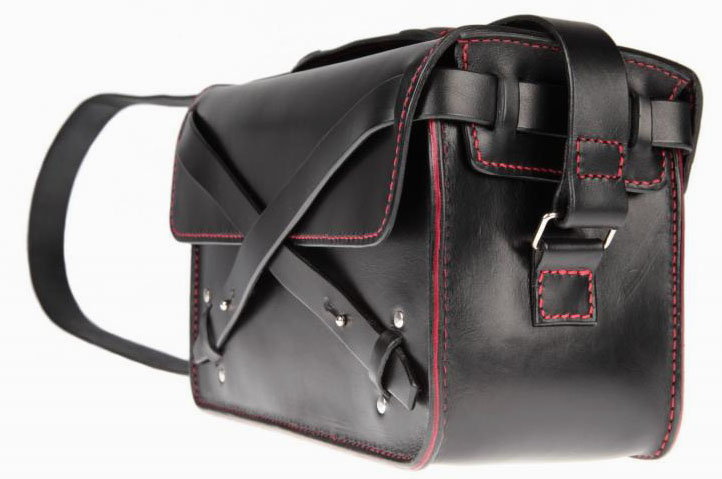
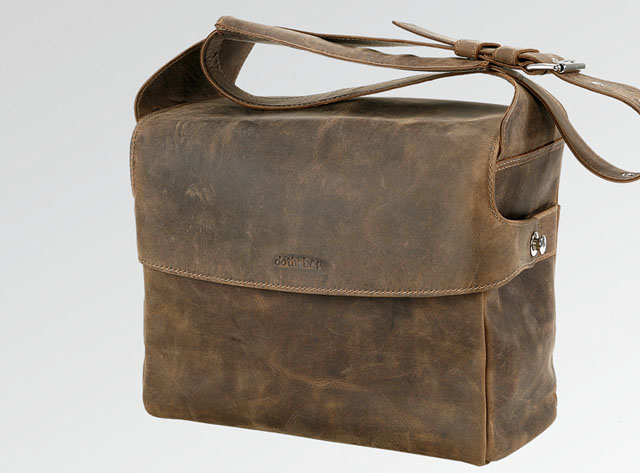
Contiuing the "German industrial design" of Leica cameras and lenses over to the bag, with a touch of casual leather, one would look at the "dothebag" series from German Monochrom that usually specializes in selling photo paper, color calibrated screens, light meters and other accessories for photography. Their "dothebag" series has really taken off and is now available in all sizes from the smallest "mono 06" (27x18x15 cm, 269 €) to the largest "mono 11" (43x31x18 cm, 359 €). All available in brown leather or black leather. Only concern is the adjustment mechanism on the shoulder strap. So check that it won't be on top of your shoulder because that is going to hurt.
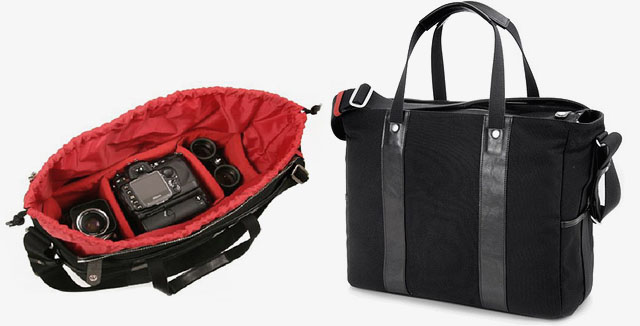
They also do a black Tankbag of nylon (with sparkling red inner foam) (34x11x25 cm) for around 250 €.
See more at www.monochrom.com
The "dothebag" comes in brown or black, and in many different sizes for large dSLR kit and laptop to small M cases. The new "mono 08" is a 339 € bag 37x30x16 cm that fits a laptop, camera and lenses.
The Louis Vuitton "iCare Damier Graphite" large business bag made into a camera bag (Item No N23253 in black, brown or monogram, 39 x 29 x 15 cm). You can fit an Artisan & Artist insert in red into it, or a Billingham Hadley Pro insert in green (35 x 25 x 12 cm). I prefer the Billingham because that acts as a case in tiself why you can simply take the whole insert with gear and move from one bag to the other. The A&A insert is a sexier red color but open in the corners why you can't just move it as easy. Fits 17" and 15" MacBook Pro as well as front pocket for charger, batteries, filters, etc.
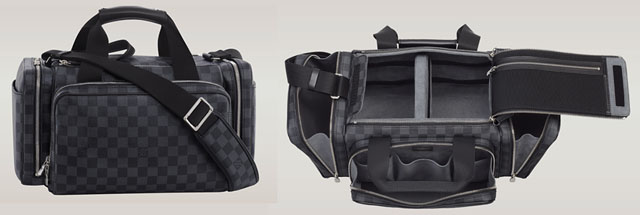
Louis Vuitton does make a dedicated camera bag, the SAC CAMERA DAMIER-GRAPHITE N58027 (22 x 39 x 22 cm). Hard to get hold of, and perhaps too big for walking about. But for transportation of a good collection of lenses, cameras and all the odd bits it might be good.
Exclusive camera bags for life
Louis Vuitton Nomade Binocular Case (21 x 21 x 9 cm) of cowhide leather outside and calf leather inside for a Leica M body and two lenses was a limited edition for the Spring-Summer 2012 collection - and also made in a 50,000$ crocodile edition.
Louis Vuitton has a history of adventourous travelling in style, as well as a brand value that goes well with Leica. If you notice, most new Leica Camera Stores can be found in the same area as the Louis Vuitton, Hermes and Apple Stores. Whilst it may not have been recognized by Leica Camera AG in the past, it certainly has in recent years with Andreas Kaufmann as owner, that Leica is a luxury brand with a similar long history of specialized handcraft as Louis Vuitton.
The consideration when you spend money on a bag is of course if it is worth it. If it gives you a kick, it probably is, and it is for your pleasure and for your money anyways, so you don't really have to ask anyone but your self. But the art of cause is to find the gems that will become classics and which you may pass on to your kids. The things that never loose value but stand out as historic pieces with patina. It's not easy but worth a try.
Hermes Alfred bag (35 x 29 x 12 cm) with a Billingham Hadley Pro insert. A bag with the price tag almost the same as a Leica M9 body. If you like Hermes, also check out the Steve model (35 x 26 x 10 cm).
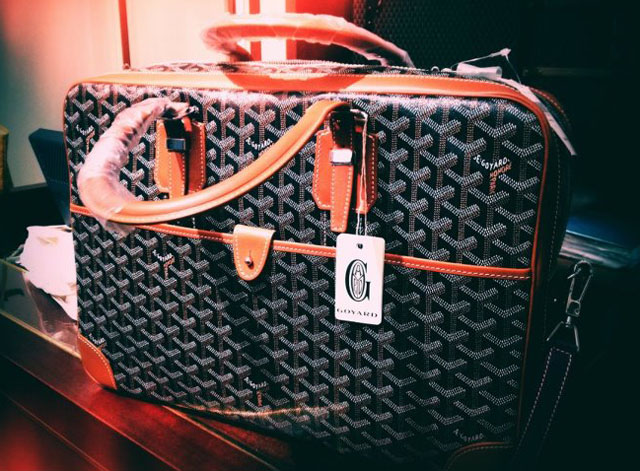
Goyard Ambassade bag is a larger document bag that can be made into a camera bag. Only available in the few Goyard stores around the world, in many colors incuding yellow, orange, blue and white. This one is the classic colors with handpainted chevron canvas and tan leather, but the one with black on black might also work very well. Shoulder strap is extra and is necessary for use as a camera bag.
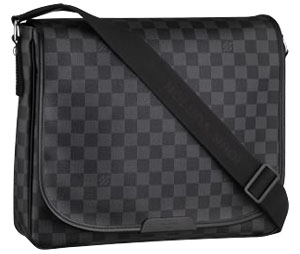
The Louis Voutton "Daniel MM" messenger bag fits an iPad and two-three lenses in the bottom - as well as the usual stuff.
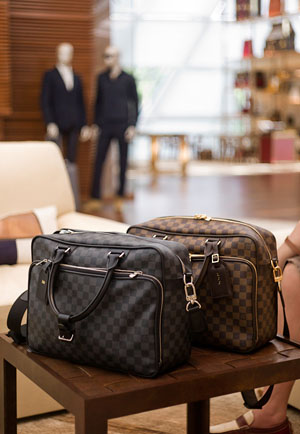
My Louis Voiutton "iCare" messenger bags. The black is mine, the bown is Bryan Loos that fits his chrome M9 with brown halfcase well.
A sac for shooters
I've also just ordered a Shootsac from their international reseller Adorama (who ships this 169$ bag for free locally in the US but charge an exorbitant 58$ for shipping to Europe; though I did actually get it within 48 hours instead of the promised 14-30 days). Their philosophy about a no-nonsense black bag that goes over the shoulder and fits any big or small lenses you throw into it is very much how I like it. Black is always good because it is the appearance closest to "doesn't exist" which is handy when covering most events like concerts, weddings and press conferences. And I guess that if I was a thieve and had the choice between a nice brown Louis Voutton with logos and brass all over it and a black sac ... I would steal the Louis Voutton.
For other occasions, like being a guest at a wedding, I might pick up a
Daniel MM messenger bag from Louis Voutton and look trendy and all (The Daniel MM doesn't fit a 15" MacBook but only a 13". The larger Daniel GM does, but then it's not as elegant).
In any case, it's a cool product, the Shootsac, but they need to find some cool resellers outside US like Meister Camera, Red Dot Cameras and the like.
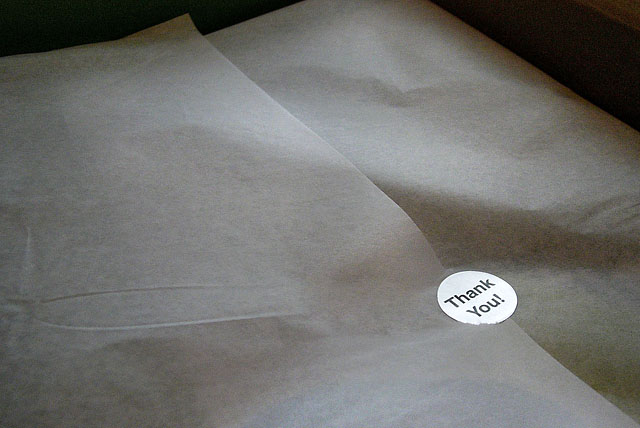
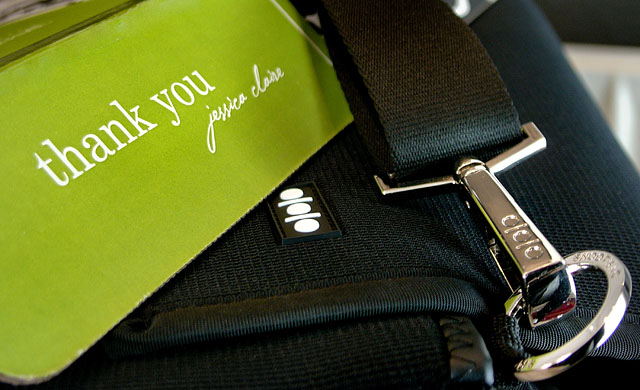
Thank you, Jessica!The Shootsac designed by Jessica Claire comes in an elegant green box and wrapped in silk paper with a small chrome "Thank you" sticker. With such a state-of-the-art packaging that basically doesn't leave Apple Computer much left to brag about, a "Thank you, Jessica Claire" feels more appropiate.
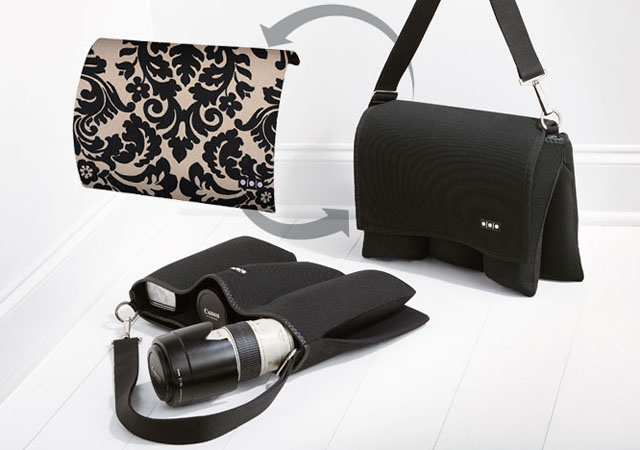
The Shootsac is minimalistic and extremely elegant as such. It has three deep pockets on the front under the front cover and three more with locking mechanism on the back. Lenses will lie soft and comfortably in there, yet kept in place by the elastic material the sac is made of all through.
Practical to use - One little tiny problem though
When you wear the Shootsac across the chest and over the shoulder, the metal bucke used to adjust the length of the strap can come to sit right on your shoulder, which can get a bit painful - especially if you have cameras hanging over that shoulder as well. And the metal clasp between the bag and the strap has an tendency to hit a camera all the time as both camera and clap might be in the same position. The metal clap took off the C letter on top of my Leica M9 this way (the c by the shutter release button).
And one final thing to watch out for is that it's a soft bag, so some times when you grab it from the floor, the weight of lenses inside will make it tilt and the lens fall out. It's like there is no up or down on this design. Fact of the matter is I'll only be using mine for very rare occassions, and then probably more for transport protection than actual over-the-shoulder-use.
Shootsac: I prefer the black basic lens bag concept, but they do provide some design editions where you can change into hipster mode or just simply noisy mode. As illustrated above. While it might appear on the left one as if there is only three pockets, you may norice on the right one that you can see there is three pockets on each side. So a total of six pockets for lenses, lightmerters, mobile phones, a bottle of water, etc.
A pleasant surprise about the Shootsac is the strict minimalistic and practival design. It's diving equipment meets street fashionista. Waterproof, durable, stylish and fashionable. Though the metal clap can be in the way and hit equipment. It goes well and discrete with almost anything - and it's one of the few bags that works equally well on both female and male photographers. If not all photographers in New York, London and Tokyo has one, I'm sure they soon will.
ARTISAN & ARTIST COV-8000 messenger photobag for airline travel and other greater needs
The fairly new Artisan & Artist COV-8000 messenger photobag is a bit to the large side for just transporting an Leica M9 and an extra battery. But for longer travel or trips, it fits MacBook Pro, Leica S2 and lenses, Leica M9 and lenses and a lot of other stuff such as chargers, water bottles and what have you. It's a 400$ photobag - or 380€ at Monochrom in Germany - though dealers like Popflash sell it for around 350$. Red Dot Cameras in London also stock A&A products now.
Also,leitax.com in Spain is a good A&A supplier, and by the way carry other interesting Leica M goodies. Very simple and reliable shipping (Leitax is the company that refit Leica R lenses to other brands).
The Artisan & Artist COV-8000 messenger photobag inside and outside.
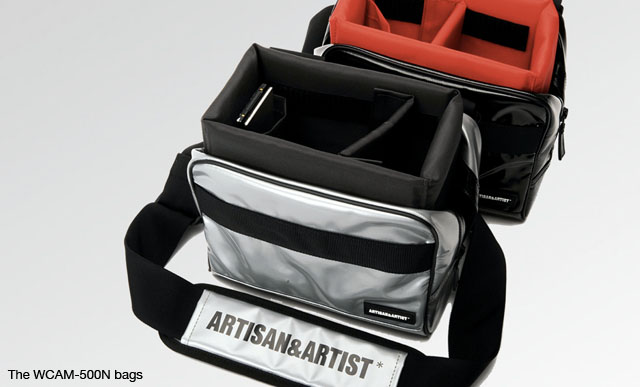
ARTISAN & ARTIST WCAM-500N in latex black or chrome grey
Another new and trendy bag is the compact (17x16x9 cm) WCAM-500N bag that comes with a big logo on the shoulder pad and in glossy black or bright chrome grey! And why not? I take it as a fashion statement, and as such it could be fun getting, and then get rid of it when you get tired of it.
What's in your bag, Thorsten Overgaard?
Here's a couple of videos showing what I pack in my bags for travel, a days shooting, walking around and such. Enjoy!
The inside of a bag tell the real quality
The way I shop for bags is that I look for what's inside. The hallmark of a quality bag is that the inside is as high quality as the outside. Examplified in a Fendi bag I saw with skin outside, crocodile inside. It was a female bag, but a bag is in my opinion a personal gadget, and the inside of it should fill you with as much pleasure as the outside.
Except for the fact that you really don't need a camera bag...
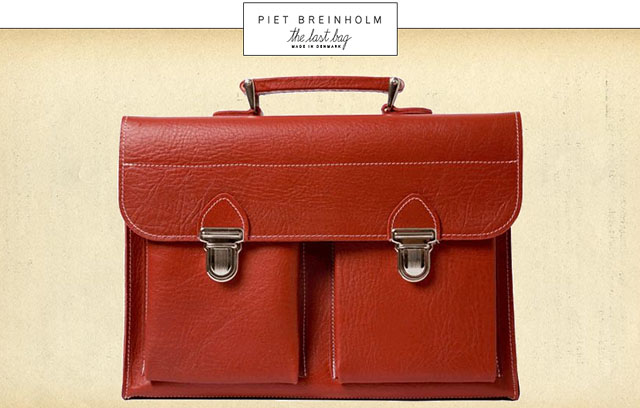
If you are for one lens and one camera, and you're a photographer, your camera is over the shoulder, ready to fire, and not hidden away in a bag. This is The Last Bag in red, in Classic Small size (ca 700$). Comes with a matching shoulder strap.
But actually, in terms of camera bags for Leica M9, let's be realistic. You really don't need a bag for the camera, but for the spare battery and spare SD card. Hence, the market is open for an entire different type of bags where the main consideration is not how many camera bodies, zoom lenses and flashes you can carry, but instead if it fits your iPad, extra cigarettes, scarf, gloves and perhaps one extra lens. And then the big question: does the bag fit a 13" or 15" computer - or does it even have to?
The main thing for any bag and photographer is that you need to have both hands free. So bags has to go over the shoulder, and you can never go shopping for things you have to carry in your hands. Only shop if it can fit in a shoulder bag, or if the shop (as Apple Stores for example do) provide a shoulder bag.
I have different bags. Some just holds an iPad and extra M9 battery for a day out, others has to be used for travel where I need all the gear with computers and chargers to be in one bag.
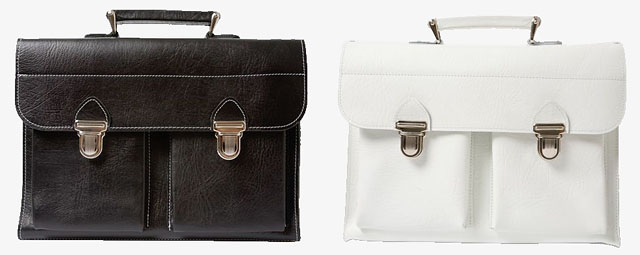
The choice for black and white photographers: One of each, but also available in yellow, blue, brown, green, natural leather and other. This is The Last Bag from Danish designer Piet Breinholm, a modern re-make of classic school bags, and of course meant to be the one and only bag you will need the rest of your life. I have a few of them, and despite that only the largest model is meant to fit a 15" MacBook Pro, I manage to squeese my laptop, external harddrive, 90mm lens and other stuff into the "Classic Small" bag, as well as the "Lulu Bag."
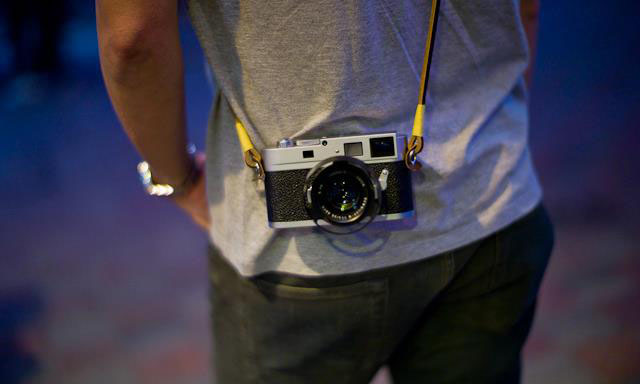
Camera straps in leather and nylon Artisan & Artist of Japan make quite a few in leather and nylon, and their prices are about the same as the original Leica a la Carte program leather straps. Though the A&A straps has more than just a metal ring in the end, they also have a small piece of leather as protection between the camera body and the metal ring.
One thing to take note of when looking for camera straps for the Leica M9 is the length. The standard length from A&A is 90 cm whihc is too short if the strap goes across the chest and over the (opposite) shoulder. Then the 105 cm edition which they offer for some of the types is better. But if you have a big body, not even the 105 cm will do the trick.
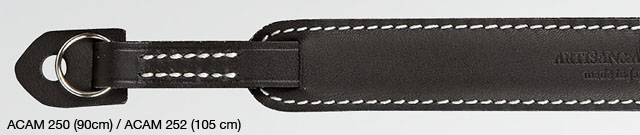
I use the 105 cm A&A black leather strap with white stitching, the modelACAM 252. It's noce when used for a few weeks as it becomes very soft. The neckpad tends to move back and forth after some use, so either you develop a habit of adjusting it, or you sew it so it stays, or you simply remove it by cutting it off so that you just have a simple black leather strap.
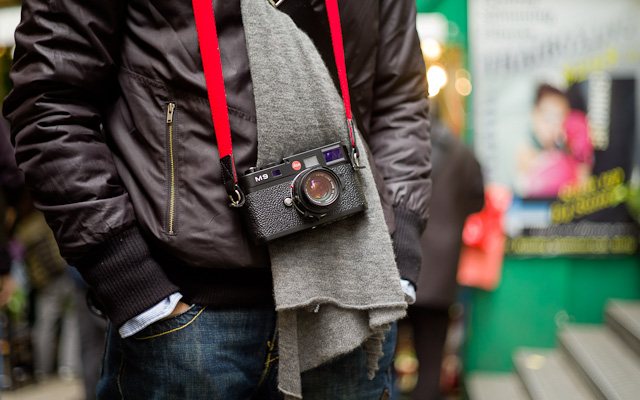
Cutting off the shoulder pad is by the way something you can also do on the classic original Leica nylon strap that comes with the Leica M9. It has a rubber neck/shoulder pad and the nylon strap is adjustable for small and large (human) bodies. It's a strap that does the job, made in a simple and compact design, and will last for many years. It takes a lot of weight and I use it on all my M and R cameras, except the two fitted with the A&A ACAM 252 strap.
Limited Edition A&A halfcase for Leica M9 in Orange or Black currently (May 2011) available from Leitax.com Price is
185 Euro including matching camera strap.
A&A is sold in Europe by Monochrom in Germany, Red Dot Cameras in London and leitax.com in Spain. Popflash in the US sell and ship worldwide as well. A&A has a very big program so you might want to send an e-mail to the dealer asking for certain A&A product numbers. A great number of Asian dealers have A&A in stock (as it's a Japanese brand) though I'm not familiar with which exact shops.
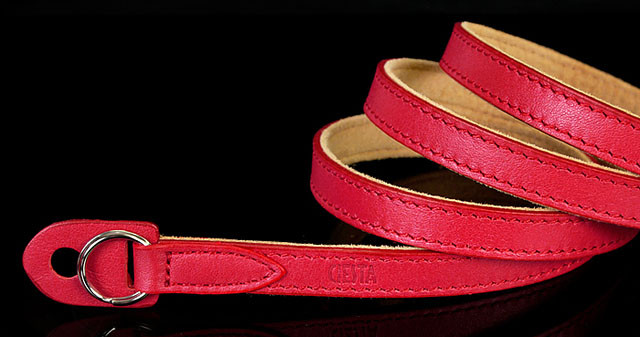
Another brand in 95cm leather straps, camera halfcases, hand strap (attached via a bottom plate), bags and other is Corean CIESTA. Some of their halfcases look really nice, and their camera straps are usually thicker than the A&A straps. Their range of leather goods seem to be quite large, covering Olympus Pen, Leica X1, Fuji X100, Panasonic cameras, Canon 5D and others. They also feature Fashion Straps for RF cameras in all sorts of materials and colors. It's quite easy to find their products in photo stores in Asia.
CIESTA rangefinder strap, made in Corea fro Italian leather, and very economical. www.ciesta9.com. Buy online from Mayisell.
The original Leica a la Carte leather strap is about 98 cm long and without shoulder pad. They can be adjusted to a length of approx 115 cm in steps of 2,5 centimeters. These come in leather in many colors from classic discrete black seattle leather (order no 14453) or alligator black (order no 14465) over red (order no 14457) to cobolt blue (order no 14469). Most Leica Camera Flagship Stores have them in stock, so don't hesitate to ask even you only see a few as part of the exhibition of the Leica a la Carte system. They are sold as any other assessory. The very classic brown leather strap for Leica M4 which is about 65 cm long (so that the camera hangs on the chest) I don't know if still exist, but the principle was good and when over the shoulder the camera would be hidden under the bicep.
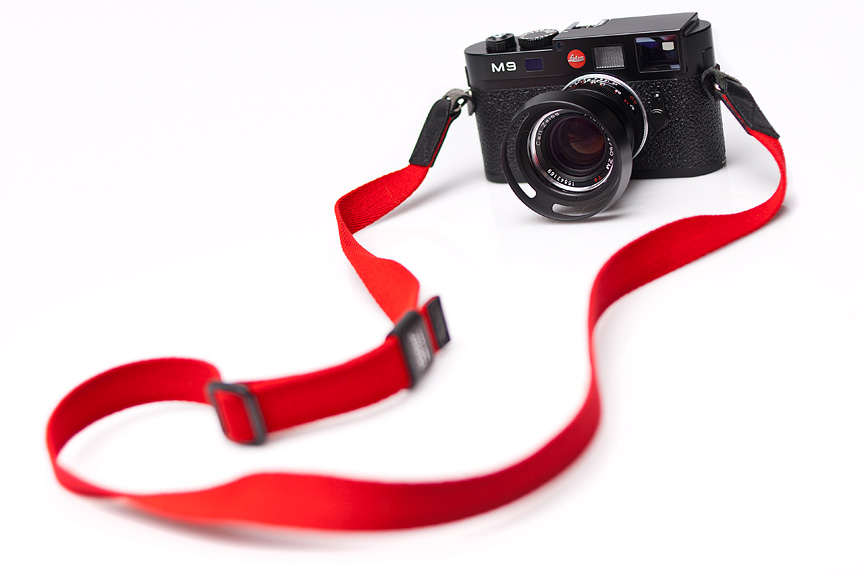
Also this one, the Artisan andArtist ACAM103N-RED strap in acrylic material with leather parts (also available in white, black or khaki). Though it has more the soft feeling of cotton, according to the happy owner Dennis DeSilva who shot this picture of the Leica M9 with it.He got his for 75$ from PopFlash in the US. The A&A ACAM 103N-RED is also available from Leitax.com in Spain for just 40€ via Paypal.
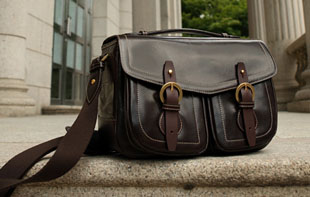
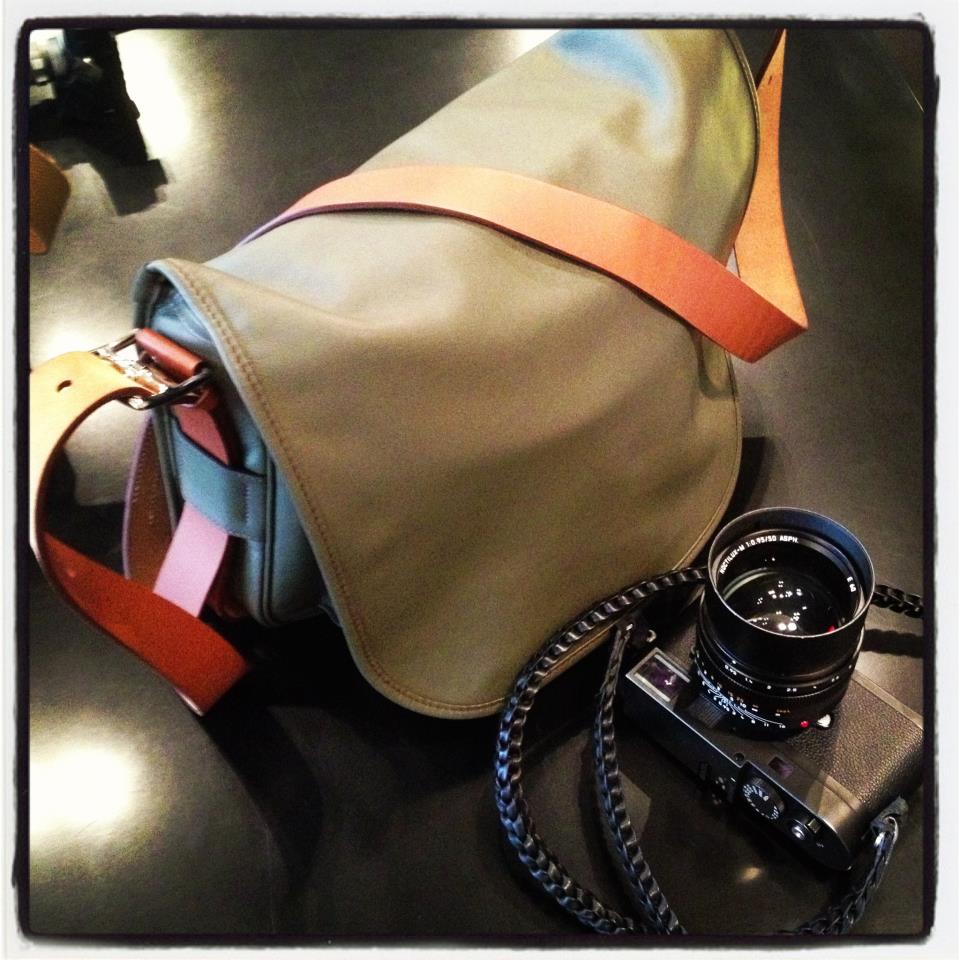
Hermes Barda camera bag and Annie Barton camera strap:
The very sexy Annie Barton handmade full leather braided neck strap comes also as hand wrist, and in brown, matt black, glossy black and even some funky orange, blue and white colors. I use the short one which is the correct length for me (115 cm), but also a long one is available if you have a tall and/or large body. The Annie Barton 1972 straps and bags are handmade in Hong Kong and are also sold from Red Dot Cameras in London. If you got to Hong Kong and visit the store of Annie Barton on the third floor in Central Hong Kong you won't meet Annie Barton as that is a made-up name. But you might meet the couple that produce and sell the Annie barton straps and bags.
The Hermes Barda bag comes in two sizes, 35 x 27 x 7 cm and 43 cm and in etain/pewter and ebene/ebony colors and black sikkim calfskin leather. The price is HK$49700 and HK$58600 respectively.
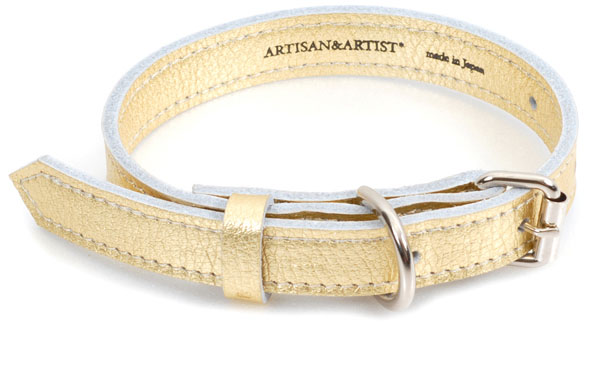
The ultimate gadget for the Leica M9 owner with all the extras ... well, here it is: TheArtisan & Artist leather collar for your cat or dog. Or as an armwrist, if you like, available in black, red, gold and other colors.
A&A is mainly an Japanese producer of luxory bags and belts, so the camera bags and camera straps are just because the owner of A&A happens to like photography. They also produce iPhone covers, iPad covers and more.
Leica Photographers Gloves from Leica Store Tokyo
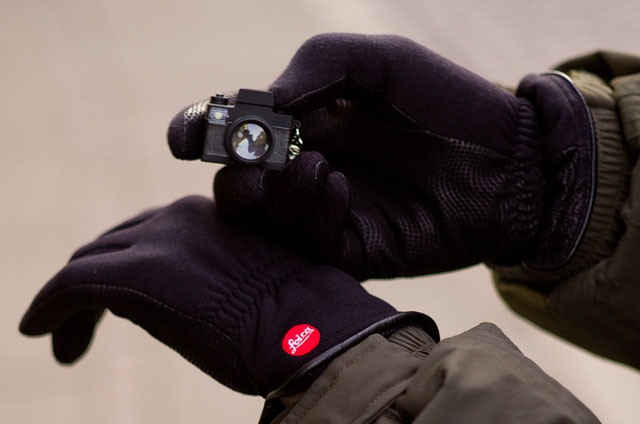
If you are familiar with the Leica Store Tokyo, you are also familiar with the fact that they like to create nice design for Leica products, ranging from well-designed Leica shopping bags to the Leica M7 Hermes Special Edition (the chrome with orange leather - Leica Japan is still partly owned by Hermes). Leica Store Tokyo is also the place to find the Leica gloves, designed and made for Leica Store Tokyo, and only available there. The price is 6,000 Yen (75$), and if you try to get them, be aware it is japanese sizes. The largest is the "Large" which is equivalent to "Medium" in Europe and USA.
As a very special inside for any Leica M9 owner looking for something absolutely special, keep an eye out for the 50 Year Anniversary edition at the Leica Store Tokyo. They celebrate the 50th year anniversary in spring 2011, and I bet they will come up with an interesting and well-designed M9.
The acessory you won't be able to live without: Special edition Leica gloves with Pittard WR101X leather inside and stretchable Polartec on the outside (The camera is another story, just a funny key chain, not from Leica Store Tokyo).
How many lenses does one need..?
As many as it takes. Enjoy this video of Joe Bonamassa and notice his guitar rack behind him. Lenses are a great part of the artistic expression you have as a photographer. Some do well with just one lens, others will need several to explore the possibilities.
The One More Thing ...
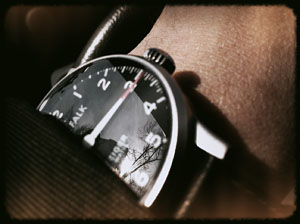
The KARL FALK watch in simple and elegant Bauhaus design and with only one arm to show the time (in the photo the time is 15:20). Comes in a leather box with different straps and tools.
It may not come as a big surprise that many Leica M9 shooters also have a liking for watches, pens, cars, and some even airplanes. I'm a collector of a few select Mont Blanc fountain pens my self (only the ones I really like, and the ones I will use daily - I don't have a vault I hide them in) but not much of a watch collector. But I have to mention the KARL FALK watch which both Birgit Krippner and I now use and which seem to have some Leica M9 qualities. It's Bauhaus design, and it has only one arm (as clocks and watches originally had). It takes a while to get used to read the time with only one arm, but it seems the joy of looking at the watch (and not the time) is enough.
Music for the road
If you travel, you need to bring music, so here are some advice I have picked up fro fellow Leica M9 shooters. The good thing about Leica M9 people are that they are usually very good at doing research to find the right stuff - that's how they ended up with the Leica M9 and the worlds best lenses in the first place!
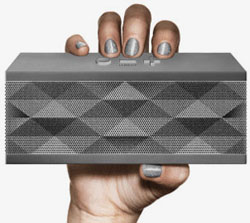
Jambox from Jawbone, wireless speaker that plays wireless with MacBook, iPhone and iPad
Wireless speaker with big sound
When in Palermo doing workshop in May 2011, Ulli Seeberger from Germany was our DJ during editing. Out of his bag came the small grey Jambox from Jawbone (known for their bluetooth headsets) which plays a quite larger sound than it's own size - it uses the table to enlarge the sound. It's a 200$ gadget from the Apple Store and will play for 5-10 hours on one charge (rechargeable battery; you simply charge it via your USB-charger or MacBook as with an iPhone).
One warning though: When playing it will move slightrly to the beat, and so it may fall down. So don't place it on a tall closet as I did, because it may fall down and get bumps!
In-ear headphones that keeps out other sound
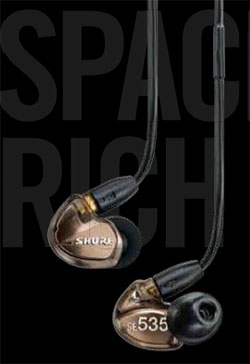
The choice of many musicians are the Shure in-ear earphones, and nothing less than the Shure
SE535 in metalliz bronze is what I travel with, because it has triple 'speakers' inside. It's a very neutral sound, yet it has a rich and deep bass. Shure has been making microphones and professional musicians sound gear for 85 years, so both their microphones and headphones are legendary.
The Shure SE535 comes with a carrying box and extra in-ear pads in different sizes. And one can also get an iPhone cable with built-in Shure microphone for super speaking quality (as well as remote control of the iPhone).
On airplanes and in cafés they will close out what seems to be 98% of all sounds, and when playing you don't hear anything. The sound isolation is 37DB without any electronic aid, simply because they close the ear. Hence this is why they are also used as in-ear monitors on stage for musicians.
An extra advantage is that they can go behind the ear, thus the cable travels down your neck and is not visible (good on airplanes), and is not in the way when photographing. Price is about 500$ and for another 150$ you can get a custom-fit Sensorphinics sleeve for tighter fit and even better isolation to your ears.
To be continued ...
I will get back with (many) more bags as well as nice, interesting and kinky camera straps to go with them. In other words, this is to be continued and will also come to contain stuff about 18mm, 50mm and other very sexy lenses ...
Thorsten von Overgaard is a Danish-American multiple award-winning photographer, known for his writings about photography and Leica cameras. He travels to more than 25 countries a year, photographing and teaching workshops to photographers. Some photos are available as signed editions via galleries or online. For specific photography needs, contact Thorsten Overgaard via email.
You can follow Thorsten Overgaard at his television channel magicoflight.tv.
















 An example of a specially made Leica M9 to mark the 125th year of publication of Amateur Photographer, the UK's oldest consumer photographic magazine. It might not distinguish itself with an aesthetic engraving, but it's the one and only in the world of it's kind.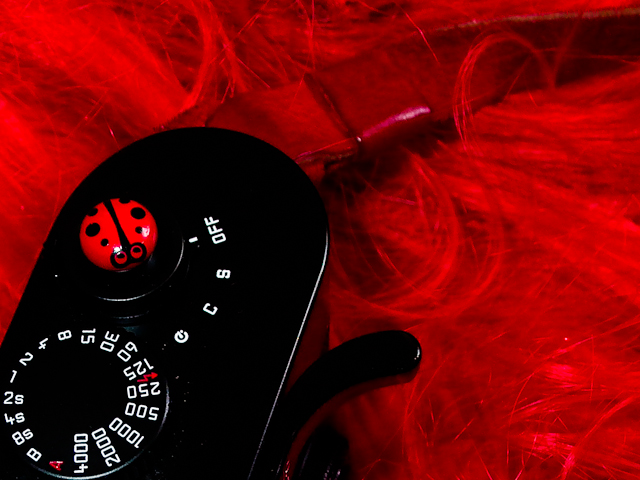
 And speaking of custom made looks, let's touch on the habit some have of removing the M9 lettering on the front with a wooden toothpick (which is quite easily done - and Leica can repaint it if you regret), or by adding black tape over the M9 white letters and/or the red Leica dot. The proper black tape to use would be insulation tape (also known as electrical tape or PVC tape). Easy to mount, easy to remove without leaving glue (and if it does, this can be removed easily with gazolin). Duck tape is very thick and has a different surface than insulation tape, and will leave more glue when removed - and sometimes take off the lettering as well when removed.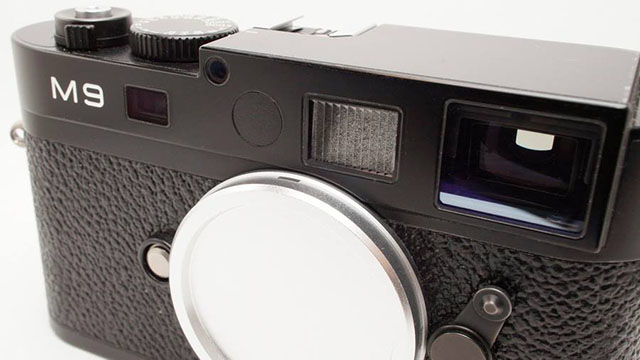
 Leica lens hood 12 466 on the 1994-2010 35mm Summilux-M ASPH edition. Leica M9-P silver and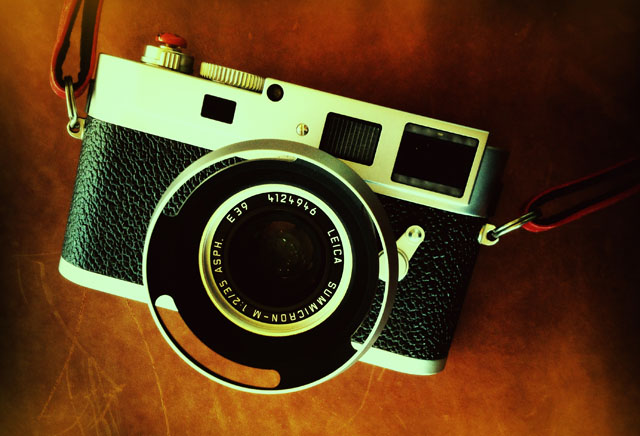
 Leica M9 Titanium with 35mm Summilux-M ASPH f/14 limited edition of 500 set, designed by by-Walter de'Silva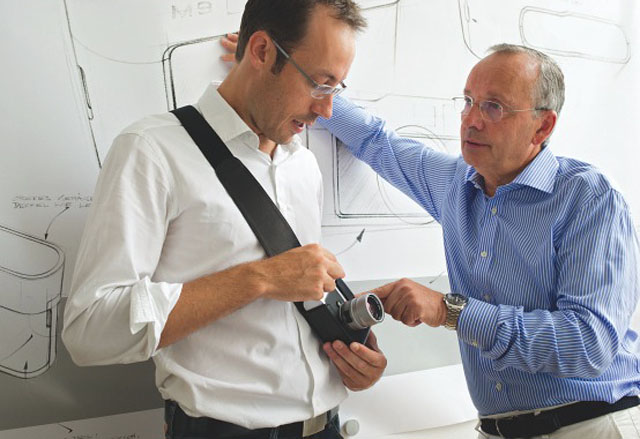


 Hermes Barda camera bag and Annie Barton camera strap: