| |
 |
| |
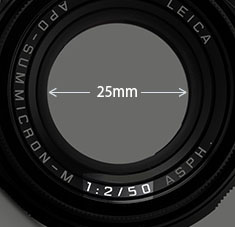
1:2/50 the description says.
But what does it mean? |
| |
|
1: = Basically means 1 divided with. On the lens to the right, it means that the diameter of the hole throught he lens is 25mm.
We would normall call it
a 50mm f/2.0 lens. The writing of 1:2/50 is a tradition from the 1800's of specifying a lens, which reveals quite a bit about the construction:
Focal length 50mm simply means that the distance from center of focus inside the lens to the focusing plane (the sensor or film) is 50mm, and the aperture of f/2 or 1:2 means that the diameter of the hole the light comes throught is 25mm (50mm divided with 2 = 25mm).
In traditional lens design, one could usually tell from looking at the length of a lens if it was a 400mm, 100mm or 35mm. Newer designs with mirrors (in tele lenses) and more corrections (in wide lenses) can make the size of the lenses shorter or longer, but the distance from center of focus to sensor in a modern 50mm lens will still be 50mm for a 50mm and 400mm for a 400mm, and so on.
See Focal length and Aperture further down for more.
35mm
a) 35mm lens is a lens that has a viewing angle of view is 63°vertically, 54° horizontally and 38° vertically within a 35mm film frame or "full-frame" 24x36mm digital format. See Focal length further down.
b) 35mm focal length: the distance from center of focus inside the lens to the focusing plane (the sensor or film) is 35mm.
| |
 |
| |
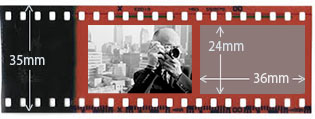
35mm film format (also known as full-frame) |
| |
|
c) 35mm film format (also knwn as full-frame in digital sensors) was a standard film format that came about in 1892 where the width of the film roll was 35mm, and it's been the most used format ever since. Only a format of 24 x 36mm is used for the photo on the film roll.
35mm film format was first used in 1892 by William Dickson and Thomas Edison for moving pictures with frames of 24 x 18mm, using film supplied by George Eastman (Kodak), and this became the international standard for motion picture negative film in 1909. Later other motion picture formats came about, such as Academy Ratio (22 x 16 mm), Widescreen (21.95 x 18.6 mm), Super 35 (24.89 x 18.66 mm) and Techiscope (22 x 9.47 mm).
The inventor of the Leica camera, Oskar Barnack, built his prototype Ur-Leica in 1913 as a device to test film stock and\ motion picture lenses and had it patented. Putting 35mm film format into a small camera gave him the idea "small negative, large print" and he decided to increase the size of each frame on the 35mm film to 24x36mm (for more detail and sharpness), and then invented an enlarger to make large prints from the small negative. The length of a film, 36 pictures, is said to have become the standard because that was how far Oskar Barnack could stretch his arms (when cutting film from larger rolls to put them into film rolls for the Leica camera).
d) 35mm equivalent is often given as a standard when talking about lenses in small compact-cameras or large format cameras with other sensor/film format than the 24 x 36mm frame. Example: A camera with a 12 x 18 mm sensor has a 14mm lens on it, and even the lens is actually a 14mm, it is specified as a 28mm lens because the viewing angle that ends up on the sensor is equivalent to a 28mm lens on a 35mm of full-frame camera.
| |
 |
| |
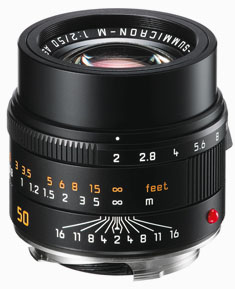
The Leica 50mm APO-Summicron-M
ASPH f/2.0 lens |
| |
|
50mm
a) 50mm lens is a lens that has a viewing angle of view is 47° vertically, 40° horizontally and 27° vertically within a 35mm film frame.
b) 50mm means there is 50mm from the center of focus inside the lens to the focal plane (sensor or film).
c) 50mm lens is often compared to the human eye. Not because of viewing angle (how wide it sees) but because of size ratio (how it sees). The 50mm lens is the lens that comes closest to the size that the human eye see things. Whereas the human eye has a much wider angle of view [120-200°] than the 50mm lens [47°].
AF = Auto Focus. The idea is that the camera does the focusing itself (the word auto comes from Greek "self").
AOV - angle of view = Is the angle a lens 'see'. A 35mm lens has a 54° angle of view horizontally. Each human eye individually has anywhere from a 120-200° angle of viewn ags.
Aperture = The same function as the iris and pupil has in the eye. The pupil in the eye is the dark circular opening in the center of the iris of the eye, varying in size to regulate the amount of light reaching the retina (the sensor area inside the eye).
Aperture on a camera is the f/ stop on the camera that regulates how much light passes through the lens by increasing or decreasing the hole through the lens. On a f/2.0 lens the lens is fully open" at f/2.0. At f/2.8 the aperture inside the lens make the hole through the lens smaller so only half the amount of light at f/2.0 passes through. For each f/-stop (4.0 - 5.6 - 8.0 - 11 - 16) you halve the light. The aperture of the lens is basically the focal length divided with the f/-stop = size of the hole (50mm divided with f/2.0 = the hole is 25 mm in diameter).
Besides regulating the amount of light (so as to match the correct exposure), the aperture also affects the dept of field: , which is how deep the sharpness is. To get the sough-after photos with narrow depth of field where the background is blurry, the lens has to be wide open at f/2.0 or so. Stopping the lens down to f/8 or f/16 will result on more depth of field, meaning the background will start becoming in focus. To maintain narrow depth of field, one can use the ISO sensitivity and/or the shutter speed to match the correct exposure (as aperture is only one of three ways to control the exposure; the correct amount of light).
ORIGIN: Late Middle English : from Latin apertura, from apert- ‘opened,’ from aperire ‘to open’.
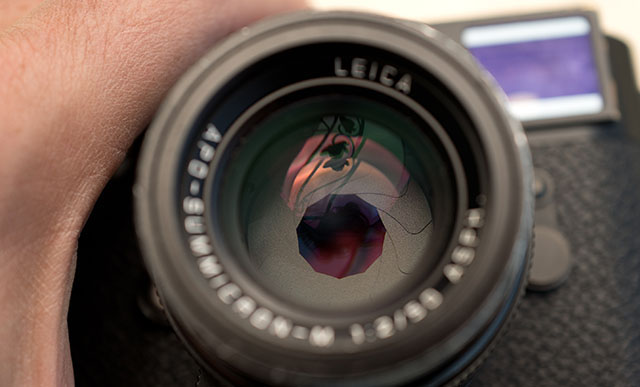
The aperture blades inside the consist of a number of blades that - as the aperture ring on the lens is rotated - narrow into a smaller and smaller hole. © Thorsten Overgaard.
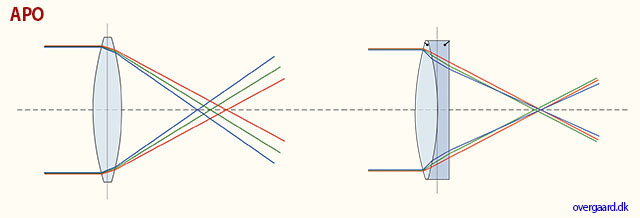
APO corrected basically means that the red, green and blue has been corrected to meet more precisely in the same spot. Clarity of colors and definition of details would be the result.
APO = in lens terminology stands for "apochromatically corrected". In most lenses, optical design concentrates the focus of blue light and green light into a single plane, but red light falls slightly into another plane of focus. In APO lenses, the design and expense has been put in to making red light focus on the same plane as blue and green. Under a microscope you would see that all light subject is now in focus, creating a sharper image overall. Many manufacturers offer APO designs, but in most of these only the very center of the lens is APO corrected. Leica prides itself on making most of the frame APO corrected.
APo-correction has traditionally been used for long tele lenses (and periscopes), but in recent years APO-correction has been applied to 50mm and wide angle lenses as well. One will notice that the colors are really bright and alive, almost more real than to the eye, in lenses like the Leica 90mm APO-Summicron-M ASPH f/2.0 and 50mm APO-Summicron-M ASPH f/2.0.
Apochromat; ORIGIN early 20th century, made of the two words; apo (Greek origin, away from) and chromatic (Latin origin, meaing relating to color).
| |
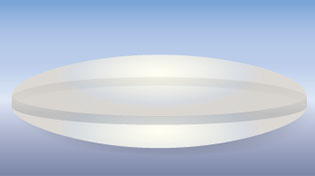
spherical (ball) |
| |
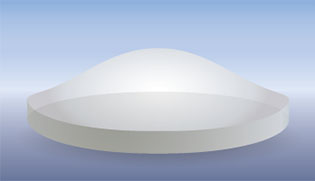
a-spherical (non-ball) |
| |
|
ASPH = (Aspherical lens) stands for "aspheric design".
Most lenses have a spherical design - that is, the radius
of curvature is constant. These are easy to manufacture by
grinding while "spinning" the glass. This design
however restricts the number of optical corrections that can
be made to the design to render the most realistic image possible.
ASPH lenses (a-spherical, meaning non-spherical), however, involve usually 1 element that does
*not* have a constant radius of curvature. These elements
can be made by 1) expensive manual grinding, 2) molded plastic,
or 3) Leica's patented "press" process, where the element
is pressed into an aspherical ("non-spherical")
shape. This design allows Leica to introduce corrections
into compact lens designs that weren't possible before. Practically,
the lens performs "better" (up to interpretation)
due to increased correction of the image, in a package not
significantly bigger than the spherical version.
There is another Aspherical lens manufacture technique: an uneven coating layer is applied to a spherical lens. The coating is thicker on the edges (or on the center, depending). Canon "Lens Work II" calls these "simulated" aspherical lenses. Simulated and Glass-Molded (GMo) asphericals show up in non-L Canon lenses, while the L lenses have actual ground aspheric elements.
A- means non, or without. From Latin, ex.
Sphere: ORIGIN Middle English : from Old French espere, from late Latin sphera, earlier sphaera, from Greek sphaira "ball".
| |
|
|
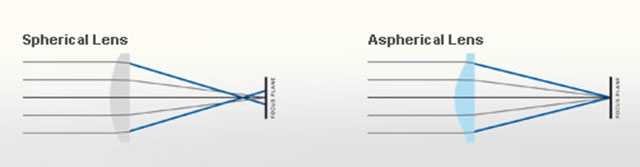 |
| Normal spheric lens (grinded) |
|
ASPH (note the shape of the glass as result of pressing rather than grinding) |
Auto- means “self”. The idea is that when a camera has auto-(something), it does that (something) by itself.
Banding = Noise in digital images. Horizontal lines in a horizontal picture (if the camera is in portrait mode/vertical, the lines will obviously be vertical). It's simply noise; the result of uncontrolled algorithms working overtime with an image the sensor really can't see because it's very dark. (If your image has vertical lines in it, it is more likely that the sensor needs remapping).
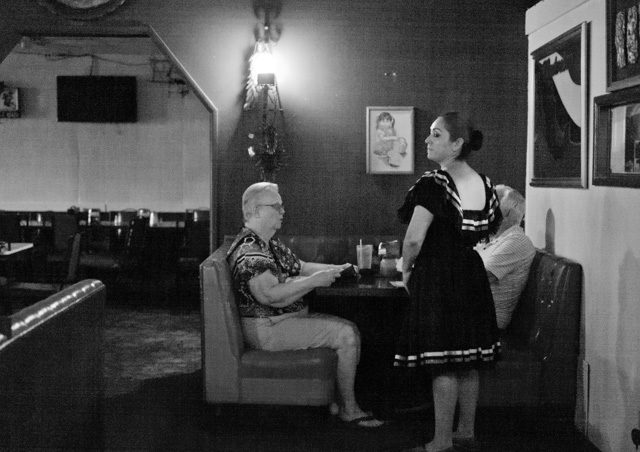
This image at 6400 ISO, underexposed and then brought up to correct exposure in Lightroom, displays banding: Horizontal lines in the image. Leica M-D 262 with Leica 50mm APO-Summicron-M ASPH f/2.0.
Base ISO = The ISO the digital sensor was born with. Even a digital sensor goes from say 50 ISO to 25,000 ISO, it only has one base ISO. Any other setting is an algorithm that figures out how the image whould look if there was 64 times more light, or half the light, etc.
When you go down from Base ISO (for example 200 to 100 ISO), you can expect a
decrease in quality. When you go up, the decrease is much less. For some sensors, you loose 2-3 stops by going down 1 step in ISO, but can go 8 steps up and only loose 1 stop in dynamic range. Basically, your ISO range should be from Base ISO and as far up as you can, before you see visible decrease in quality (mostly 3200 ISO - 6400 ISO).
The base ISO of the DMR is 100 ISO. Base ISO for Leica M9 is 160 ISO, for Leica M240 it is 200 ISO. For Leica M10 it is around 160 ISO. For Leica M Monochrom it is 320 ISO. For Leica Q and Leica Q2 it is around 100 ISO. For Panasonic Lumix S it is 200 ISO. For most Canon cameras the base ISO is around 100, for most Nikon cameras it is around 200 ISO.
Bokeh = The visual quality of the out-of-focus areas of a photographic image, especially as rendered by a particular lens: It's a matter of taste and usually photographers discuss a 'nice' or 'pleasant' bokeh (the out-of-focus area is always unsharp, which is why the quality discussed is if one likes the way it renders or not by a particular lens). The closer you get to something, the 'more' bokeh' you get (in that the focus becomes less for the background and foreground at close distances than at long distances). ORIGIN from Japanese 'bo-ke' which mean 'fuzzines' or 'blur.'.
 Bokeh: The visual quality of the out-of-focus areas of a photographic image. Photo at Bar del Fico in Rome. Leica TL2 with Leica 35mm Summilux-TL ASPH f/1.4. © 2017 Thorsten Overgaard. Bokeh: The visual quality of the out-of-focus areas of a photographic image. Photo at Bar del Fico in Rome. Leica TL2 with Leica 35mm Summilux-TL ASPH f/1.4. © 2017 Thorsten Overgaard.
Cam = A Leica transmission system for the Leica R lenses, seen as metal parts inside the lens bayonet. (A cam is a rotating part in machinery, designed to make sliding contact with another part).
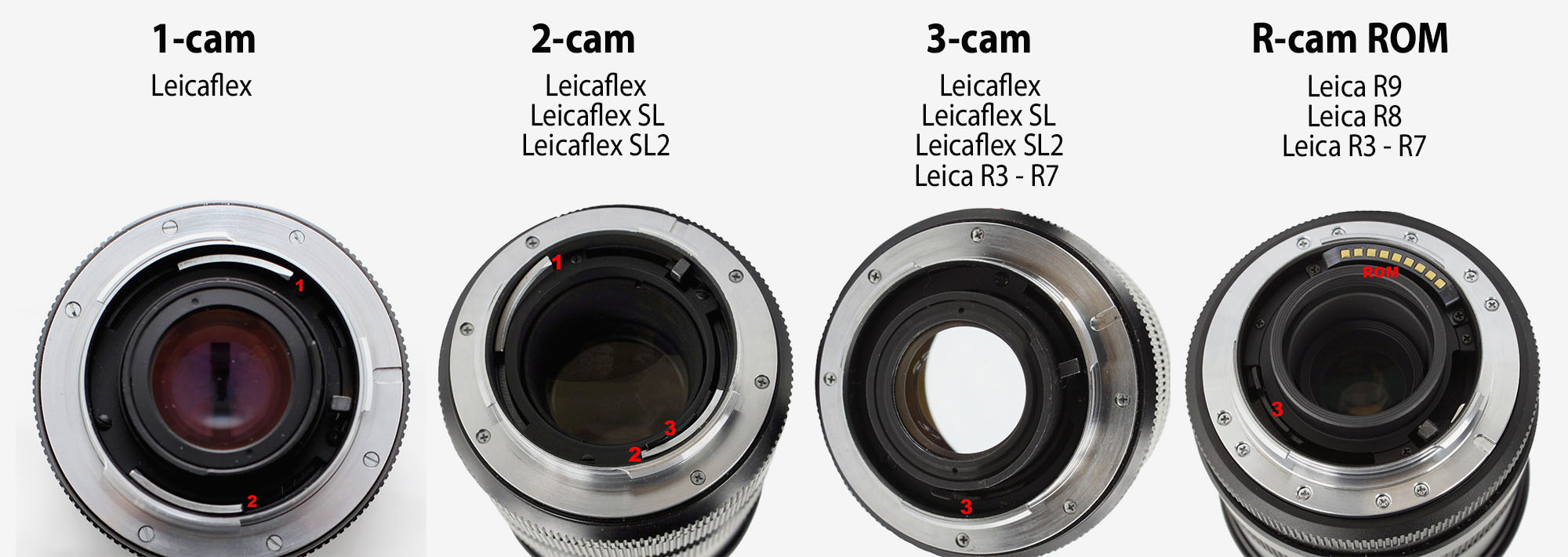
1-cam lenses (1964-68) was a curved chrome-bar between the mount and the rear lens element to transfer the aperture setting on the lens to the Leicaflex camera.
2-cam lenses (1968-76) came with the Leicaflex SL that supported TTL (Through The Lens light metering). Leica moved the curved cam to the opposite side of the lens mount. To make newer lenses could compatible with previous Leicaflex cameras, the first cam was maintained. The 2-cam is not recommended on the R8 and R9.
3-cam lenses (1976-96): The Leica R3, which was developed in cooperation with Minolta, introduced a different coupling mechanism, which was an adition to the 1-cam and 2-cam. The 3-cam is in the form of a triple-stepped, black projection on the inside of the lens bayonet. The 3-cam function on any Leicaflex, R3 and forward to Leica R9.
R-cam lenses (aka "R-cam only", "R-only): (1986-09). In 2086 Leica started to produce R-lenses that only had the third, stepped cam, but lacked the first and second cams. These lenses would not transmit any aperture information to the Leicaflex/SL/SL2 models, and Leica changed the shape of the lens mount slightly so the R-cam lenses (alternatively called "R-cam only", "R-only", "three-cam only", or "3-cam only" lenses) could not be mounted on the Leicaflex, Leicaflex SL and Leicaflex SL2.
(For more om ROM contacts for Leica R8/Leica R9 (1996-2009), see ROM futher down).
| CAM compatibility of Leica R lenses: |
| |
Leicaflex |
SL-SL2 |
R3-R7 |
R8-R9 |
| 1-cam |
+ |
o |
o |
[o] |
| 2-cam |
+ |
+ |
o |
[o] |
| 3-cam |
+ |
+ |
+ |
+ |
| R-cam |
- |
- |
+ |
+ |
| ROM |
- |
- |
+ |
+ |

Camera comes from Chambre, mostly in relation to Spanish soldiers’ rooms. Obscura means 'dark', so a dark room is basically the derivation for the word camera.
Camera - is today’s short name for Camera Obscura (meaning “a dark room”). Camera means Chambre and was used only as a Latin or alien word, actually only for Spanish soldiers’ rooms, until popularized in connection with photography in 1727: “Camera Obscura”. In 1793 the slang term “camera” was used by Sterne Tr. Shandy: “Will make drawings of you in the camera” and by Foster (1878), “The eye is a camera”. Camera Obscura was described by Iraqi scientist Ibn-al-Haytham in his book, “Book of Optics” (1021) and by Leonardo da Vinci in 1500; popularized and made widely known in 1589 by Baptista Porta when he mentioned the principle in his book “Natural Magic”. Johannes Kepler mentions Camera Obscura in 1604.
Camera = chambre (room), Obscura = dark (or cover).
| |
|
|
| |
Why is it called a "camera"..?
The word Camera is today's short name for Camera Obscura (which originally means “a dark room”).
Origin of the word Obscura means "dark" or "covered", and the word Camera means Chambre and was used originally only as a Latin or alien word, actually only for Spanish soldiers' rooms, until popularized in connection with photography in 1727: “Camera Obscura”.
In 1793 the slang term “camera” was used by Sterne Tr. Shandy: “Will make drawings of you in the camera” and by Foster (1878), “The eye is a camera”.
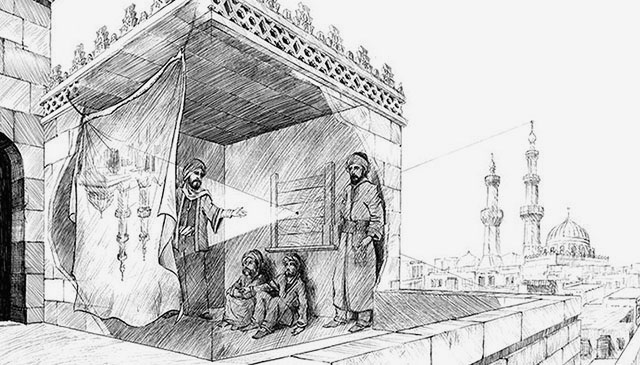
Ibn-al-Haytham mentioned Camera Obscura in his "Book of Optics" in 1021.
The concept of Camera Obscura was described by Iraqi scientist Ibn-al-Haytham in his book, “Book of Optics” (1021) and by Leonardo da Vinci in 1500; popularized and made widely known in 1589 by Baptista Porta when he mentioned the principle in his book “Natural Magic”. Johannes Kepler mentions Camera Obscura in 1604.
Camera = chambre (room), Obscura = dark (or cover). |
|
| |
|
|
CCD sensor (as used in Leica M8, M9, Leica S) = (Charged Coupling Devices) - The first digital cameras used CCD to turn images from analog light signals into digital pixels. They're made through a special manufacturing process that allows the conversion to take place in the chip without distortion. This creates high quality sensors that produce excellent images. But, because they require special manufacturing, they are more expensive than their newer CMOS counter parts.
| |
 |
| |
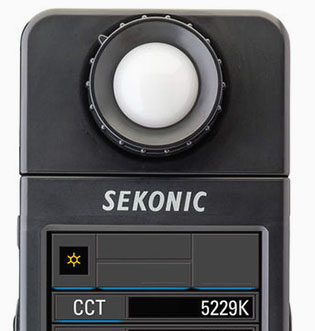
Color meters may use CCT scale, which is the same as Kelvin. In this case, 5229 CCT is the same as 5229 Kelvin. © Thorsten Overgaard. |
| |
|
CCT = Correlated Color Temperature,. CCT is basically another word for Kelvin color temperature. (CCT is defined in degrees Kelvin). Scientists and light researchers may talk about CCT, but photographers talk about Kelvin. However, on many light metering instruments one may find the Kelvin value given in "CCT".
Central Shutter = Some lenses, for example the Leica S lenses and the Leica Q where a shutter is located in the lens itself. In most cameras there is a shutter curtain just in front of the sensor, and in SLR (Single Lens Reflex) cameras there is also a mirror in front of the shutter curtain.
In the Leica T/TL/TL2 the shutter is in front of the sensor, but only acts to "refresh" the sensor. In the Leica TL2, there is a mechanical shutter curtain from 30 sec. to 1/4000 shutter times, and digital shutter from 1/4100 to 1/40,000 shutter times. A digital shutter is simply "turning on/off the recording of the sensor.
CL = Compact Leicafilm camera (or Compact Light measuring). Used to be the name of the Leica CL "Mini M" that Leica Camera AG and Minolta made together in the 1980's. The name CL was used again for the digital Leica CL (2017), which is a digital camera that takes Leica L lenses (made for Leica TL and Leica SL). See my article Compact Leica Cameras for more.
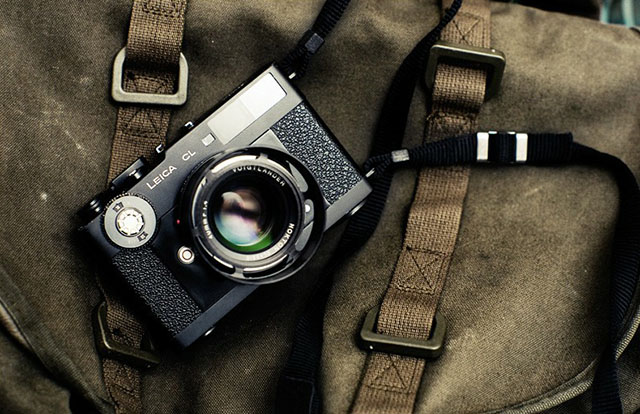
The Leica CL 35mm film camera was made as Leica CL and Minolta CL and shared technology. It also introduced three CL lenses together with it, as a compact and economical alternative to the Leica M camera. See more on the original Leica CL here.
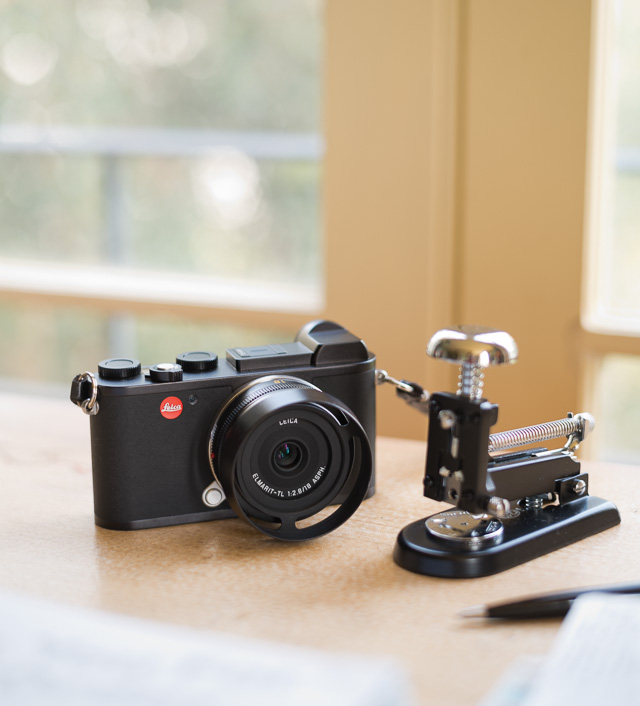
The digital Leica CL 2018 with 18mm Elmarit-TL f/2.8. © Thorsten von Overgaard.
CLA
An acronym for "(C)lean, (L)ubricate & (A)djust", whereby the item is merely re-lubricated, fine-adjusted and calibrated rather than repaired. "I just got my equipment back from CLA at Leica"
CMOS sensor (as used in Leica CL, Leica T/TL/TL2, Leica M10, Leica M 240, Leica M Monochrom Typ 246, Leica S Typ 007, Leica SL, Leica Q, Leica Q2, Leica M10, Leica X, Leica D-Lux, etc.) = (Complimentary Metal Oxide Semiconductor) chips use transistors at each pixel to move the charge through traditional wires. This offers flexibility because each pixel is treated individually. Traditional manufacturing processes are used to make CMOS. It's the same as creating microchips. Because they're easier to produce, CMOS sensors are cheaper than CCD sensors. CMOS allow Live View and use less energy than CCD.
Collapsible - Usually refers to a collapsible lens such as the Leica 50mm Elmarit-M f/2.8 Collapsible, or Leica 90mm Macro Elmar-M f4.0 Collapsible, etc. A collapsible lens is one that can collaps into a compact lens when not in use.
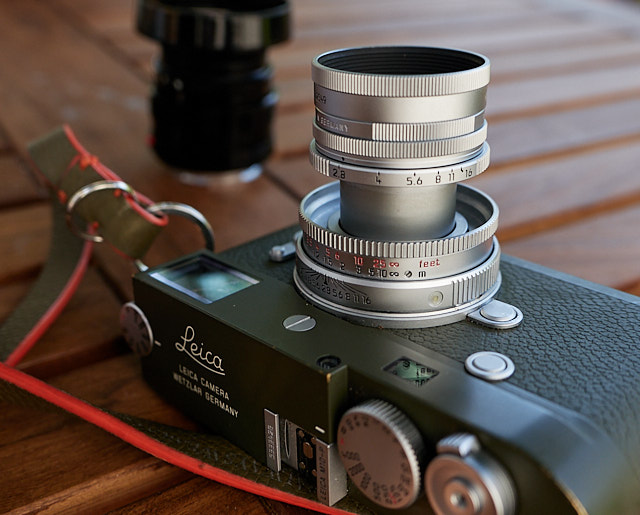
The Leica 50mm Elmar-M f/2.8 Collapsible on a Leica M10-P Safari. Here extruded for use; it can collapse into the camera so as to be more compact when not in use. © Thorsten Overgaard.
Compact Camera - A camera that is compact, usually the same as a point-and-shoot or beginners camera. See my article Leica Compact Cameras.
Compur
Leica I Compur camera (1926-1941) and Leitz Compur 50mm f/3.5 (1938) and Leica Summicron (II) Compur 50mm f2.0 lens (1959). Marketed as the Leica B, collectors have taken to calling it the Compur. It was fitted with a Compur leaf shutter. The Compur is a long-lived series of leaf shutters that were made by the German company F. Deckel AG, based in München.
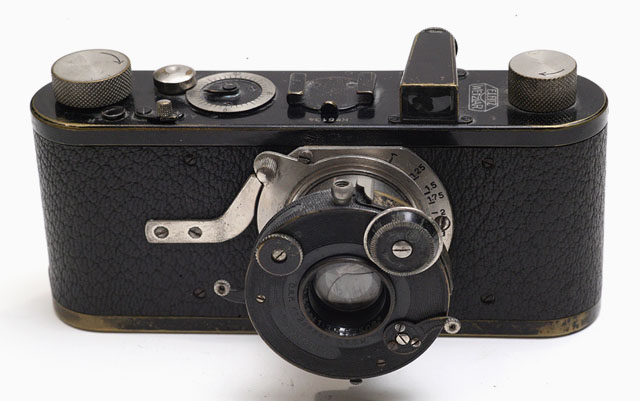
Leitz Compur (Model Leica B) camera designed by Oskar Barnack, lens designed by Oskar Barnack, with the Compur leaf shutte from Bruns & Deckel in Munich. (Size L x H x W - 133 x 65 x 30 mm / 5.24 x 2.60 x 1.54 in). Approx 1651 of these were made from 1926-1941.
Contrast - The degree of difference between tones in a picture. Latin contra- ‘against’ + stare ‘stand.’
 |
|
 |
| Normal to low contrast |
|
High contrast |
| |
|
|
Contact strip = Electronic strip of contacs between lens and camera. The Leica L mount system (2013) features a Leica L bayonet with contact strip for communication between lens. It is simply contacts that allow communication back and forth between camera and lens: Share information to the camera about aperture, focal length and focusing distance of the lens (which in the Leica TL and Leica SL is used to calculate and display depth of field calculations inside the electronic viewfinder). The contact strip supply power and control to the lens for the auto focus and aperture.
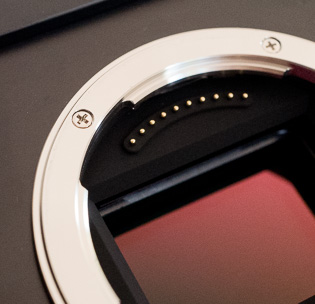
|
|
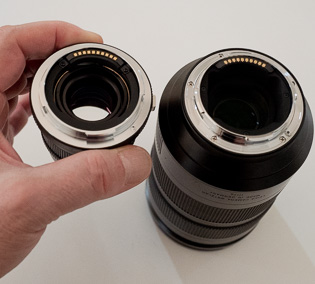
Leica L-mount lenses with contact strip |
CQS = Color Quality Scale. An expansion of CRI (see below), but overtaken by SSI (see further below). A measurement of color rendering based somewhat on CRI, but taking into account which colors people liked the best (!).
CRI = Color Rendering Index. A system used in the movie industry and some photography to measure, evaluate and optimize the light sources for color accuracy.
A value between 1-100 that is an index of how well colors will be correct under a given light source. Often given in Ra, (Rendering Average) from 0 to 100 when a lightsource (like the sun, an LED lamp, a Tungsten lamp) is measured with a spectrometer (color meter). It's a measurement of how colors are rendered under a type of light soruce, based on a selection of 8 key colors (R1-R8). There also exist Extended CRI, which is based on a larger selection of 15 of key colors (R1-R15).
CRI or Ra is calculated as the average value of R1 through R8. This Color Rendering Quality is overall often referred to as Ra, (Rendering Average). For example Ra 90 is considered as quality light for color rendering, whereas Ra 60 would result in problems with incorrect or missing colors. The daylight sun is usually Ra 94-96.
When the Extended CRI is used, the result may be summed up as Re (Rendering Extended).
CRI is based on the spectral sensitivity of the human eye (CIE 1931 "standard observer). Since 2017 the CRI has been replaced by SSI (Spectral Similarity Index) that is a standard that takes into the account the human spectrum, a digital still camera's sesors spectrum, the telvision camera's sensor spectrum, and the movie camera's sensor spectrum: And also takes into account the differences between models and brands. One could say that this is the expanded CRI, predicting how different types of ditgital recording mediums will render colors using different light sources.
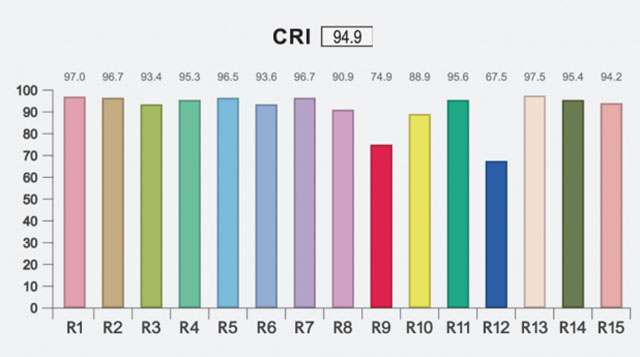
CRI measurement. While the overall CRI is 94.9, the red (R9) and blue (R12) are weak. These two, along with R15, are the most essential for correct colors of skin tones and more.
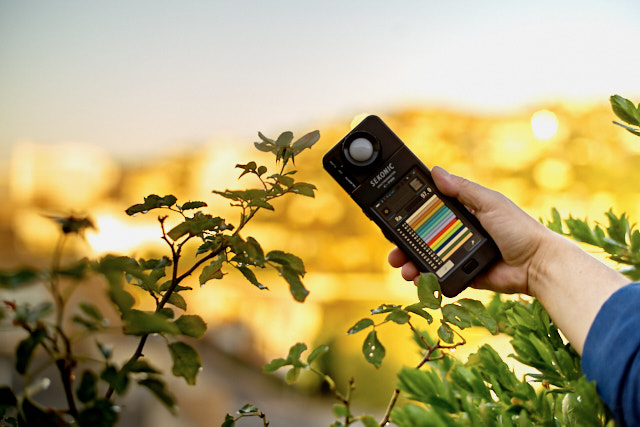
Color spectrometer used to measure the light quality, the CRI index. © Thorsten Overgaard.
CS = Central Shutter = As in the Leica S lenses for the Leica S where a shutter is located in the lens itself. In most cameras there is a shutter curtain just in front of the sensor, and in SLR (Single Lens Reflex) cameras there is also a mirror in front of the shutter curtain.
In the Leica Q and Leica Digilux 2 the shutter is in the lens which makes the camera mirrorless as well as very quiet because there is not a metal shutter curtain going up and down in front of the sensor.
Daguerreotype = Daguerreo pint. The first type of photography camera and photography technique (1939) on metal plates, named after Mr. Daguerreo, and -type means to print (from Greek tupos ‘impression, figure, type’).
To make the Daguerreotype image, a daguerrotypist would polish a sheet of silver-plated copper to a mirror finish, treat it with chemicals that made its surface light sensitive. After exposure in the camera, one would wash off the light-sensitive chemicals and add a layer of glass to the metal plate. The photo taken was the original, there was no printing of copies, enlarging or anything (a concept re-invented by Polaroid instant film in 1943).
| |
 |
| |
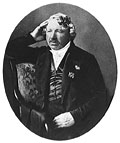
Daugerre self portrait 1848 |
The artist, scene-painter and physicist Louis-Jacques-Mandé Daguerre (1787-1851) and Joseph-Nicéphore Niépce never had exclusive rights to the process they invented. Instead Daguerre and Niépce received a pension from the French state, which declared photography a gift to the world.
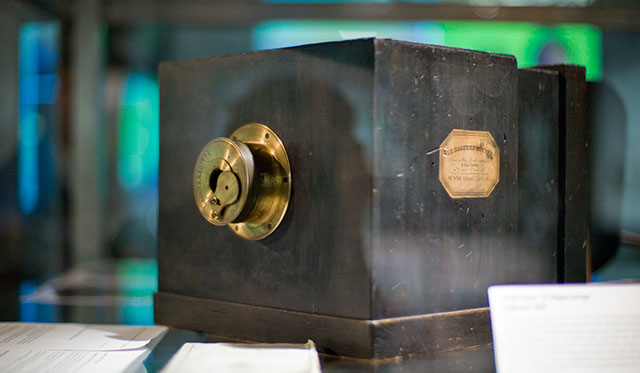 Daguerreotype camrea by Louis Daguerre from 1939. Nobody knows how many there was made, this sample is the only existing and they didn't use serial numbers. It was sold to Westlicht for 732,000 Euro in 2010 by a private owner who didn't know what it was. He had received it as a gift in the 1970s from his father after receiving his diploma as an optician. © Thorsten Overgaard. Daguerreotype camrea by Louis Daguerre from 1939. Nobody knows how many there was made, this sample is the only existing and they didn't use serial numbers. It was sold to Westlicht for 732,000 Euro in 2010 by a private owner who didn't know what it was. He had received it as a gift in the 1970s from his father after receiving his diploma as an optician. © Thorsten Overgaard.
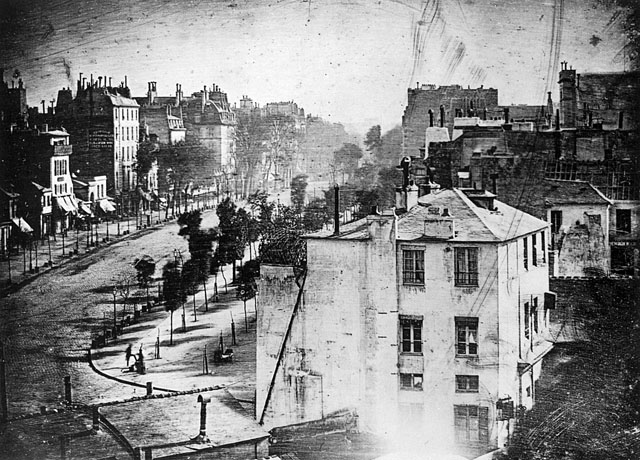
Daguerreotype by Louis Daguerre of Boulevard du Temple, Paris 1839.
D-Lux (Digital Lux) = A series of compact digital cameras by Leica Camera AG developed with Panasonic since 2003. See my article "Compact Digital Leica Cameras" and my Leica D-Lux 7 review. Lux comes from Latin and means Light.
Depth - Distance between front and back. Distance from viewer and object.
Digilux (Digital Lux) = A series of compact digital cameras by Leica Camera AG developed with Fuji from 1998, and then with Panasonic since 2002. The first models, Leica Digilux (1998) and Leica Digilux Zoom (2000) and Leica Digilux 4.3 (2000). With Panasonic, Leica Camera AG made the Leica Digilux 1 (2002), Digilux 2 (2004) and Leica Digilux 3 (2006). See my article Leica Digital Compact Cameras for more. Lux comes from Latin and means Light.
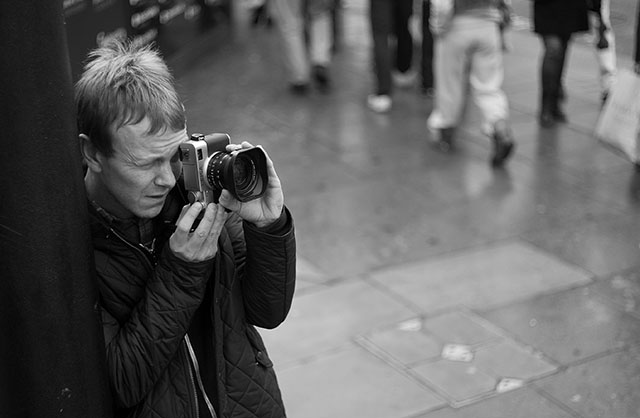
Graphic designer Charles Grant with his Leica Digilux 2 in 2009. © Thorsten Overgaard.
Digital Shutter = A digital shutter is simply "turning on/off the recording of the sensor. In the "old days" this had to be done with an actual mechanical shutter curtain; a metal curtain in front of the sensor (or film) that goes up for 1/125th of a second, for example. In the Leica TL2, there is a mechanical shutter curtain from 30 sec. to 1/4000 shutter times, and digital shutter from 1/4100 to 1/40,000 shutter times.
Digital Zoom = Refers to zooming in on a scene digitally. All that happens is that the camera zooms into the area of the sensor and records only that. The quality will be less as it's a smaller part of the same recording. Zoom is originally used for an optical zoom lens where optics move inside the lens so as to enlarge the subject optically. This does not reduce the image quality/resolution the same way as digital zoom does. Generally, digital zoom can be performed on any picture later in the computer as it's in essence simply a crop.
In the Leica Q Digital Zoom refers to the possibility to change the crop from 28mm to 35mm or 50mm (and for the Leica Q2, 75mm as well). Choosing a different "digital zoom" simply shows frame lines for the chosen focal length in the EVF and in the final image (that is in fact the full 28mm frame), there is a pre-selected crop for the chosen frame when you open the image in Lightroom or Capture One Prom.
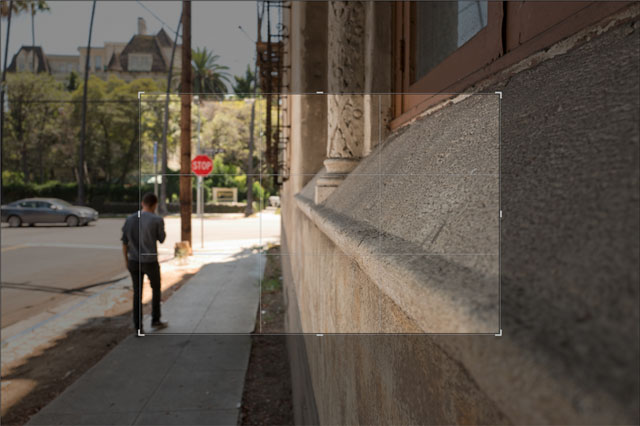
Digital zoom is in essence a crop of the image to make the scene appear closer. © 2017 Thorsten Overgaard.
DIS = Digital Image Stabilization. This is a feature often offered in video recorders and sometimes for tele lens still photography (so as to avoid motion blur when the lens is moving during slow shutter speeds)
For example the Leica Q offers DIS but the factory recommend to set it to OFF. (The DIS is set to off from the factory because it can affect the image quality negatively, according to product director Stefan Daniel in an interview).
| |
 |
| |
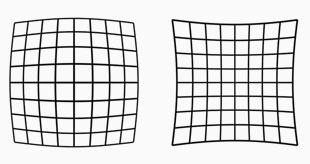
Lens distortion looks like this. The lines are not straight. Our eye uses distortion correction. Lens designers can design lenses so they have very little distortion, or they can make less complicated lens designs and "fix" the distortion in software. |
| |
|
Distortion = In photo optics/lenses: When straight lines in a scene don't remain straight because of optical aberration.
Lens designers can correct for distortion to a degree so the whole image field is perfect corrected and all lines remain straight. In modern lens design many designs rely on Software Distortion Correction (SDC).
The eye adjusts for distortion so we always see vertical and horizontal lines straight when we look at things. Even when you get new prescription glasses (if you use such), you will often experience distortion in your new glasses. After a few days they eyes have adjusted for the glasses and the distortion you saw to begin with is now gone. Software Distortion Correction (SDC) is far behind what the human eye can perform of adjustments. (Also see my definition on Perspective for more on the eye and optics)
DMR - Leica Digital Module R was presented in 2005 as a 10MP CDD sensor attachment to the Leica R8 and Leica R9 film cameras, made with Kodak and Imacon. About 3,000 units was produced from 2005-2006 and production likely stopped when Imacon (a Copenhagen company who made high-end film scanners) was bought by Hasselblad. New price in 2005 was $5,995 / €4,750. The image quality of the DMR is very close to Kodachrome film. Read more in my article Leica DMR digital back.
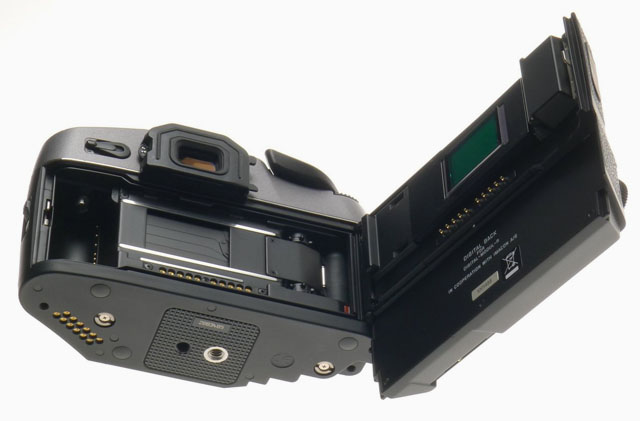
Leica DMR is an attachment to the Leica R8 and Leica R9 film cameras. You simply remove the film back and install the digital back instead.
DNG = Digital Negative, an open standard developed by Adobe. It is a single file that contains the raw image data from the sensor of the camera as well as date, time, GPS, focal length, settings, etc.
The alternative is a RAW file + XLM file where the RAW file contains the image information and the XML contains the rest of information about where, how and when the picture was taken.
A Camera Raw profile (that is specific for that camera) in the computer helps the software program, for example Adobe Lightroom, to translate the RAW data into the image.
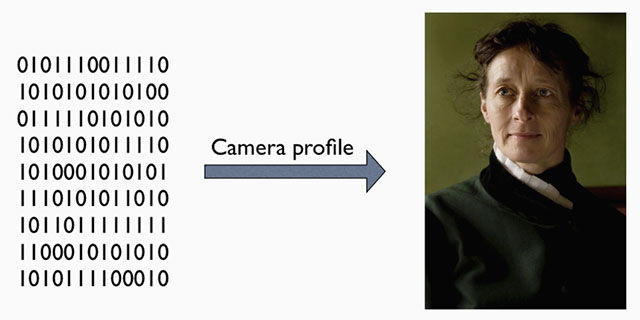
A raw file (or DNG) is simply the full recording of digital data (1's and 0's) from the sensor. In the computer, the sensor data is translated into the exact colors, via a camera profile.
Dodging = Expose one area of a photos less (in the development in the darkroom by exposing less light from the negative onto the light-senisitive paper by shading for an area with a hand or piece of metal of paper). In modern digital post processing (using editing software liek Lightroom or Capture One Pro), a digital tool "dodge" a selected area and makes it lighter digitally. Also see "Burning")
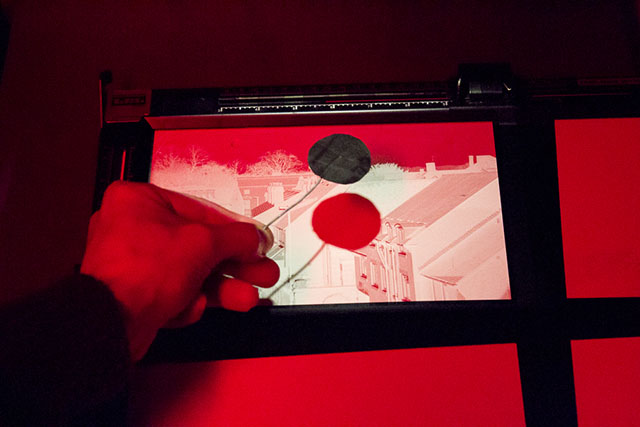
Dodging in the darkroom using a piece of metal or paper to shade so a portion of the light-sensitive paper gets less light. Photo: richardpickup.

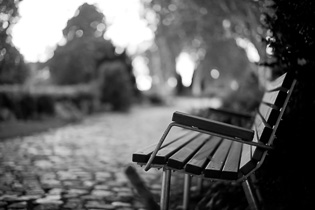
Narrow Dept Of Field in use: The face is in focus, the hand in front is slightly out of focus, the background is much out of focus and blurry, reduced to an atmosphere. Leica 50mm Noctilux f/1.0 at f/1.0 and 2.5 meters distance to subject in focus. © Thorsten Overgaard.
 |
|
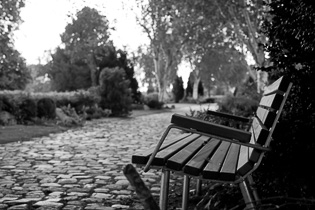 |
| 50mm f/1.4 lens at f/1.4. |
|
50mm f/1.4 lens at f/5.6 |
| |
|
|
| |
 |
| |
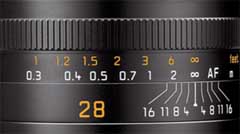
The lines on this 28mm lens indicates the DOF. Here the focus is on infinity, and if the lens is stopped down to f/1.6, objects from 1.8 meter to ininity will be 'acceptable sharp'. |
| |
|
DOF = Depth of Field (or Depth of Focus), an expression for how deep the focus is, or (more often use to express) how narrow the area of focus is. This is how much of the image, measured in depth or ditance, will be in focus or "acceptable sharp".
The appearance of the DOF is determined by:
1) aperture (the smaller the aperture hole is, the deeper is the depth of field, and opposite, the wider open a lens you se, the more narrow will the DOF be) and
2) distance to the subject (the farther away, the larger area is sharp; the closer the subject in focus is, the more narrow the DOF gets)..
The DOF scale measurement on top of the Leica lenses shows lines for each f-stop that indicates from which distance to which distance the image will be sharp. Shallow DOF is a generally used term in photography that refer to lenses with very narrow focus tolerance, like f/1.4 and f/0.95 lenses, which can be used to do selective focus; making irrelevant subjects in the foreground and background blurry so only the subjects of essence are in focus and catches the viewers eye).
in modern cameras like the Leica SL2, the camera has a DOF scale inside the viewfinder. As DOF is the same for all lens brands and designs, only depending on focal length, distance and aperture f-stop, the camera can calculate it and show a 'digital DOF scale" in the viewfinder.
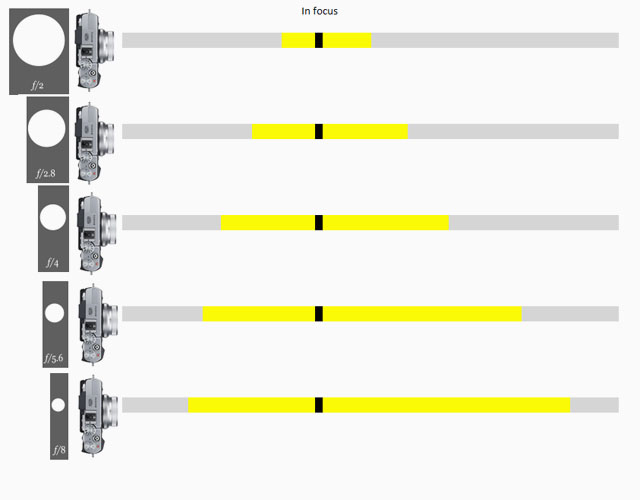
Depth Of Field scale from Fujifilm, same lens with different aperture settings from f/2.0 to f/8.0.

Depth of Field: Focus is on the flowers and the photograph on the desk and the foreground and background is blurred as the depth of field is narrow. If one stop down the aperture of the lens from f/1.4 to f/5.6, more will be in focus. If one stop down the lens to f/16 even more (if not all) will be in forcus. Another rule: The closer you go to a subject (the less focusing range), the more narrow the Depth of Field will be. © Thorsten Overgaard.
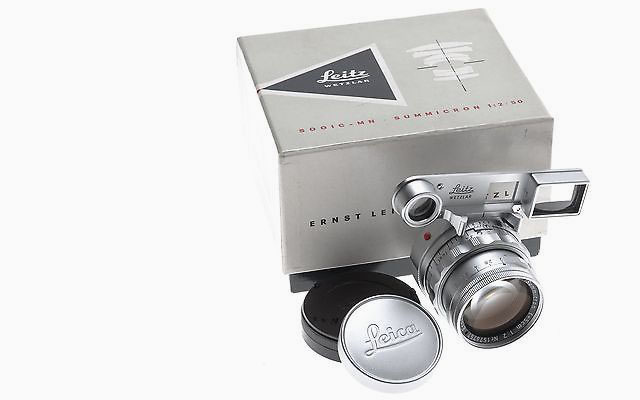 Leitz Summicron DR (Dual Range) f/2.0 (order no SOOIC-MN). Leitz Summicron DR (Dual Range) f/2.0 (order no SOOIC-MN).
DR = Dual Range lens. This is a type of Leitz/Leica lens that works as macro (near focus range) and normal lens, and comes with googles/"Eyes" for the macro function. The 50/2 Dual Range Summicron was made from 1956 to 1968, only in chrome, with a near-focusing range as close to 478mm.
You mount the googles/"Eyes" to focus at close range. If you use the lens in normal range, you can take off the googles/"Eyes"
The googles/"Eyes" can be critical for which camera the lens fits on. the Leica M6 TTL requires that the plastic tab onthe eyes is removed; and other Leica M models likewise. It fits on the Leica MP, M2, M3 and oterh models. .
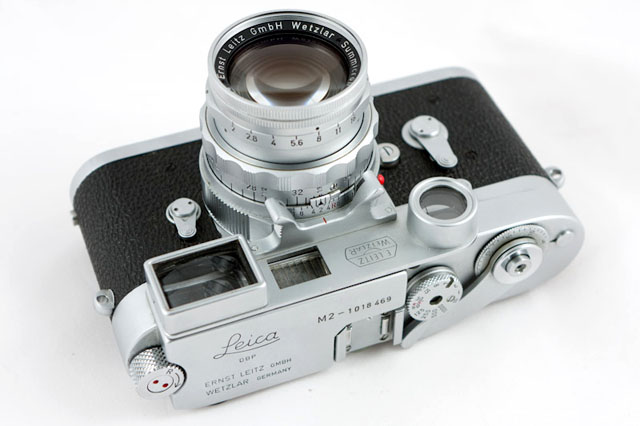
Leica M2 with Dual Range Summicron-M f2.0. © Dave Dunne.
Dynamic range. The grade of ‘contrast range’ (or number of tones) a film or sensor, or simply a photograph, possess between bright and dark tones. The human eye is said to have a dynamic range of 10-14 ‘stops’ (but because we scan area by area and compile a concept of the overall scene, they eye is often thought to have a much higher dynamic range), Film used to have 7-13 ‘stops’ and some modern sensors have up to 15-17 ‘stops’.
E - Diameter in Leica filters and screw diameter, as in E46 which means that the filter diameter is 49mm for this lens. In general language, one would see Ø46 used, as Ø is the general symbol for diameter.
Edge light = Also called hair light or rim lgith: A spotlight or strong light source from behind (outside the visible frame), reflecting on the side or top of the head to give edge to thehair and more three-dimensional feel to a portarit. If placed on the edge of the frame, it may also act as a sparkle of light (like a sun) and produce flare). If the key light on the face is a 300W spot, the keylight is usually a 100W - 150W spotlight. Can be equipped with a color gel (filter) to add a color. Edge light can also be used to add edge to a product photo, a photo of a chair, details ona car, etc.
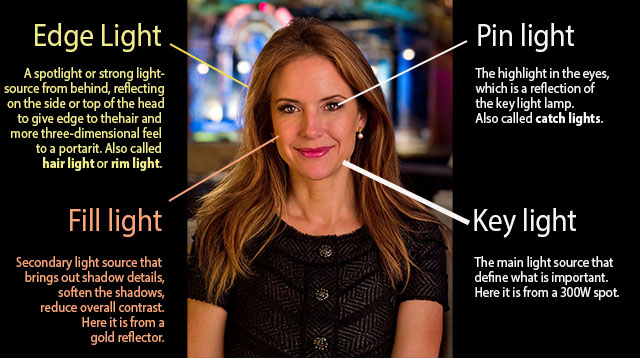
My portrait of Kelly Preston has edge light from a 150W spot placed outside the frame to the left behind her. The reflection in her eyes is pin light (catch light from the main light source, the key light, a 300W spot). The left side of her face is fill light from a gold reflecor reflecting the key light (two spotlights and a reflector was used for this photograph). © Thorsten Overgaard.
ELCAN - Ernst Leitz Canada, established 1952, was the Leitz family's guarantee against another war in Europe and/or invasion from Russia after WWII. Besides becoming a copy of the Wetzlar factory, it also became the somewhat military/industrial branch of Ernst Leitz . Because of the precision work, high standards and knowledge in optics for science and millietary, the ELCAN plant was sold to Raytheon (USA), who bought it from its previous owner, Hughes Aircraft Co.
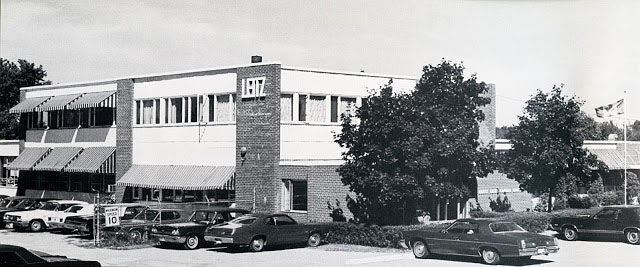
Ernst Leitz Canada (ELCAN) was established in 1952 close to Toronto in Canada.
Elcan-M is the name of lenses for M lenses that fits the Leica M system Leica M, as the U.S. Navy High Resolution Small Format Camera System during the Vietnam war.
Elcan-R is also the name of a series of R lenses made in the 1960ies and early 1970ies that fits Leica R system, as the U.S. Navy High Resolution Small Format Camera System during the Vietnam war.
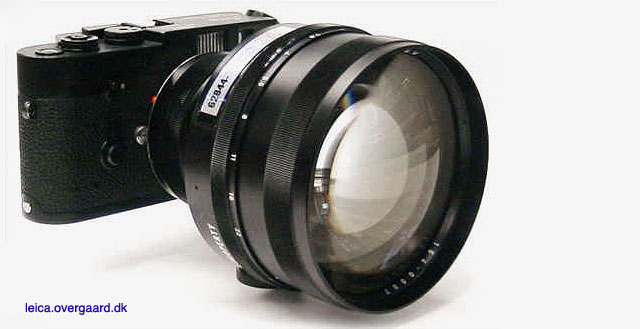
The Leitz ELCAN-M 90mm Noctilux-M f/1.0 model C164 on a Leica KE-7 film camera made for the U.S. Navy.
ELDIA
Leitz slide copier used to dublicate slides if one for example had to make several sets of a slideshow.
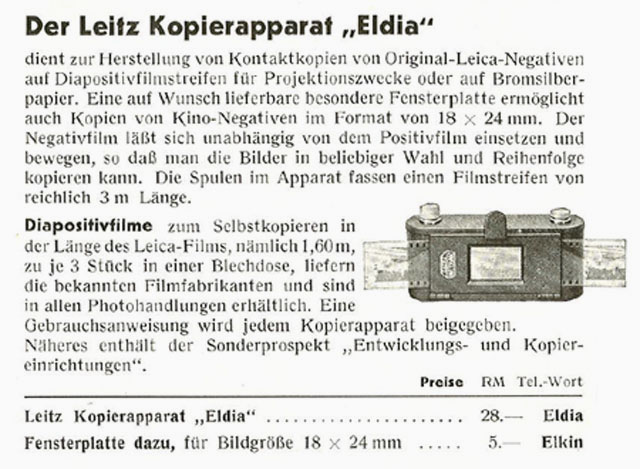 Ad for ELDIA slide copier. Ad for ELDIA slide copier.
ELDUR
Leitz slide copier used to dublicate slides if one for example had to make several sets of a slideshow.
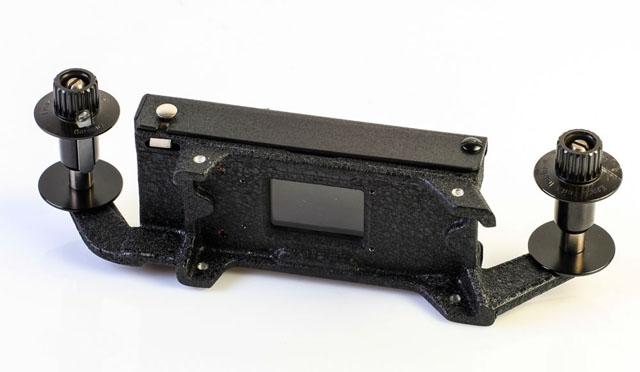
ELDUR Slide Printer
Elmar = Refers to the maximum lens aperture - here f3.5 . Historically derived from the original 1925 50mm f3.5 Elmax lens, which was an acronym of (E)rnst (L)ieca and Professor (Max) Berek, designer of the original lenses. Later that year the 50mm f3.5 Elmar superceded the Elmax, which was discontinued due to its complexity and high cost of manufacture.
Elmarit = Refers to the maximum lens aperture - here f2.8 . The name is obviously derived from the earlier (and slower) "Elmar" designation. Not every f/2.8 lens is called an "Elmarit" though, the most obvious current exception being the 50mm f2.8 Elmar-M collapsible lens which for nostalgia and marketing reasons has kept the original 1930's Elmar name (the 50mm f3.5 collapsible Elmar, manufactured 1930-59, was one of Leica's most famous and popular lenses). Vario-Elmarit (and Vario-Summicron, etc) is Leica Camera AG's name for zoom lenses.
Elmax
Elmax lens named after = Ernst Leitz + Max Berak. Ernst Leitz was the founder of Ernst Leitz Optical Industry which later became Leica. Professor Dr. Max Berak was employed at Leica in 1912 and was the architech of the first Leica lens which Ernst Leitz asked him to design for the "Barnack's camera" (the 1913-prototype named after Oscar Barnack who invented it). The lens was a f/3.5 50mm and was known as the Leitz Anstigmat and later the Elmax.
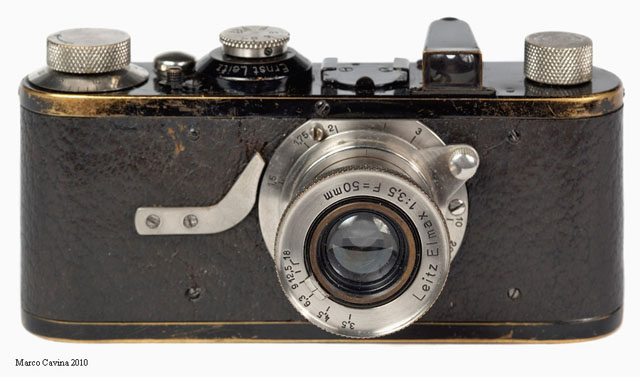
The Leitz Elmax 50mm f/3,5 (1925-1961) on the Leica A camera (1925) camera. Photo by Marco Cavina.
EVF = Electronic ViewFinder. A viewfinder where you look at a small screen through optics/prisms. The advantage is that you see what the sensor sees.
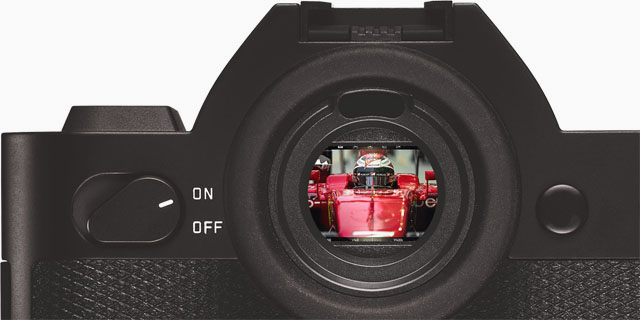
The EVF (Electronic Viewfinder) on the Leica SL 601.
Exposure Bracketing = The possibility to set the camera to automatically record a series of images where the exposure is above and below what the camera measures. The idea is that at least one of the images will be correctly exposed.
f/ (f-stop, also known as aperture).
f- (focal length). Often given in mm, for example 90mm. In the past they were often given in cm or inch, for example 9.5 cm or 3.2 inch.
f/1.25 is the size of the "hole through" the lens, the aperture. f/1.25 means focal length divided with 1.25. In the Leica 75mm NoctiluxM ASPH f/1.25, the "hole through" the lens at f/1.25 is 60mm in diameter. At f/1.4 the "the hole through" is 53.5mm in diameter. At f/4 the "hole through" is 18.75mm in diameter.
Each step smaller from f/1.4 to f/2.0 to f/2.8 to f/4.0 and son on is a reduction ofthe light to half for each step. The Noctilux f/1.25 therefore lets 50% more light in through the lens than a 75/1.4 Summilux.
f-stop = the ratio of the focal length (for example 50mm) of a camera lens to the diameter of the aperture being used for a particular shot. (E.g., f/8, indicating that the focal length is eight times the diameter of the aperture hole: 50mm/8 = 6,25 mm); or the other way around, the hole is the focal length divided with 8).
ORIGIN early 20th cent.: from f (denoting the focal length) and number.
One f-stop is a doubling or halving of the light going through the lens to the film, by adjusting the aperture riing. Adjusting the f-setting from f 1.4 to f.2.0 is halving the light that goes through the lens. Most Leica lenses has half f-stops to enable the photographer to adjust the light more precicely.
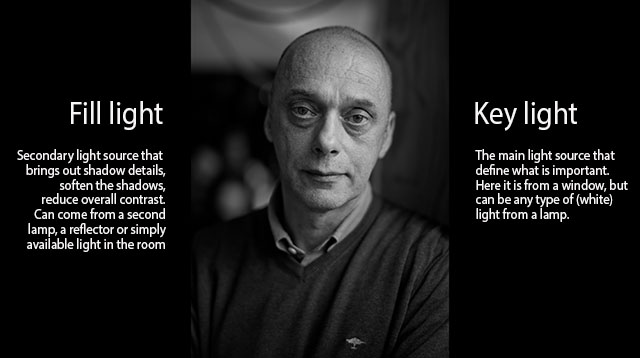
Fill Light and Key Light. © Thorsten Overgaard.
Fill light = A supplementary light used in photography or filming that lightens and softens shadows, bring shadow details out and decrease overall contrast. It can be an additional light source that is less strong than the key light (see “Key Light” further down) or a reflector made of silver, gold or white board throwing back a reflection of light from the key light, or from a wall or window that happens to reflect a lesser amount back onto the scene than the key light. Reflectors can almost always be placed to pick up light from a source and throw it onto the subject, much like a mirror.
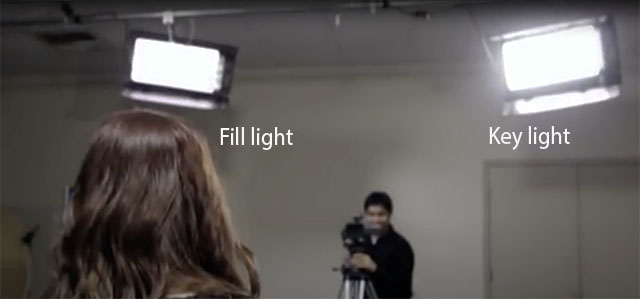
Key Light (strongest light source, also called the main light) and Fill Light (less strong light source to soften shadows) is a basic concept of light for still, film, theatre and movie. See Fill Light and Key Light definitions for more.
Flare = Burst of light. Internal reflections between (and within) lens elements inside a lens. Mostly, flare has a characteristic "space travel" look to it, making it cool. Particularly in older lenses with less or no coating of the glass surfaces to suppress this, it can be a really cool effect. In newer lens designs, the coatings and overall design try to suppress flare and any reflections to a degree, so that there is seldom any flare to be picked up (moving the lens to pick up a strong sunbeam), but instead a "milking out" (or "ghosting") of a circular area of the frame; meaning simply overexposed without any flare-looking flares.
 |
|
 |
Sunlight creating (fairly supressed) flare in the bottom right quadrant of the image of a modern lens. |
|
The camera moved slightly to avoid the flare. |
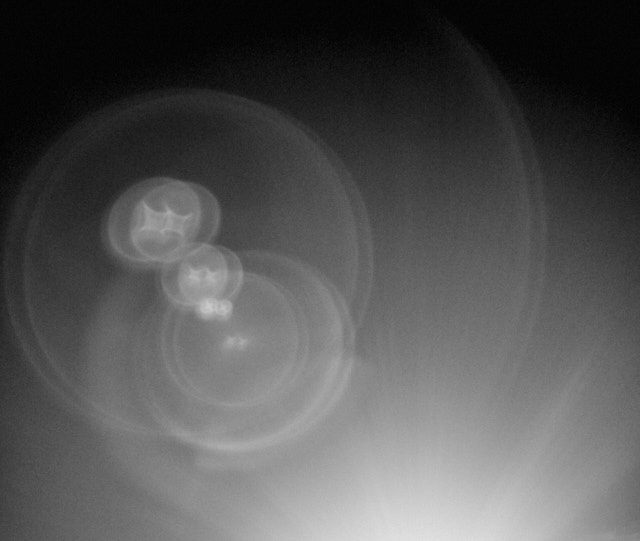
Older lenses with less coating, or without coating, are known to create flare that can look like this (Leica 50mm Summicron-M f/2.0 II Rigid model from the 1960's). © Thorsten Overgaard.
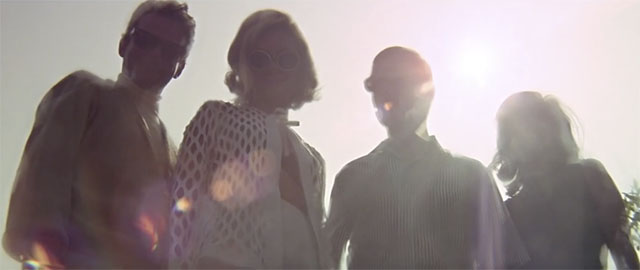
Lens flare in the movie, The Graduate (1967).
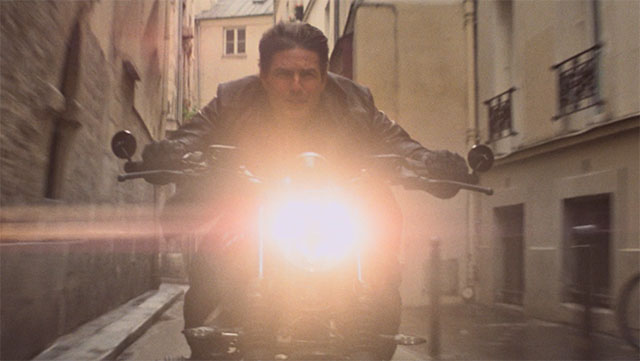
Lens flare in Mission Impossible Fallout (2019)
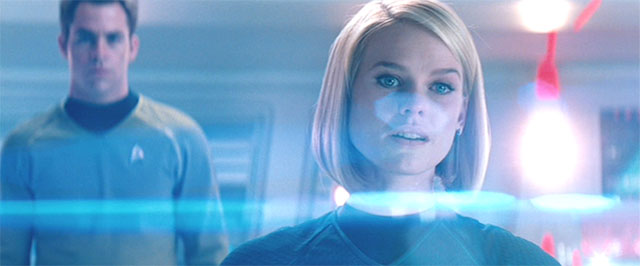
Lens Flare in Star Trek (2013). JJ Abrams famously said, "I know there's too much lens flare ... I just love it so much. But I think admitting you're an addict is the first step towards recovery (ha ha)"
|
Flickering = blinking light. This may result in "banding like" horizontal stripes in an image, or simply that the light you see isn't in the picture, or it looks different. For example, you take a photo in light, and the result you get is darker. You take another, and now it is all right. The reason is that some light blinks. Here's the difference within one second (notice how the light in the room, the wall light and the sign light all flicker):
 |
|
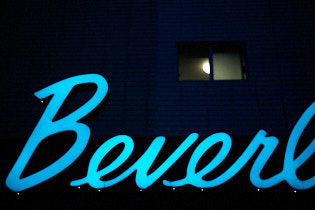 |
| |
|
|
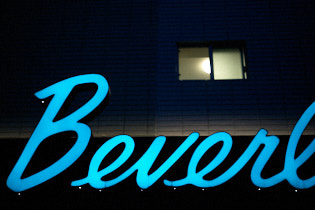 |
|
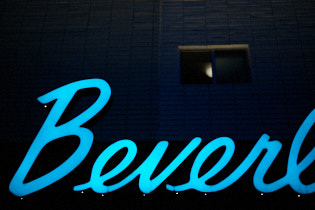 |
Flickering light causing different result in each frame becasuse the light blinks faster than the eye sees, but slow enough to be caught on camera. Here at shutter time 1/1500 sec, four pictures within a second.
Often you will see that you take a portrait indoor in an office, and from frame to frame the person has shade on one side of the face in one photo, but not the next. |
| |
|
|
Flickering ligh is a new challenge that photographers face, which is flicering light that looks good to the eye, but result in different results in a photo. Through cinema and photography history, the three standard high-quality light soruces have been daylight (from the sun), daylight HMI (5400 Kelvin Hydrargyrum medium-arc iodide lamps) and tungsten lamps (3200 Kelvin). When I say high-quality, it's because those are the light types that ensure high color quality (see the definition of CRI - Color Rendering Index in my "Leica and Photography Definitions page") and how quality light traditionally has a score above 90 CRI).
In recent years we have seen "light that flickers" because it has a pulse, such as stage light, photo lamps, video lights and of course indoor and outdoor late night lamps using LED (Light-emitting diode), compact fluorescent lightbulp-shaped lamps and other low-energy lamps (such as halogen). These light also generally have lower CRI (Color Rendering Index) below 90, and even lamps that are stated to have 90 CRI or higher, may mis out on the important red and blue tones, which will make it impossible to get the colors right, espoecially skin tones). If a stage has one or more low-quality lights (which they thend to have), these will pollute the colors of the scene to some degree.
| |
 |
| |
Banding as result of electronic shutter, and often also if the ISO is high. |
Flickering horizontal stripes (or "banding"-looking stripes) may appear when you use electronic shutter, and you are photographing with one or more light sources that flickers.
When the electronic shutter is on, you are usually at higher shutter speeds than 1/2000, which means there it would be possible to go down to a lower ISO, and to activater the mechanical shutter. (In some cameras you can choose to use electronic shutter throughout the entire range, which would make the camera completely silent; and this alone may cause horizontal stripes/banding if one or more lights in the room flickers).
Flickering in the EVF is very normal and will apear often without the vertical lines you see in the EVF will be in the picture.
Fn = Short for Function. It's a button or wheel you can program.
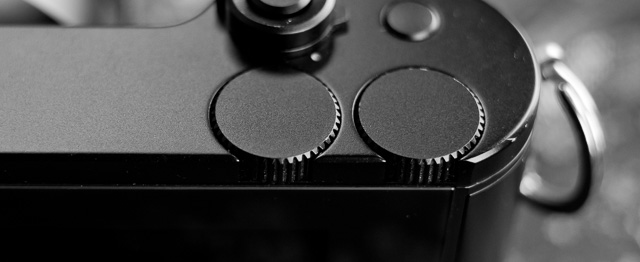
The Leica TL2 and Leica CL has two Fn wheels (wheels you can program to different functions after your likings).
| |
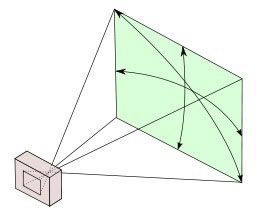 |
| |
A 28 mm lens has a 74° viewing angle |
| |
|
Focal length = Originally focal length referred to the distance from the sensor (or film in older days) to the center of focus inside the lens (28mm, 50mm, 400mm, etc). Today one call it effective focal length (EFL) as a 400mm lens is not nessesarily 400mm long due to optical constructions that can make it shorter. The 35-420mm zoom on the Leica V-Lux 1 is for example only ca. 135 mm long. Nobody uses that measurement, except those who construct lenses! For users of lenses, focal length refers to how wide the lens sees. The viewing angle, which is often given in for example 90° viewing angle for a 21mm lens, 74° viewing angle for a 28mm lens, 6° viewing angle for a 400mm lens, etc.
Each human eye individually has anywhere from a 120° to 200° angle of view, but focus only in the center.
Focus, in - Sharp and clear in appearance. Focus - “The burning point (of a lens or mirror)”. In Latin the word focus meant fireplace or hearth. The word was probably first employed outside of its Latin literal use as “the burning point of a lens or mirror” in optics, and then came to mean any central point. The German astronomer Johannes Kepler first recorded the word in this sense in 1604.
Four Thirds - Also known as "4/3" - The Four Thirds System is a standard created by Olympus and Kodak for digital SLR camera design and development.
The system provides a standard which, with digital cameras and lenses available from multiple manufacturers, allows for the interchange of lenses and bodies from different manufacturers. Companies developing 4:3 cameras and/or lenses are Fuji, Kodak, Leica, Olympus, Panasonic, Sanyo, Sigma. See www.4-3system.com
A further development in this was Micro Four Thirds Systems.
Frame lines = the lines inside a viwfinder that indicates the edger of the frame. In a Leica M, the viewfinder always is as wide view as 24-28mm. A mechanical contach on the lens (triggers the camreas frame selector) so the viewfinder shows the frame line of that lens. In the Leica M, the frame lines comes in sets, so there are alwaus twop sets of frame lines shown at any time (see illustration below).
(This is different than in most cameras where you only see what the lens captures: SLR cameras was the evolution in 1940's where the image from the lens was displayed directly onto a matte screen inside the camera via a mirror.
Later mirrorless cameras, the viewfinder shows the exact picture that the sensor sees through the lens).
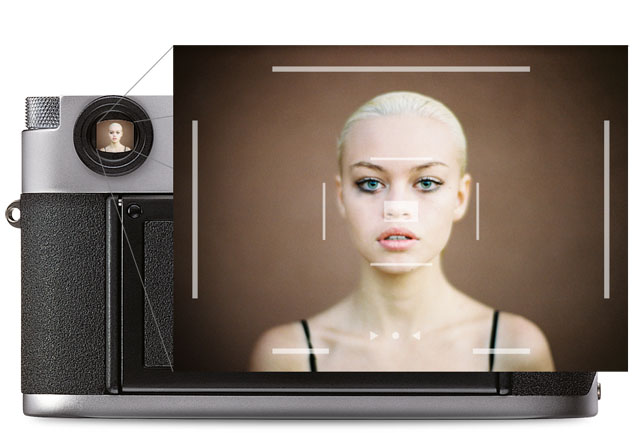
Frame lines of the Leica M, here showing the set of 35mm and 90mm framelines.
Fresnel lamp - Lamp with glass on front that bends light. Usually the light source behind the glass can be moved (or the fresnel glass can), which allow you to narrow or broaden the beam of light. Named after Augustin Jean Fresnel (1788–1827) taht said that light moves in a wave-like motion.
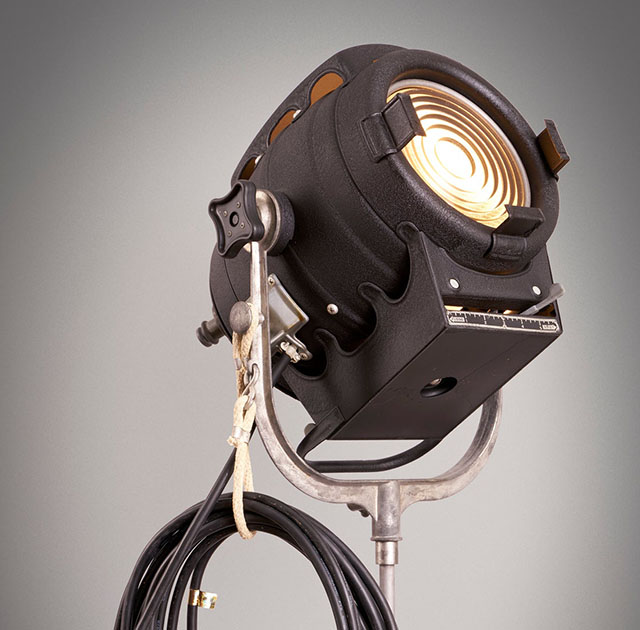
A fresnel lamp is a spotlight with a flass in front to spread/center the light. Here's a 1950's Bardwell & McAlister movie lamp, though it is still a lamp type in production and use, from 150W to 24K lamps!
| |
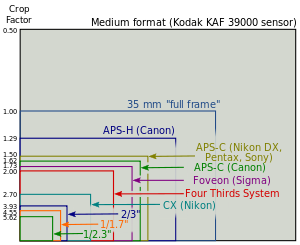 |
| |
Full Frame is "king of photography" |
| |
|
Full Frame (FF) = The size of the sensor is 24 x 36mm which is the format Oskar Barnack and Leica Camera AG invented with the first Leica that was introduced in 1925. Many other formats invented since, such as APS, APS-C and all usually refer to Full Frame ratio, by which it means what size they have compared to Full Frame. The "full frame" technically deifinition thouhg is a sensor that camtures the full frame in one go (as the early sensors as in Leica S1 scanned the image/senor over a period of time).
The 24 x 36mm Full Frame format is so "king of photography" that it has continued to be the ideal for all cameras. Besides this, there exists Large Format cameras such as 4x5" (100 x 125 mm) and Medium Format 6x6 (60 x 60mm amongst other sizes in that area).
Ghosting = Secondary light or image from internal reflections between (and within) lens elements inside a lens. The reflected light may not always be in focus, so overall it looks like a "milked out" image. A subject in focus has brightened patches in front of it that come from reflections inside the lens. the most elementary look of ghosting is when you look in a rear-view mirror in a car at night and you see doubles of the headlights behind you (a strong one and a weaker one), because the headlights are reflected in a layer of clear glass on top of the mirror glass.
 |
|
 |
|
 |
| Degrees of ghosting from strong sunlight entering from outside the frame. To the right the outside light has been shielded with a shade. |
Hair light = Portrait light for edge. Also called Edge light and Rim light. See "Edge light" for examples.
| |
 |
| |
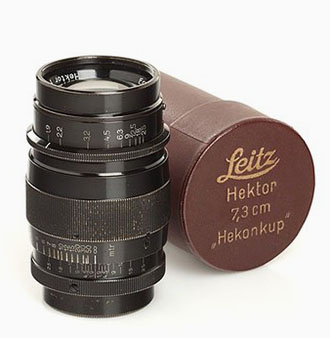
The Hektor 73mm f/1.9 of 1930-1931 sells at $900 - $6,000 these days. |
| |
|
Hektor - Refers to the maximum lens aperture - usually f2.5 (whihc at the time of development in the 1930's was considered very light-strong lenses). The name was apparently taken from the name of lens designer, Professor Max Berek's dog, Hektor. He also had another favorite dog, Rex, which may have inspired the lens name Summarex.
But ...
there is also another possibility, which is that Hektor (the lens and/or the dog) was inspired by Hektor, the oldest son of the Trojan king Priamos, who is listed in the history books as being the most couragerous defender of his home city, Troy. (Max Berek knew of this because Greek history had been required during his high school education).
In any case, the first 50mm Hektor f/2.5 was designed by Max Berek in 1931 for the Leica I Model A, and the - for that time - extremely light-strong 73mm Hektor f/1.9 was designed in 1930-1931 in preparation of the modular Leica system.
Hot light = Light used in television and movie production. It can be small or large hot lights. Most people would call them spotlights.
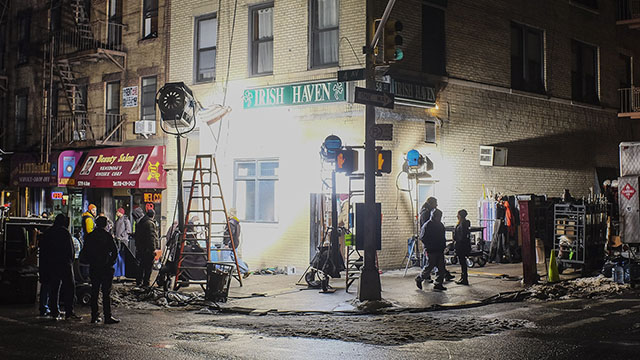
Hot lights on the set of Gotham.
Hue = A color or shade depending on the dominant wavelength of red, green or blue. The word Hue comes from Swedish hy which is "skin complexion". It is independent of intensity, so often (in computer editing programs for example), Hue is an adjustment along Saturation which is (intensity of color as compared to white)
ISO = Light sensitivity of the camera sensor is given in ISO (International Organization for Standardization). It's a standard that was used in film and is now used in all digital cameras also. The base ISO for the Leica TL2 sensor is around 100-150 which means that this is what the sensor "sees". All other levels are computer algorithms calculating the effect as if the sensor could "see" more (hence noise at higher ISO levels).
ISO goes in steps of doubling: When the ISO is raised from 100 ISO to 200 ISO, the camera only need half the amount of light to make the same picture. For each step in ISO to 400, 800, 1600, 3200, etc. the light sensitivity is doubled for the sensor (and the camera sensor only need half the light of the previous ISO to record the same image).
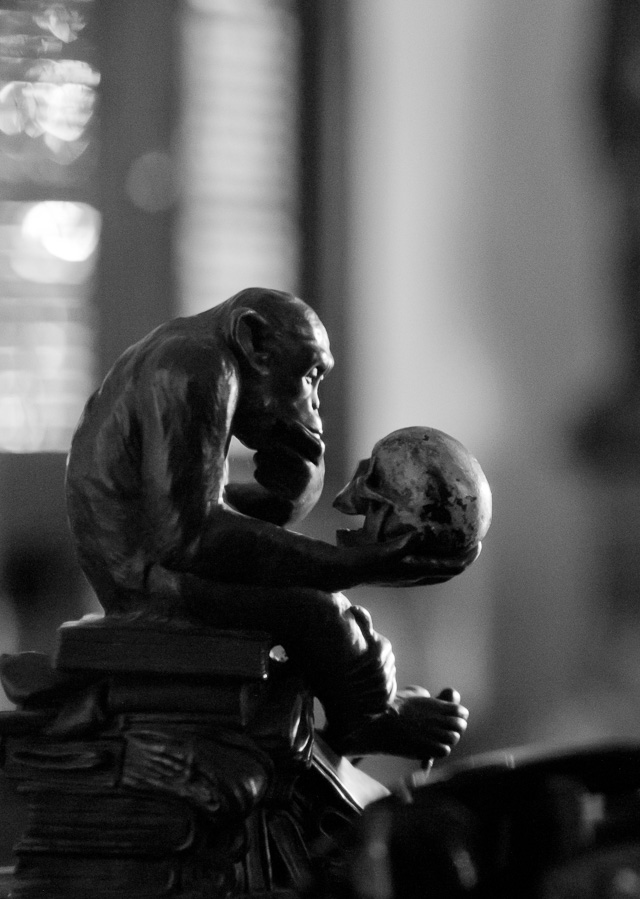
6400 ISO indoor photo. With modern cameras the ISO can go to 3200, 6400, 12,800 and even higher without loss of dynamic range and without digital noise. Leica M10 with Leica 50mm Noctilux-M ASPH f/0.95. © 2017 Thorsten Overgaard.
JPEG = A standard for picture format made in the 1990's by Joint Photographic Experts Group). Mostly referred to as JPG as in L1003455.JPG which would be the name for a JPG file from the camera.
Key Light (strongest light source, also called main light) and Fill Light (less strong light source to soften shadows) is a basic concept of light for still, film, theatre and movie. See Fill Light and Key Light definitions for more.
Key light = The main source of light in a photograph, film or theatre. Traditionally key light is white. In a portrait setting, the key light would come from front above the face or from the front one side of the face, but could also be simply a window in front of the face (behind the camera). The key light is what the camera exposed for so that the most lit part of the skin on the face is correctly exposed. In a concert or theatre setting the key light is traditionally white light coming from the front so the audience can see the persons on stage clearly and in correct colors. Other light sources such as red light from the front and yellow or blue from the back is for effect; and the white key light stays on so the audience (and video cameras and still cameras) can see the scene in correct light and colors. However, as LED lights become widely used and these can change colors from a remote control, one often see lighting without white key light, consisting solely of colored LED light (which makes details unclear to the eye and makes color photography sometimes impossible).
Fill Light and Key Light. © Thorsten Overgaard.
Kino Flo = (Cinema Fluorescent) = A brand of fluoroscent lamps are used in still photography, television and moviemaking. Often referred to as simply 'kinos'. The Kino Flo company was founded by gaffer (chief electrician in a motion-picture) Frieder Hochheim who designed these film lights based on the use of fluorescent light tubes as a more compact and less heat emitting light source for movies, television and stills. The Kino Flo lamps was used in the movie Barfly (1987) as one of the breakthroughs of using fluorescent light in movies. In the movie they work in smaller spaces and light the scenes so it looked like natural light. Today the majority of the Kino Flo lights are LED based, very well-controlled for color spectrum and often adjustable for the specific sensor used in a camera model. The first primitive Kino Flo was used by Wim Wenders and Robby Müller in The American Friend (1977) where Frieder Hochheim was faced with the challenge of lighting a cramped interior where traditional lights wouldn’t fit.
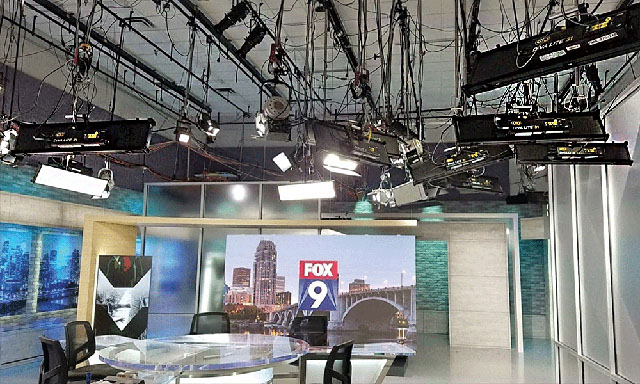 Kino Flo LED lamps in the Fox studio. Kino Flo LED lamps in the Fox studio.
Leica L-mount bayonet. |
L-mount = Lens bayonet mount introduced by Leica for the Leica T in 2014 and used for Leica TL, Leica CL and Leica SL. Since 2019 the L-mount has also been shared with Panasonic, Sigma and others who produce cameras and lenses that are compatible with Leica L cameras and lenses lenses, and vice versa.
The L-mount has a diameter of 51.6 millimeter which is big enough for any design we could wish to design, and at the same time compact enough for the L-mount to be used on compact cameras such as Leica TL and Leica CL with APS-C sensor sizes. Leica chief lens designer Peter Karbe spent years calculating this ideal size, large enouhg for any design, yet as compact as possible. Read my article "Small Camera, Large Print" (2019) with interview with lens designer Peter Karbe for more.
After Leica introduced this new bayonet mount in 2014, Nikon (Z-mount 55mm), Fuji (G-mount 65mm) and Canon (RF-mount 54mm) followed with similar new bayonet mounts, but with bigger diameter, making them less able to produce compact lenses.
Lantern slide (later known as a slide film, a transparency or a dia-positive). A transparent film or glass plate in positive, and mostly in color, that can be projected onto a wall or screen in large size by putting the slide into a slide projector ("magic lantern" as they were called back in the day) that sends light through the film and projects it to a wall or screen via a lens.
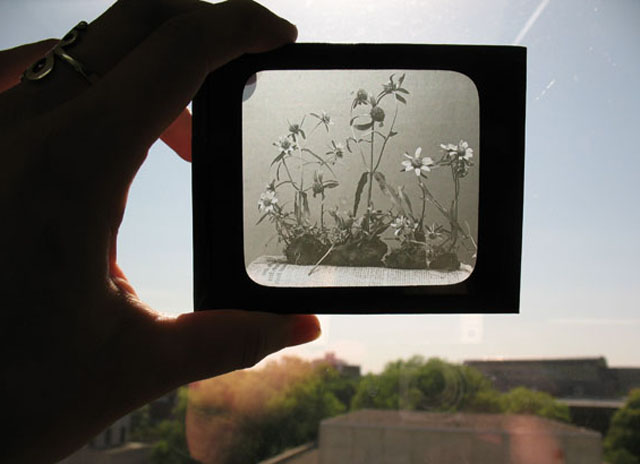
Lantern slide from early 1900's by Ada Hayden. (Later known as a slide film, a transparency or a dia-positive).
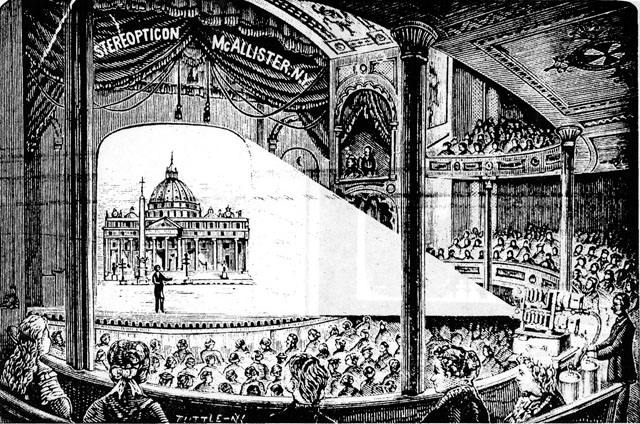
Lantern slideshow in 1897.
| |
 |
| |
LCoS display |
| |
|
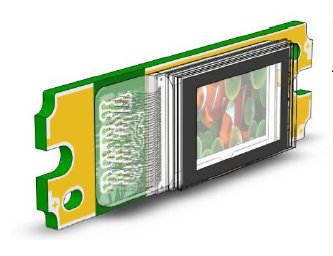
LCOS (viewfinder screen in the Leica Q model 116 and Leica Q2) = Liquid crystal on silicon is a high-quality method for near-eye displays, better than LCD (Liquid-crystal display). There are two broad categories of LCoS displays: Three-panel and single-panel. In three-panel designs, there is one display chip per color, and the images are combined optically. In single-panel designs, one display chip shows the red, green, and blue components in succession with the observer's eyes relied upon to combine the color stream.
LED light = Light source that found popularity in still photography, video and theatre stages from 2010 and onward, due to the lamps compactness, high output of light with little electricity and emitting no heat. LED lights are generally known to be very economical, though for photography and video you require high-quality LED lamps that output exact eklvin values and display a full color spectrum. Household LED lamps as used in restaurants, in street lamps, offices etc vary quite a bit in their color spectrum can result in very unexpected colors when used to light a scene. Manufactures of high-end LED lamps in controlled unites are Kino Flo, Aputure, ARRI and similar companies.
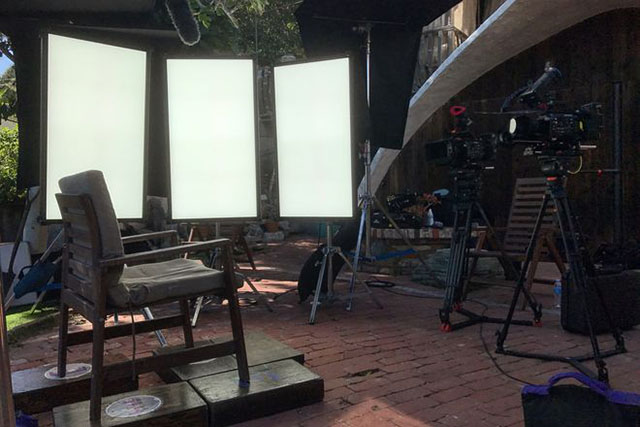
High-end LED light panels where the color output is software-controlled to meet exact color standards. In the photo it is three large Kino Flo "Celeb 850" LED lights set up on a movie set. The panels come in all sizes and the
Leica = A compound word derived from " (Lei)tz" and "(ca)mera". Apparently they were originally going to use "LECA", but another camera company already used a similar name in France, so they inserted the 'i' to prevent any confusion.
Leicaflex was Leica's first single lens reflex (SLR) camera, released in 1964. It is a very solid, fully manual SLR with an exceptionally bright viewfinder. The Leicaflex SL and Leicaflex SL2 and Leicafles MOT (enabling attachment of motor winder) came after, and then Leica went onto Leica R3 that it developed with Minolta, then Leica R4, Leica R5, Leica 6.2, Leica 7, Leica 8, Leica R9.
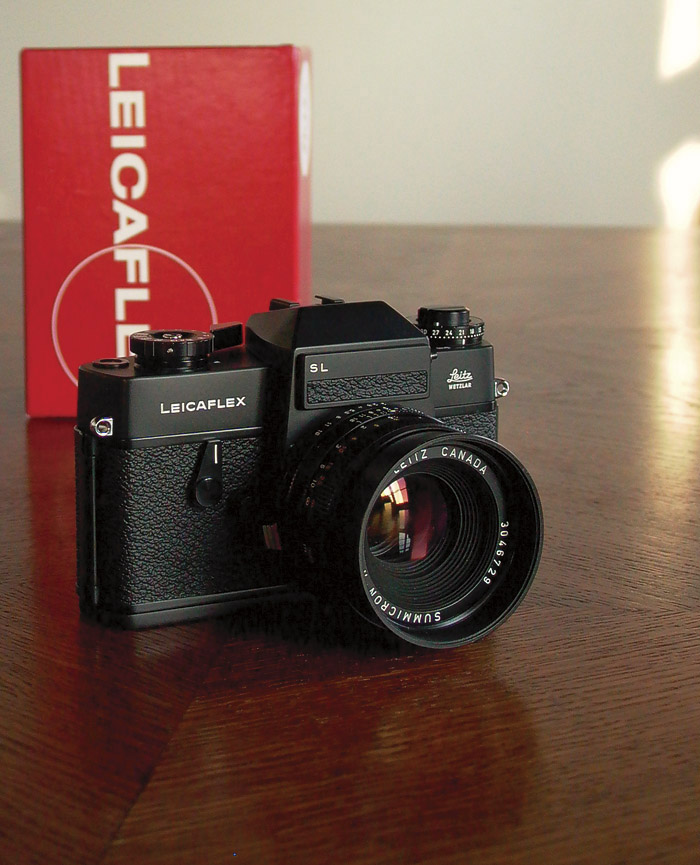
My Leitz Leicaflex SL (1973) film camera in black, here with 50 mm Summicron-R f/2.0 from Canada.
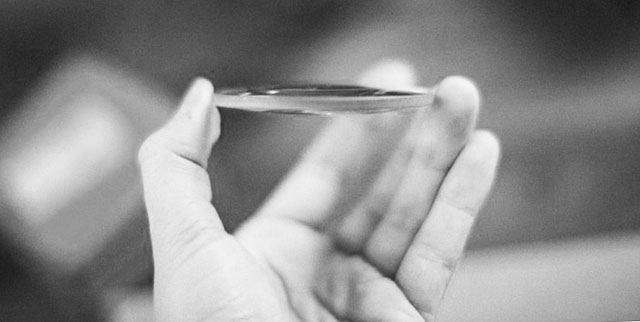
The word lens derives from lentil, because of the similar shape.
Lens - A piece of glass or similarly transparent material (like water or plastic). It has a shape so that it can direct light rays. The word “Lens” is used both for single piece of glass as well as a camera lens with several lenses that works together. The word lens if often used to refer to the entire camea lens, which is usually compose of seberal lens elements. From ‘lentil’ because similar in shape.
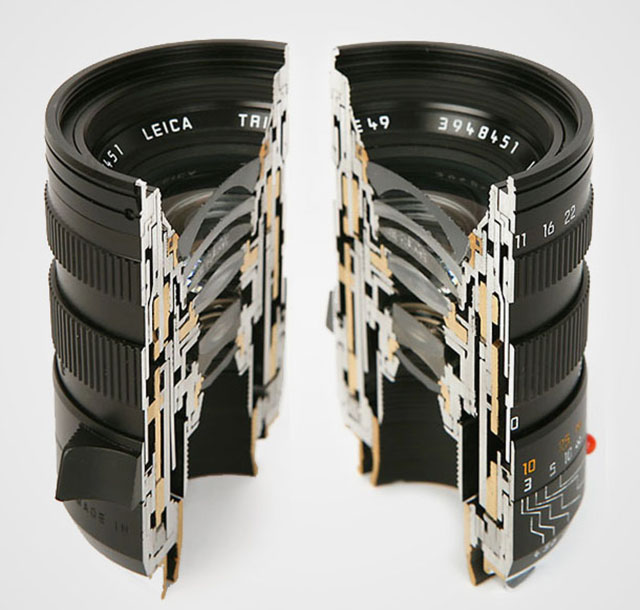
A camera lens consists of several shaped lens elements of glass. The lenses can also be made of simple cheap plastic as in "kit lenses" (sold with a camera as a kit to make a workable cheap package), but it is mostly very exotic glass (that can be heavy or light in weight, very hard or very soft in surface (esay to scratch or very resistant) with each optical glass recipe made to develop very specific qualities in how the glass and final lens treats light. As a general rule, high quality glass is soft, which is why some lenses has as their front and back element, a non-optical lens element that is there to protect the actual optical glass from scratches. As a side noite, Leica made their own glass laboraty, The Leitz Glass Laboratory, from 1949-1989, which deveopled 35 new glass types and took out more than 2,000 patents of glass recipes from more than 50,000 experimental melts of glass. These designs, or recipes, are still used today by the lens designers to obtain very specific optical results. Other lens manufacturers in the world of course have had their glass laboratories, and today one will find an interchange of glass patents amongst production facilities that service Leica, Nikon,, Fuji and so on with optical lens elements.
Lens hood = (also called a Lens shade or Ventilated Shade). A tube or ring attached to the front of a camera lens to prevent unwanted light from reaching the lens and sensor. In the past where lenses were not coated to prevent internal reflections inside the lens, the lens hood was often essential. These days where lenses are coated, the shade serves just as much as decoration and protection (bumper) as well.
ORIGIN Old English hod; related to Dutch hoed, German Hut 'hat,' also to hat.
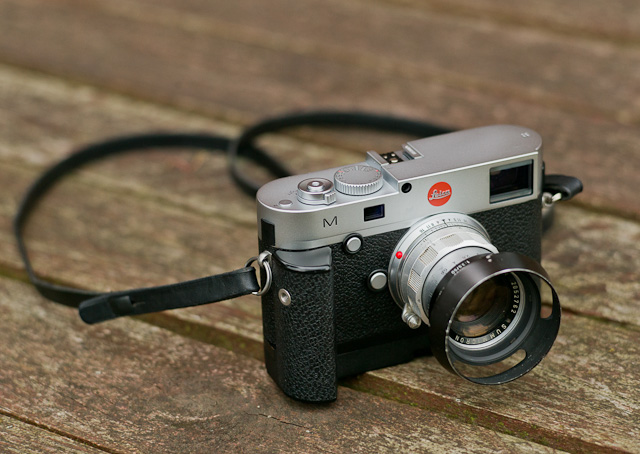
Lens hood or Lens shade or ventilated shade. In the picture is a ventilated shade with clip-on mount to a 50mm f/2.0 lens. Ventilated means it has openings that allow for view from the viewfinder.
Lens names of Leica distinguish which widest aperture the lens has:
| Noctilux |
f/0.95 - f/1.25 |
| Nocticron |
f/ 1.2 (Leica-designed Panasonic lens) |
| Summilux |
f/ 1.4 - f/1.7 |
| Summicron |
f/2.0 |
| Summarit |
f/2.4 - 2.5 |
| Hektor |
f/1.9 - f/6.3 (used 1930-1960 for screw mount lenses only) |
| Elmarit |
f/2.8 |
| Elmar |
f/2.8 - f/4.5 |
| Elmax |
f/3.5 (only used 1921-1925 for the 50mm Elmax f/3.5) |
| Telyt |
f/2.8 - f/6.8 (used for tele lenses) |
| |
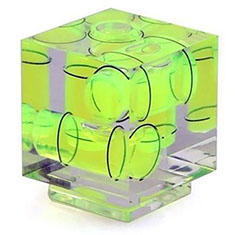 |
| |
Bubble Level Gauge to mount onto the flash shoe. |
| |
|
Level Gauge = This is a tool in the viewfinder to see if you hold the camera 100% horizontal and/or vertical. You can turn it on in the Menu > Photo Live View Setup > Level Gauge > On.
Before level gauge was integrated as a digitized feature in modern digital camers, it was a Bubble Level Gauge / Spirit Level you put on top of the camera.
The idea is to be able to get 100% vertical and horizontal lines (because if you tilt the camera slightly, the horizon will not be horizontal, and of you tilt the camera forward or backwards, the lines of for example vertical buildings will not be vertical.
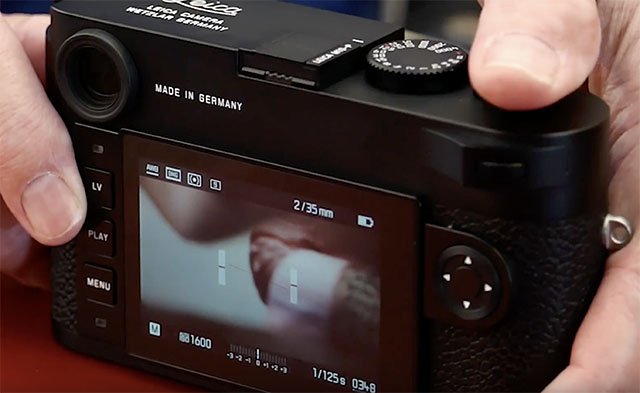 Digitized level gauge in a Leica M10-P. You tilt the camera up and down (front/back and left/right) till the level is completely straight. Digitized level gauge in a Leica M10-P. You tilt the camera up and down (front/back and left/right) till the level is completely straight.
Light = Tiny particles called photons that behaves like both waves and particles. Light makes objects visible by reflecting off of them, and in photography that reflecting off of subjects is what creates textures, shapes, colors and luminance. Light in its natural form (emanating from the sun) also gives life to plants and living things, and makes (most) people happier. So far, nobody has been able to determine exactly what light is. The word photography means “writing with light” (photo = light, -graphy = writing). Read more about light in my book Finding the Magic of Light.
Live View = This is the ability to see the image the sensor see, live, via the screen, or via an electronic viewfinder (EVF).LMT
LMT - Leica Thread-Mount: Also known as M39, is the screw mounted lenses for Leica cameras. It’s a simple as that; you screw on the lens, and back in 1932, the possibility to change the lens was the big news hwen introduced by Leica on the Leica III. The M39 system was updated with the M Bayonet from 1954 for the Leica M3. The M bayonet is a quick way to change lenses and is the current mount for Leica M digital rangefinders.
M (as in "M3", "M6", "M7" etc.)
A) The M originally stands for "Messsucher", which is German "Meßsucher" for "Rangefinder". The "3" in M3 was chosen because of the three bright line finders for the 50, 90 and 135 mm lenses. Later the numbers of the M cameras were more or less chosen to follow each other.
M-body evolution in chronologic order:
M3 - MP - M2 - M1 - MD - MDA - M4 - M5 - CL - MD-2 - M4-2 - M4-P - M6 - M6 TTL - M7 - MP - M8 - M8.2 - M9 - M9-P - MM (black and white sensor) - ME (Type 220) - Leica M (Type 240) - Leica M-P 240 - Leica M 246 Monochrom - Leica M-A (type 127, film camera) - Leica M 262 - Leica M-D 262 (without a screen) - Leica M10 - Leica M10-P, Leica M10 Monochrom, Leica M10-R.
B) M also refer to M-mount as the M bayonet that couple the Leica M lenses to the Leica M camera. Before the M bayonet the coupling between the camera and lens was screwmount.
C)
M nowadays refer to the Leica M line of cameras rather than the "Messsucher".
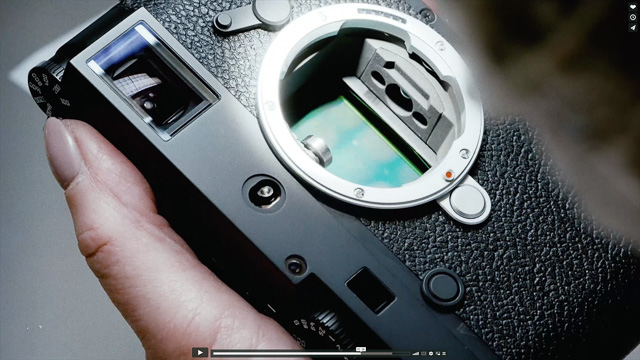
The Leica M bayonet on the Leica M10.
- M-mount: The Leica M-mount is a bayonet that was introduced with the Leica M3 camera in 1954 and has been used on all subsequent Leica M cameras, as well as on the Epson R-D1, Konica Hexar RF, Minolta CLE, Ricoh GXR, Rollei 35RF, Voigtländer Bessa, and Zeiss Ikon cameras (2019).
Compared to the previous screw mount (M39), the M
mount requires a quick turn of the lens, and ithe lens is mounted. The patent for the M-bayonet ("Bajonettvorrichtung für die lösbare Verbindung zweier Kamerateile") was registered by Ernst Leitz GmbH 10 February 1950 (patent number DE853384). Hugo Wehrenfennig was credited with the invention.
M9
Leica M9 is a model name for the Leica M9 that was introduced on September 9, 2009 (as the first full-frame digital Leica M). It was the latest model designation using the M and a number. From their next model, Leica Camera AG introduced a new model system so each camera would simply be a Leica M but then with a model designation like Typ 240, Typ 246, Typ M-D 262 and so on. The idea was inspired from Apple who name their computers for example MacBook Pro and then it has a sub- model number designation which model it is (and which would define speed of processor, etc).
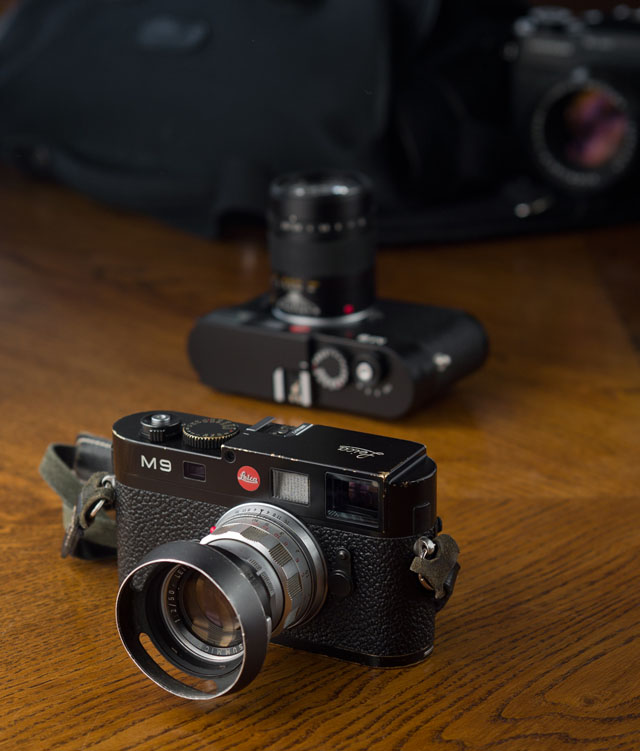
Leica M9 digital rangefinder (2009). © Thorsten Overgaard.
Macbeth ColorChecker. A chart with key colors that you photograph (or record on film/digital video) and use to compare and adjust light sources, development, editing, etc so as to obtain the correct key colors. The top left colors on the Macbeth are skin tones, which traditionally are the most sensitive or difficult, to get right. The original Macbeth Color Checker i still available (about 20x25 cm in size).
Macbeth is a brand name and was bought by X-Rite who sells the "smaller version" of it, the X-Rite ColorChecker.
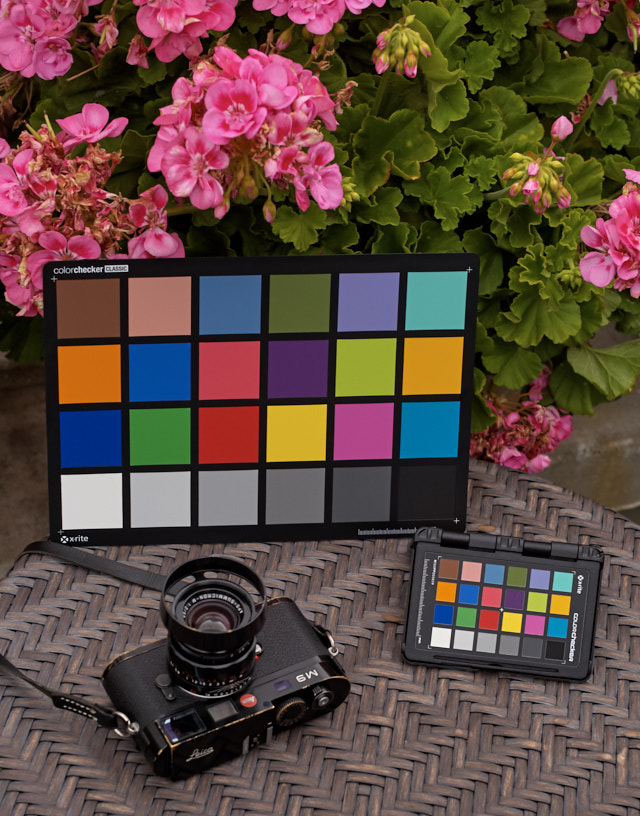
The original Macbeth Color Checker and the newer pocket version X-Rite ColorChecker.
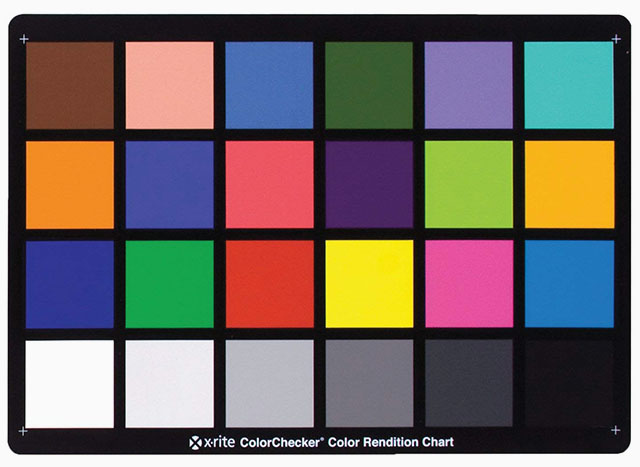
The original Macbeth Color Checker chart.
MACRO = Macro lens. The Leica 60mm APO-Elmarit-Macro-R ASPH f/2.8 is a 60mm lens for portraits, landscapes, etc. as well as a near focus macro lens. The Leica Q lens can be turned to Macro which enables you to go close so as to enlarge smaller subjects. The Leica M cameras becomes Macro when you add a Macro ring "Oufro" or "Leica Macro M Adapter" that increases the lens' distance to the sensor. The word macro comes from Greek makros ‘long, large.’

The word macro comes from Greek makros ‘long, large.’ The Leica 60mm APO-Elmarit-Macro ASPH f/2.8 is both a 60mm lens for portraits, landscapes, etc. as well as a near focus macro. © Thorsten Overgaard.
Maestro II - A processor developed first as Maestro for the Leica S2 and upgraded to Maestro II for the Leica S (Typ 007). The Leica Q has a Mestro II (Leica Q edition) processor developed by SocioNext Inc. based on Fujitsu's Mibeault architecture. Leica M10 also has a Maestro II processor, but seemingly developed further for this model.
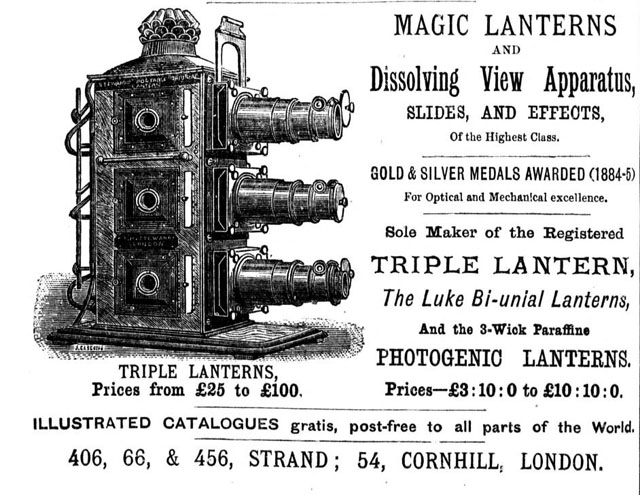
Magic Lantern - Later known as a slide projector. Leica came out with their first projectors in the 1930's (see a list of projectors and acessories here). It's a device with a strong lamp behind a transparent picture (slide) that is projected to a wall or screen via a lens. Today we use LCD projectors which is simply a digital image on a small screen inside the projector house that is projected to a wall or screen by a lens. Early models of LCD projectors had three lenses so as to projet each channel of red, green and blue onto the wall or screen.
Mandler, Dr. Walter (1922 - 2005)
Legendary Leica lens designer and CEO of Ernst Leitz Canada (ELCAN) 1952-1985. Read more in Leica History.
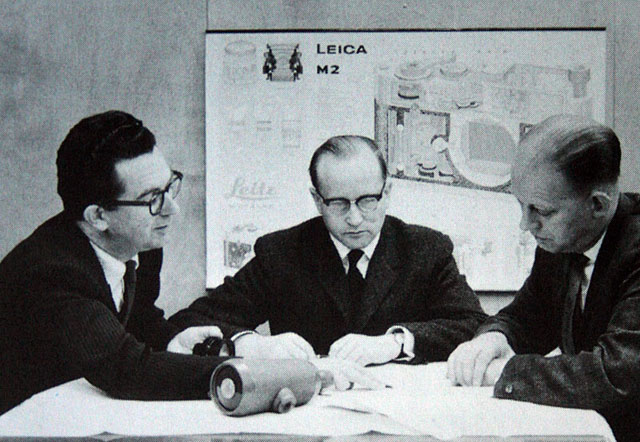
Dr. Walter Mandler (center) at the Ernst Leitz Camera factory.
Megapixel (or MP) - Millions of pixels. See pixel further down. How many units of RGB is recorded by a given sensor by taking height x widt. A Leica M10 delivers a 5952 x 3968 pixel file = 23,617,536 piexls. On a screen the resolution you choose determines the size of the image. Say you have a 5000 pixel wide file and your screen is set for 8000 pixels wide. Then the image will fill only the 5000 pixels fo the 8000 and the rest will be empty, If you then change the screen resolution to 5000 wide, the image would be able to fill out the whole screen.
Meßsucher = (rangefinder or distance finder) = Mess = range, sucher = finder. It is always correctly written with the "ß". There are technically not three "s", rather the "ß" and one "s" because it is a word constructed by the combining of two precise words.
MF (Medium Format), as in the Leica S System.
MF (Manual Focus) for lenses that are focused by hands, as opposed to Auto Focus.
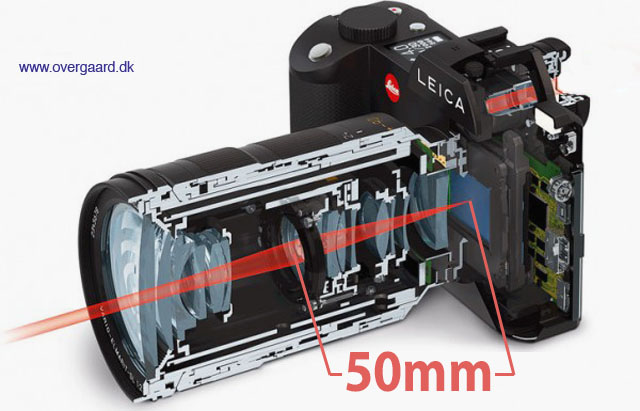
Focal length is determined by the distance from focus inside the lens to sensor surface to, and is given in milliemeters (mm). © Thorsten Overgaard.
mm = millimeter(s), as in a 50mm lens. (Earlier in lens history lenses focal length was given in cm = centimeters; as in a 5 cm lens). For anyone used to centimeters and millimeters, it’s no wonder. But if you grew up with inches, feet and yards, you may have had a hard time grasping what a 50mm lens was. But as lenses were designed first in Europe, the metric system with centimeters and millimeters was used to describe lenses.
(Leica and others made lenses for a while with either meter scale or feet scale; but then eventually started including meter and feet on all the lenses (two scales, usually distinguished with different colors). However, the lens' focal length remained always 50mm, 75mm and so on).
The reason a 50mm lens is a 50mm lens is that there is 50mm from the focus plane (the film or sensor surface) to the center of focus inside the lens. When photography was a young subject, it was engineers who made it all, and the users were expected to understand. The engineers were so into the making of the lenses, that it apparently never dawned upon them that today’s users would think of a 21mm lens as a wide angle lens rather than a lens where there is 21mm from the sensor to the center of focus inside the optics.
MP
a) Stands for Mechanical Perfection, as in the Leica M-P.
b) Megapixels (millions of pixels).
c) Megaphotosites (millions of photosites).
ND
Neutral Density filters are grey filters function as 'sunglasses' for lenses. They simply block the light so that a lens can work at for example f/0.95 or f/2.0 in sunshine.
If a camera is set to 200 ISO and the maximum shutter speed is 1/4.000, this will usually result that the lens has to be at f/2.8 or smaller aperture in sunshine. Else the image will over-exposed. So in order til stay within the maximum shutter speed of 1/4.000 and still use a lightstrong lens wide open, one mount a ND-filter that reduce the light with 3 stops (8X) or 6 stops (64x).
For video ND-filters are used quite a lot (as the shutter speed for video is 1/60), and ND-filters are also used to reduce the light for really long multi-exposures at night (stop-motion video and stills).
ND-filters also exist as variable ND-filters so one can adjust the amount of light going through from for example 1 stop (2X) to 6 stops (64X).
ND-filters also exist as graduated ND-filters where the top of the filter is dark and then gradually tone over in no filter (so as to reduce the skylight in a landscape for example).
The ND filters are called Neutral because it is a neutral filter. It doesn't change colors, only the amount of light.
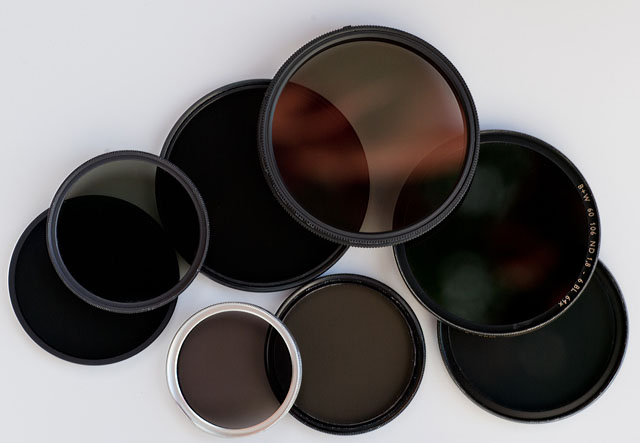
ND-filters / gray-filters.
Night lights = For movies and still photo, a large light to light up a street or location at night. In the picture below, it's a Bebe Night Light with with a bank of 15 strong lights.
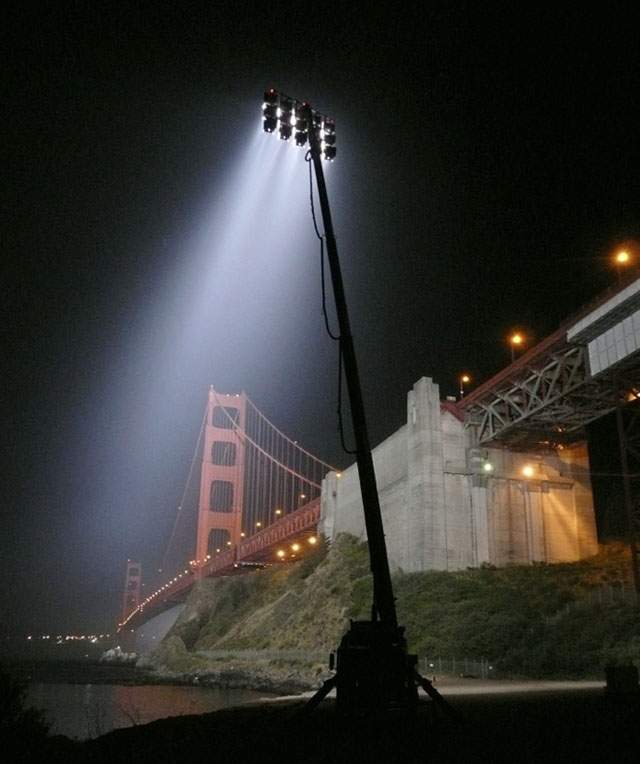
Bebe Night Light with with a bank of 15 strong lights for location lights at night.
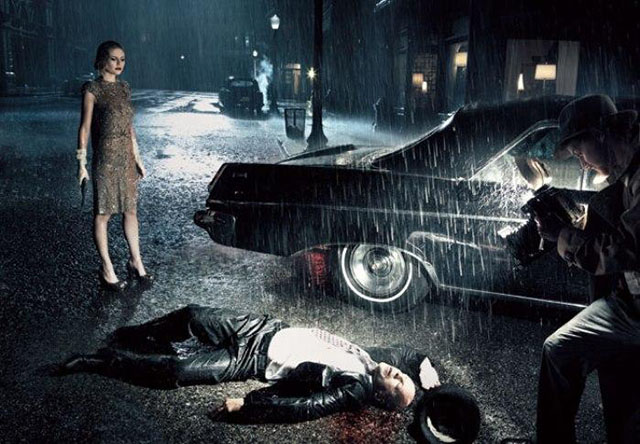
For this photo of Bruce Willis and Kirstin Dunst on Sunset Blvd and Verdugo in Los Angeles, photographer Annie Leibovitz used a Bebe Night Light with a bank of eight spots to light up the scene behind them.
© 2007 Annie Leibovitz.
"Niner"
The nick-name for the 90mm f/2.5 Leica lens in the 30's when it first came out.
Noctilux = Also known as "King of the Night" because "Nocti" means Night and "Lux" means Light. The f/1.0 lenes from Leica are named "Noctilux". The first Leica Noctilux lens was the 50mm Noctilux f/1.2 which shortly after it's introduction was improved to the 50mm Noctilux f/1.0. In the current model the f-stop has been improved further to f/0.95.
"Noctilux" refers to the maximum lens aperture - here f1.0 . "Nocti" for nocturnal (occurring or happening at night; ORIGIN late 15th cent.: from late Latin nocturnalis, from Latin nocturnus ‘of the night,’ from nox, noct- ‘night.), "lux" for light. The Leica Noctilux 50mm f1.0 is famous for enabling the photographer to take photos even there is only candleligts to lit the scene. See the article "Leica Noctilux - King of the Night"
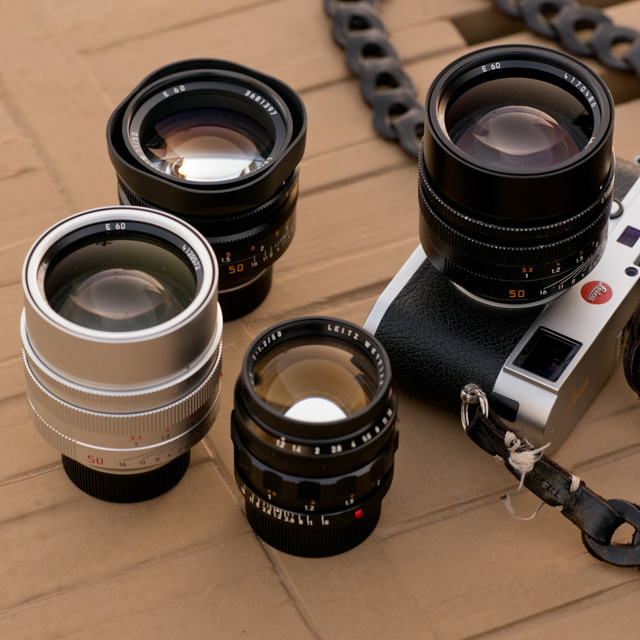
The Noctilux "King of the Night" lens. From left the f/0.95 in silver (same on the camera, in black), the f/1.0 in the back and the rare and expensive first model, the f/1.2 in the front.
No.
Number, on this site Leica catalog numbers or order numbers. Some the numbers changed depending on the number of cams in the lens: The Elmarit-R f2.8/135mm started life as No. 11 111, however when fitted with 2 cams for the SL became No. 11 211, yet another No. for the 3 cams lens and a fourth number for 3 cam only at the end of its life. Number changes also applied to M lenses depending on whether they were screw-thread, bayonet or for M3 with “spectacles”. Thus the No. in the Thorsten Overgaard Leica Lens Compendium list is a guideline but not a comlete list of existing catalog numbers.
OIS = Optical Image Stabilization. This is used in tele lenses where blurring motion of the camera from inevitable vibrations are adjusted by the lens. At low shutter speeds and/or with long lenses, any slight movement would result in a picture with "motion blur" unsharpness. The Leica TL2 supports optical image stabilization when A) OIS is turned on in the camera menu, and B) when you use lenses with OIS (the Leica SL longer lenses has OIS). An alternative is EIS = Electronic Image Stabilization, which the Leica T has. Here the problem of "motion blur" is corrected electronically after, which might lead to image degradation. However, the larger the sensor resolution, the less one will notice small 'degradation'.
Optic = Eye or vision. From French optique or medieval Latin opticus, from Greek optikos, from optos ‘seen.’
Oubio
Visoflex II /Visoflex III adapter (produced 1959-1983 as part no. 16466) for lens heads:
F = 12.5 cm 1:2.5 Hektor - EF = 1.3 x
Elmar f= 13.5 cm 1:4.5 - EF = 1.2 x
Hektor f= 13.5 cm 1:4.5 - EF = 1.2 x
F = 20 cm 1:4 Telyt - EF = 1.3 x
F = 20 cm 1:4.5 Telyt - EF = 1.2 x
1:4.8 / 280 Telyt I - EF = 1.1 x
1:4.8 / 280 Telyt II - EF = 1.3 x
F = 40 cm 1:5 Telyt I - EF = 1 x
F = 40 cm 1:5 Telyt II - EF = 1 x
1:6.8 / 400 Telyt - EF = 1.5 x
1:6.8 / 560 Telyt - EF = 1.5 x
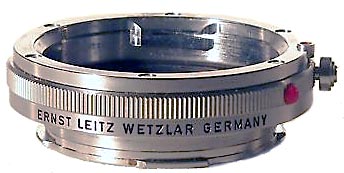
Oufro (model 16469Y)
An original Leitz Extension Ring (produced 1959-1983 as part no. 16469). Used with Oubio for all the longer (125mm+) Visoflex lenses and without OUBIO for 35/50mm. OUFRO can be stacked for greater magnification and will work on the Leica M Type 240 as macro for all lenses (including the Noctilux, 90mm APO-Summicron and even 21mm lenses).
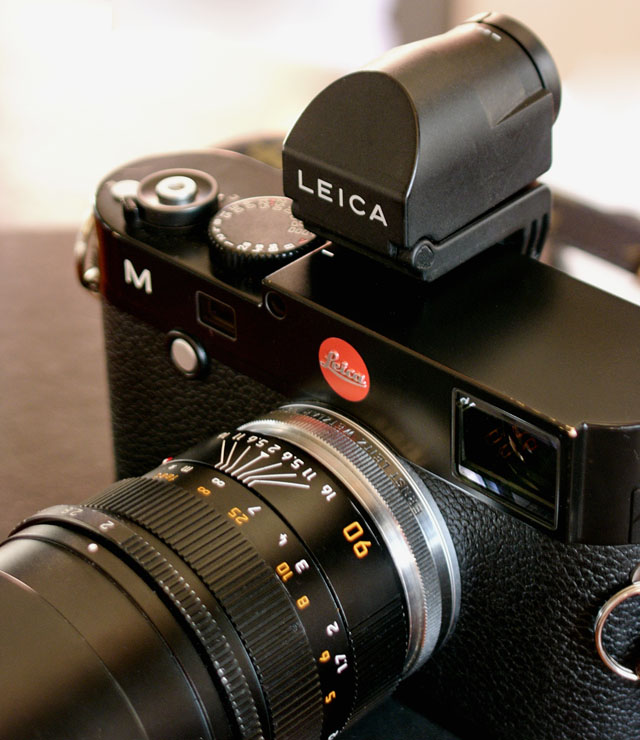 The OUFTO on Leica M Type 240 with Leica 90mm APO-Summicron-M ASPH f/2.0. The OUFTO on Leica M Type 240 with Leica 90mm APO-Summicron-M ASPH f/2.0.
| |
 |
| |
PASM on a cameras 'program wheel' |
| |
|
PASM = is short for P = Program Mode / A = Aperture Priority Mode / S = Shutter Priority Mode / M = Manual Control Mode. On some cameras, these P, A, S and M are choices on a wheel on top of the camera, or in the menu.
Perspective = The way objects appear to the eye; their relative position and distance. Also, selective focus (foreground and background out of focus) can change the perception of perspective (also see Three-dimensional). A wide angle "widens" the perspective and makes objects further away appear smaller than they are to the eye; and objects closer, relatively larger than they are to the eye. A tele lens will "flatten" the perspective and often objects further away will appear relatively larger than close objects than they are in real life. A 50mm lens is the one closest to the perspective and enlargement ratio of the human eye.
The word Perspective comes from the latin word for optics (perspicere, per- ‘through’ + specere ‘to look’), and so-called Renaissance painting is simply painting done within the framework of optics and the linear perspective it presents.
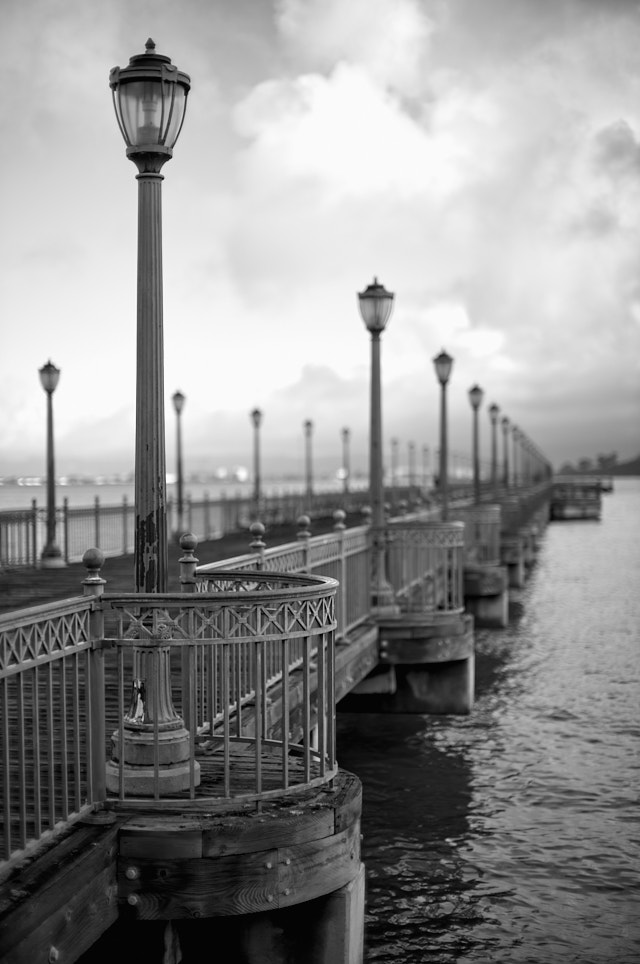
Perspective is relative position and distance. The objects nearby are larger than objects far away. This is how the eye and the mind calculate distance. The eye and the camera automatically captures perspective. In darwing and painting one would see "stupid" two-dimensional drawings 500 years B.C where elements were thrown into the mix without considering that a an object far away must be smaller than if close to the viewer. The word "perspective" comes from "to look through (optics)". Pier 7 in San Francisco by Thorsten Overgaard. Leica M11 with Leica 50mm Noctilux-M ASPH f/0.95.
| |
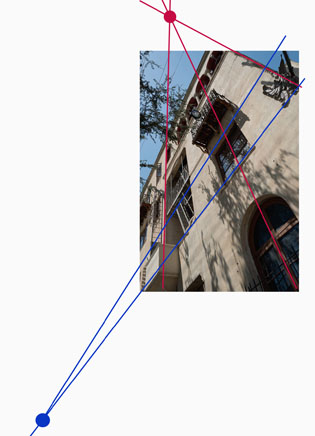 |
| |
Vanishing points are the points where lines meet. This is how you make perspective in paintings and drawings (and some times make movie sets or theatre stages appear more three-dimensional than they are) |
| |
|
Painters works with vanishing points, which is where the lines meet, so as to create an illusion of perspective and three-dimensional effect on a two-dimensional painting or drawing.
The human eye corrects for perspective to an extreme degree. We always see vertical lines vertical and horisontal lines horisontal: The eye has a angle of view equivalent to an 8mm wide angle lens, a size ratio equivalent to a 50mm lens and we focus on relatively small area of the viewing field - one at the time. Three things happens that are worth paying attention to:
1) We compile areas of our view that we focus on, to one conceptual image that "we see". Ansel Adams, the great American landscape photographer pointed out that a large camera used for landscape photography capture every detail in focus and sharp so you can view it in detail after; but the eye does not see everything in focus when you try to compose the landscape photography, the eye scans only one part at a time and stitch the idea together. This makes composing or prevision of a landscape photography challenging.
2) We compile areas of our view that we individually adjust the exposure of. A camera adjust the exposure of the whole image frame to one exposure. That's why what looks like a nice picture to the eye of houses in sunshine with a blue sky above, becomes a photograph of darker buildings with a bright white sky: The camera simply can't take one picture that compare to what we "compiled" with our eyes, adjusting for each type of light.
3) Objects (on a table, for example) in the bottom of our viewing field will appear 100% perspective corrected - to a degree that it is impossible to correct in optics, with or without software correction. A wide angle lens, even with little distortion, will exaggerate the proportions of the closet part so it - to the eye - looks wrong.
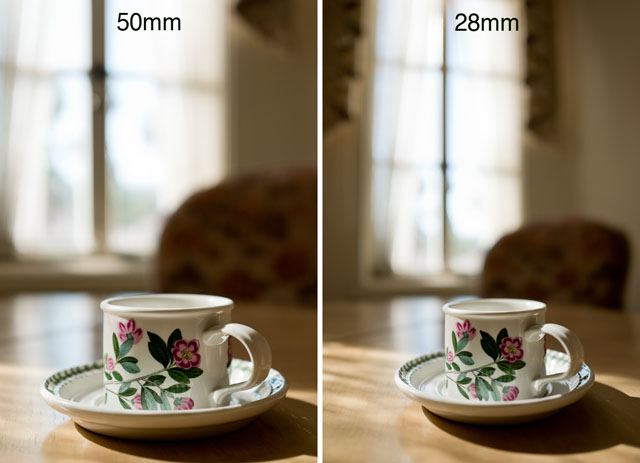
Perspective distortion: Comparing these two photographs you can see how the cup stretches in the 28mm wide angle photograph compared to the 50mm photograph. Both actually has a little stretch because both the cup is in the edge of the frame in both photographs. © Thorsten Overgaard.
Perspective correction - In software like Adobe Lightroom and Capture One Pro there is often a feature to correct perspective (and distortion) like seen below. You can change perspective this way, or at least make believe: If you correct a tall building on teh vertical lines, you will notice that the height of the windows doesn't match the perspective. If the building is with straight lines, the windows should all be of the same size. But a tall building seen from below and corrected with software will have taller windows (closer to camera) in the bottom than in the top (further away from the camera originally).
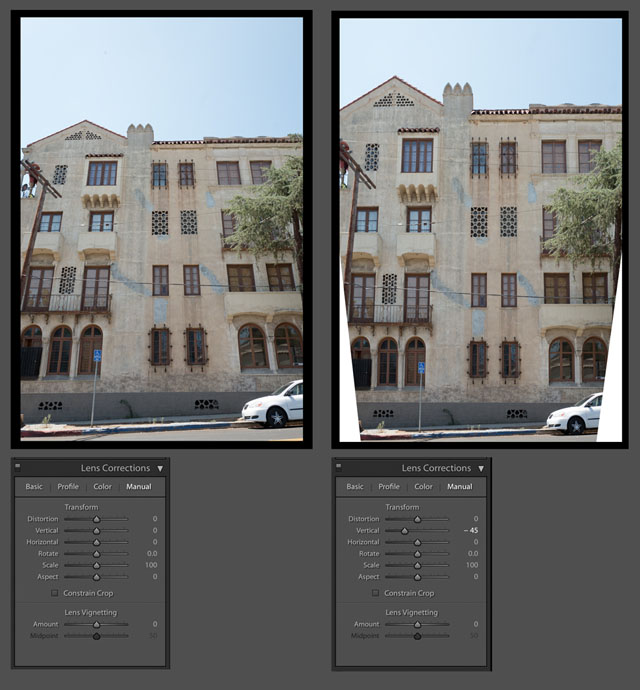
Perspective correction in Adobe Lightroom. © 2017 Thorsten Overgaard.
| |
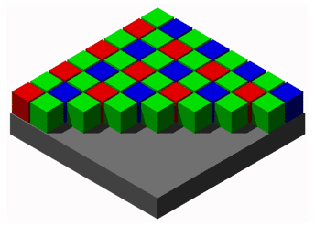 |
| |
A graphic illustration of the typical Bayer Color Filter Array on an RGB sensor. It's called a Bayer filter because Bryce Bayer of Eastman Kodak invented the technology of filtering incoming light into RGB and distribute it into the the photosites that each read just one color (R/G/G/B). |
| |
|
Photosite - The unit in a digital camera sensor that records intensity of either red, green or blue. Unlike the output of a sensor, measured in pixels (and where each pixel contains RGB), the photosite records only one color each, and it's intensity (how bright it is). A photosite can not distinguish colors, which is why there is a Color Filter Array (basically a prism) above them to filter the colors and send information to the photosite if 's a R, G og B color. See illustration below. In a monochrome sensor (as in the Leica M Monochrom and the Phase One Achromatic), all photosites are recording intensity of light only as there is no concern which color it is, and there is no color filter.
The ratio of photosites to pixels is not a given. Each block of 4 contiguous photosites contains one photosite sensitive to low wavelengths (blue), one photosite sensitive to high wavelengths (red), and two identical photosites sensitive to medium wavelengths (green). So four photosites would be the minimum to create one 'full-color' pixel. Apart from that, depends on the sensor specifications, which is different from brand to brand. Sometimes four photosites (two Green, one Red and one Blue) makes up one pixel, at other times it's more photosites to one pixel; and there is also pixels sampled from photosites across (sort of overlapping patterns).
Catch light = See pin light, a reflection in the eyes of a person which brings life to the portrait.
Pin light = (also known as catch light) is the highlight reflected in the eyes from a strong light source in front of the person, like a spotlight, a window, reflector or similar. It brings life to the eyes, just as it was used by for example Walt Disney in cartoons, adding life to the cahracter.
| |
|
|
 |
|
 |
| Donald Duck with black eyes without pin light. |
|
Disney added pin light to the eyes for life. |
My portrait of Kelly Preston has pin light iin her eyes (catch light from the main light source, the key light, a 300W spot). The portrait also has edge light from a 150W spot placed outside the frame to the left behind her. The left side of her face is fill light from a gold reflecor reflecting the key light (two spotlights and a reflector was used for this photograph). © Thorsten Overgaard.

Portrait with pin light from a large window in front of the face, behind the photographer (the only ligth source is windows behind the photographer). © Thorsten Overgaard.
Pixel - Made up word from Pix (picture) and el (element). A pixel is the smallest full-color (RGB) element in a digital imaging device. The physical size of a pixel depends on how you've set the resolution for the display screen. The color and tonal intensity of a pixel are variable, meaning that each pixel contains RGB. This is different from a camera sensor's small eyes (photosite) that are an intensity of either red, green or blue. You could say that the digital sensor's photosite (where each unit collects just one color; red, green or blue) is the input technology, whereas the pixels on a screen (where each pixel contains red, green and blue) is the output device. So while sensors are measured in megapixels (mega = million), it's their output unit of pixels, and not the input unit of photosites that is measured and stated. See illustration below.
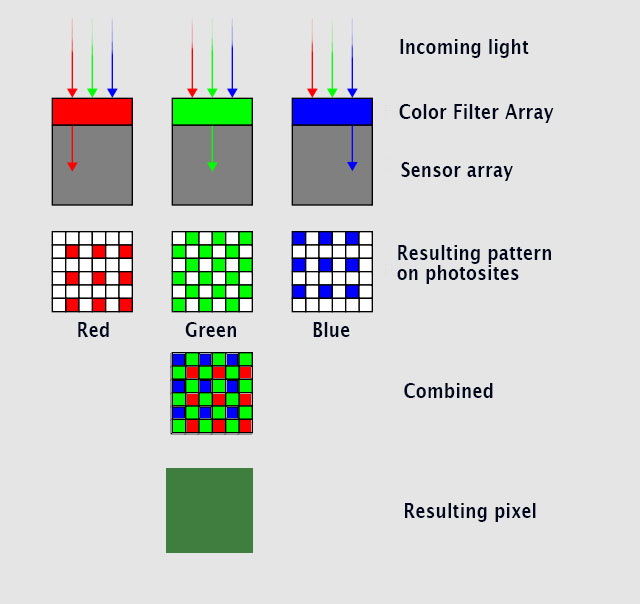
Here's an illustration of how light goes through a color filter that enables the underlying photosites to each record if it';s an R, G or B color - combined - makes up one pixel containing RGB. © Thorsten Overgaard.
| |
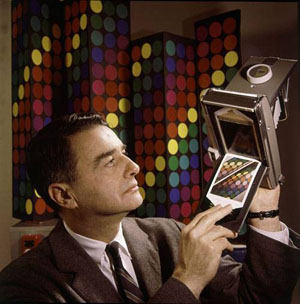 |
| |
Edwin Land with his Land Camera and Polaroid |
| |
|
Polaroid = Instant film presented in 1948 (as the Land Camera and later named Polaroid) at a point in time where film had to be developed, then printed on light-sensitive paper. The Polaroid camera and concept made a print directly on photo-sensitive paper, and when the paper ejected from the camera, a pocket of chemicals was released that would develop the photo in a few minutes.
Edwin Land (1909-1991) invented polarizing glass for sunglasses (used in 3D glasses and an component in all LCD screens, and more), and then the instant camera concept, which was named the Land Camera and later known as the Polaroid camera. The peak revenue of the Polaroid company was $3 billion in 1991. Edwin Land was awarded the Presidential Medal of Freedom in 1963, for his work in optics.
Q - The Leica Q model was released in 2015 as a full-frame 24MP digital compact camera featuring a fixed auto-focus and 28mm f/1.7 lens with macro, amd upgraded with a larger 51MP sensor (same concept) Leica Q2 in 2019. See my article Compact Leica Cameras for more.
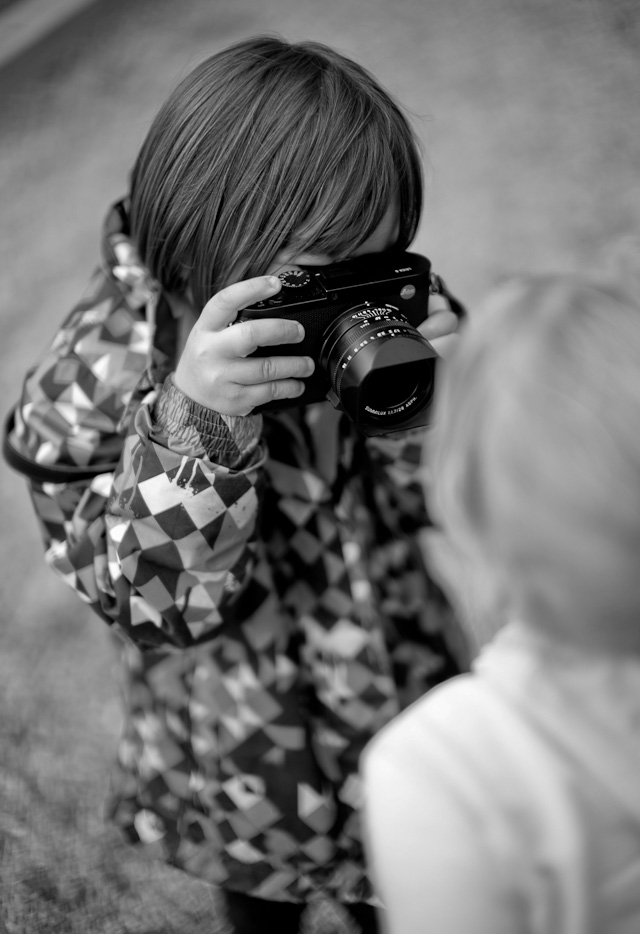
Leica Q (2015) in the hands of a young girl. © Thorsten Overgarad.
R = Resolution, in the name Leica M10-R camera model (2020).
R - Reflex: The Leica R cameras (2009) is the SLR cameras from Leica. The first Leicaflex (1964) feels like a Leica M, built as a tank, and with reflex and fits Leica R lenses. Over the production time of the Leica R system, a number of magic lenses from fisheye to 800mm were made for this system (as well as a made-to-order 1600mm lens for a prince in Qatar). Also a number of zoom lenses was made for the Leica R system. Many of the lenses are being used for cinema in their next life, especially the wide angle and the 50/1.4, but also the 280mm APO f/2.8 tele lens was retrofitted with a PL mount and used for the Joker movie in 2019.
The Leicaflex series (1964 - 1976) was modernized with the Leica R3 (1976) that was made together with Minolta , and then Leica went on with Leica R4, Leica R5, Leica 6.2, Leica R7, Leica R8 and Leica R9. The latter two models got a digital 10MP back made as an accessory in 2004 (CCD-sensor made with Imacon and Kodak). You simply took off the film back and mounted a digital back (and could change back to film if you wanted to). See my Leica DMR article. The Leica R system was retired in 2009 when the production of new lenses stopped. Leica Camera AG said then that the plans fot the R10 camera had been retired as it was not feasible to maintain an SLR system. Though, in 2016 Leica opresented the Leica SL system which is a SLR camera without reflex and instead is mirrorless cameras, and with a new series of L-mount lenses. The Leica SL (and Leica M) can use Leica R lenses via adapter.
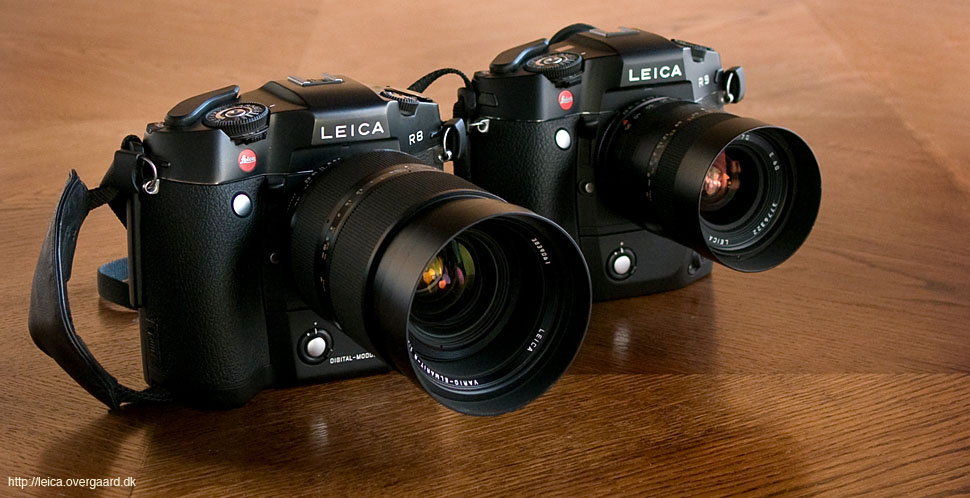
Leica R8 with DMR digital back and 35-70/2.8 zoom, and Leica R9 with film winder and 35-70/4.0 zoom. © Thorsten Overgaard.
| |
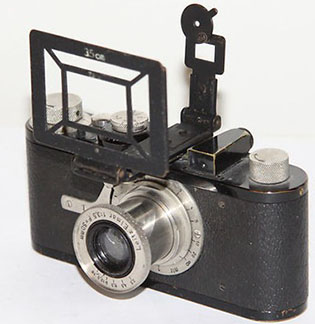 |
| |
RASUK - Sports Range Finder (1933) |
| |
|
RASUK - Sports Range Finder (1933) to mount in the hotshoe for the camera that shoved the frame for 35mm, 50mm, 73mm and 90mm. Was usef for example for photographing race cars where one would frame the car as it came, usually with a 90mm lens.
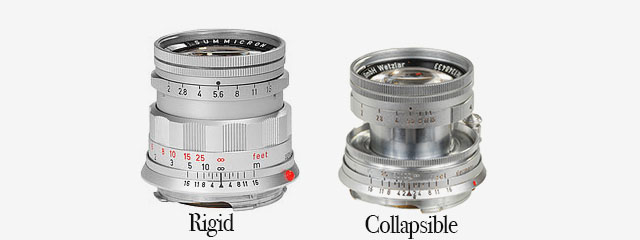
Rigid - Refers usually to the Leica 50mm Summicron-M f/2.0 "Rigid" of 1956.
It is called "Rigid" because, unlike the 50mm Collapsible, this one is not able to be changed.
Rigid means stiff, uable to be forced out of shape. Not able to be changed. From Latin rigere, "be stiff".
The name is a little confusion nowadays as all or most lenses are rigid today, but back in 1925-1956, many lenses were collapsible so the camera was compact when not in use. Just like compact cameras today often has a lens that extrudes when the camera is turned on, and collaps into the camera body when the camera is turned off.
Rim light = Portrait light for edge. Also called Edge light and Hair light. See "Edge light" for examples.
RF
(R)ange (F)inder - the mechano-optical mechanism which allows M Leicas to focus.
Alternative meaning - RF is also shorthand for Hexar RF , Konica's motorised "M-lens-compatible" rangefinder camera released in 2000.
ROM = Read-Only Memory contacts on the Leica R lenses (1996-2009) with information about lens model and calibration of aperture (each lens was finetuned at the factory and the exact data stored in the ROM of the lens).
The Leica R8 and Leica R9 featured electronic contacts in the cameras bayonet mount that could take advantage of lens-specific information to correct for lens vignetting, adjust the zoom reflector on flash according to lens focal length, or to correctly display aperture information. The ROM chip came with all newly sold lenses since 1996, but could also be retrofitted by Leica to older lenses. The lenses with ROM contact could be used on older Leica R cameras such as the Leica R3 - Leica R7 cameras, but not on the plder Leicaflex cameras.
The later Leica L mount system (2013) features a Leica L bayonet with contact strip for communication between lens, which looks very much like the ROM contracts. In the Leica L system, this strip of contacts share information to the camera about aperture, focal length and focusing distance (which in the Leica TL and Leica SL is used to calculate and display depth of field calculations inside the electronic viewfinder). But the contact strip goes both ways, so here comes power and control from the camera to perform auto focus, control the aperture and more.
|
|
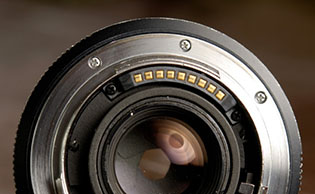
ROM contacts on an Leica R lens |
| |
Leica L-mount lenses with control strip that looks like ROM contacts. |
| |
Contacts inside the Leica SL that connects with the control strip of the lens. |
| |
|
|
S = Single image. When the ring by the shutter release on top of the camera (or in the menu of a digital camera in case it does not have this ring on the ourside) is moved from OFF to S, the camera takes only one photo at the time (Single). The other possibility is Continuous where the camera takes pictures continiously as long as the shutter release button is helt down. (see above).
Saturation: How colorful, intense or pure the color is. Less saturation would be less colorful, more saturation would be more colorful. In today’s photography, de-saturating a photo on the computer will gradually make it less and less colorful; and full de-saturation would make it into a black and white photo.
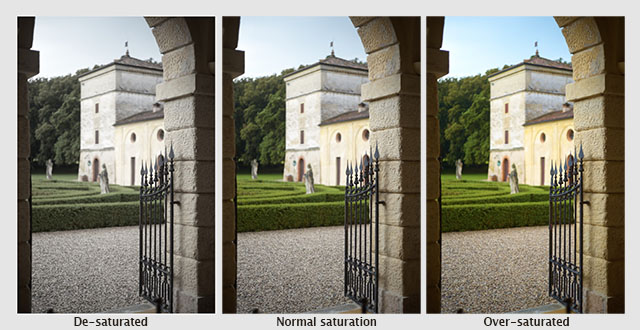
A photo from Verona, Italy de-saturated, normal saturated and over-saturated. © Thorsten Overgaard.
Sensor = A device that detects a physical property (like light) and records it. A camera sensor is a plane plate with thousands of small “eyes” with (photosites) a lens in front of each (CFA, Color Filter Array), which each individually records the amount of red, green and blue light rays that comes through the lens. Together, Red, Green and Blue form all colors of the spectrum, which becomes a pixel. Sensor comes from Latin sens- ‘perceived’.
SDC = Software Distortion Correction. A correction of lens distortion (not straight lines) applied in the camera and which is part of the DNG or RAW file. In Lightroom or Capture One Pro the SDC of the camera file is applied automatically (and cannot be removed), in software like AccuRaw one can open the DNG file without the SDC correction. Sean Reid Reviews have written a good article on what SDC is and does in "Software Distortion Correction".
SDC (Software Distortion Correction): In Lightroom the correction profile for the Fujinon 23mm is applied automatically and cannot be turned off. If you go into Develop mode in Lightroom and look under Lens Correction > Profile, you will see a message in the bottom with an exclamation mark. When you click on that, you get the message above.
Sharpness - See “Focus”
Shoulder Stock
A Leitz mechanism attached to the (tele-) lens and held against one's shoulder when photographing, so as to stabilize a tele lens when using handheld without a tripod or monopod. The shoulder stock is attached to the lens same way as a tripod or monopod.
Shutter speed dial - The dial on top of the Leica M where you can set the shutter speed manually. It can also be set to A which stands for Aperture Priority (where the camera suggests a shutter speed; or when you move the dial away from A, the camera will show arrows in the viewfinder, suggesting which direction to change the Aperture to, to get the correct exposure).
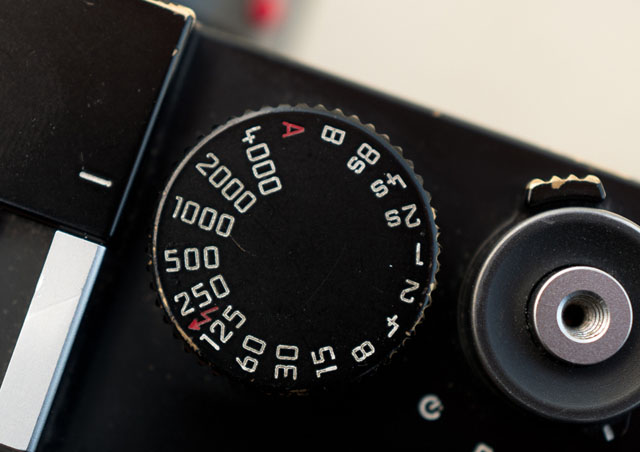
Shutter speed dial set to 1/1000 of a second.
| |
 |
| |
The 6-bit code on the flange of the lens is read by the sensor on the Leica M bayonet of all digital Leica M cameras since 2006. © Thorsten Overgaard. |
| |
|
Six-bit code (6-bit code) - An engraving on the flange of M-lenses that makes it possible for digital M-cameras to recognize the lens that has been mounted. The camera can include information on the attached lens and its focal length in EXIF data and make digital corrections for lens-specific flaws, such as color-cast or vignetting. Six-bit coding was introduced for all M-lenses sold since 2006, but many older lenses can be retrofitted with the code at Leica Camera AG in Wetzlar.
Slide - Short for slide film, also known as a transparency or a dia-positive (or a lantern slide as they were called in the 1800's). A transparent film in positive, and mostly in color, that can be projected onto a wall or screen in large size by putting the slide into a slide projector ("magic lantern" as they were called back in the day) that sends light through the film and projects it to a wall or screen via a lens.
In the 1930's and 1940's Walther Benser traveled the world with a slideshow of pictures made with the Leica. In the period long before the television he managed to fill large theatres with hundres and often thousands of people who were amazed by the large pictures from the "small camera" as the Leica was also known as back then.
Slide projector - Also known as "magic lantern" back in the day. Leica came out with their first projectors in the 1930's (see a list of projectors and acessories here). It's a device with a strong lamp behind a transparent picture (slide) that is projected to a wall or screen via a lens. Today we use LCD projectors which is simply a digital image on a small screen inside the projector house that is projected to a wall or screen by a lens. Early models of LCD projectors had three lenses so as to projet each channel of red, green and blue onto the wall or screen.
SLR = Abbreviation for Single-Lens Reflex; the lens that forms the image on the film/sensor also provides the image in the viewfinder via a mirror. Newer camera models has aen EVF (Electronic Viewfinder) that displays in the viewfinder what the sensor sees in real-time.
SSI = Spectral Similarity Index. A standard for measuring color rendering started in 2017 that takes into the account the human spectrum, a digital still camera's senor spectrum, the telvision camera's digital sensor spectrum, a movie camera's digital sensor spectrum, and analog film's spectrum: Further SSI takes into account the different models and brands of sensors/cameas/film. The aim is to predict how different types of ditgital recording mediums will render colors using different light sources.
Daylight is the optimum light source, but if one use other ligth soruces in a studio or on a film set, the SSI becomes valuable as it will give possibility to find the best quality light sources (amongst LED, Tungsten, daylight lamps, etc), or (for mainly film sets) correct light sources present (street lamps for example) with gels (colored filters put in front of a light source to change the light). It's implied in the SSI measuring method, that a higher SSI value could also be obtained by matching light and recording device to obtain the best possible colors.
SSI is based on sampling 24 color samples to an average value between 1 SSI and 100 SSI. (SSI 100 indicates perfect match. Values above SSI 90 should be very good. SSI 80-90 should be good, and below SSI is likely to have color rendering issues (to say it mildly).
One could say that the SSI is expanded version of the previous method to measure a light source for its color quality, CRI (Color rendering Index) which used 8 color samples measure and give an average value between 1 Ra and 100 Ra (Rendering Average). Not only does the SSI use 24 instead of 8 color samples, it also takes into account many other perceptions than the human eye. While the SSI is based on the Macbeth ColorChecker chart (with 24 colors), it also used other color charts with up to 190 color patches. Read more at oscars.org.
The Sekonic C-800 color meter launched in March 2019 measures SSI and CRI values (whereas the previous model, Sekonic C-700) only measured CRI).
| |
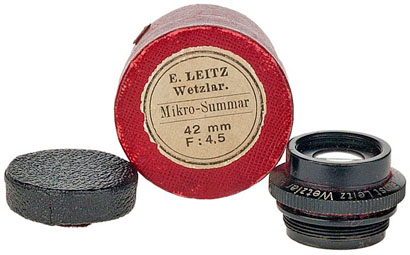 |
| |
Leitz Wetzlar Mikro-Summar 42mm f/4.5 lens anno 1910 might be the first lens carrying the name Summar. |
Summar - (or a story of name development)
The 1933 lens 50mm f2.0 Summar: It started out as Summar(f2.0), then the Summitar (f2.0 in 1939), then the Summarex(f1.5 in 1948), then the Summaron(35mm f.2.8 in 1948, then later f2.0, f3.5 and f5.6 lenses), then the Summarit (f1.5 in 1949 and used again for the 40mm f2.4 on the Leica Minilux in 1995, then again for the 35mm, 50mm, 75mm and 90mm Summarit f2.5 in 2007) then the Summicron(f2.0 in 1953 for the collabsible 50mm) and finally the Summilux(50mm f1.4 in 1959).
ORIGIN of Summar is unknown.
Summarex
The great thing about being a lens designer is that you get to name the lens. Dr. Max Berek who worked for Leitz from 1912 till his death in 1949 named lenses after his two favorite dogs. One was Sumamrex named after his dog Rex, the other Hektor named after his dog Hektor.
Summarit
Refers to the maximum lens aperture - here f/1.5.
Summicron = Refers to the maximum lens aperture - here f/2.0 . There are many guesses how this name came about, a popular one being that the "summi" came from "summit" (summit means the highest point of a hill or mountain; the highest attainable level of achievement) while the "cron" came from "chroma" (ie. for colour). Not so: The name (Summi)cron was used because the lens used Crown glass for the first time, which Leitz bought from Chance Brothers in England. The first batch of lenses were named Summikron (Crown = Krone in Deutsch). The Summi(cron) is a development from the orignal Summar (the 50mm f2.0 lens anno 1933). Vario-Summicron, Vario-Elmarit is Leica Camera AG's name for zoom lenses, for example the Vario-Summicron f/2.0 as the one that is on the Leica Digilux 2.
Summilux = Refers to the maximum lens aperture - here f/1.4 , "-lux" added for "light" (ie. the enhanced light gathering abilities). In Leica terminology a Summilux is always a f/1.4 lens and a Summicron is a f/2.0 lens.
Telyt
Lens nomenclature - short-hand for " telephoto " (tele- is a combining form, meaning to or at a distance) and used in names of instruments for operating over long distances : telemeter. The name has been used for a number of tele lenses from Leica.
ORIGIN: from Greek t?le- ‘far off.’
Telechron
The first name for the 800mm Telechron f/6.3 lens that Leica presented at Photokina in 1970 and made available in 1972 as the 800mm Telyt-S f/6.3.
Televit
rapid-focus device from Leitz that was made from 1966 through 1973, in both R and VisoflexIt was originally designed for use with the 400mm f5.6 Telyt and 560mm f5.6 Telyt. Beginning in 1970 (with serial 2340953) the Televit could also be used with the 280mm f4.8 Telyt-V by using adapter 14138.
Thambar
Leitz Thambar 90mm f.2.2. At most about 3000 were made, originally, probably in eight batches, starting with 226xxx (built in 1934) and going through 283xxx, 311xxx, 375xxx, 416xxx, 472xxx, 511xxx, and 540xxx (about 1939/1940).
But then the Thambar was re-launched in 2018, exactly the same lens, and is now available from Leica Stores for $7,195.00, which is int he same range as an original second-hand 1930's model in good condition.
Today the original versions are staggeringly rare and can be extremely expensive for a perfect condition Thambar with all accessories (center spot filter, shade, cap and box). The lens has been rumored to be slightly radioactive due to the process of producing the glass.
Known to be a legendary soft-focus portrait lens that 'make a woman look 10 years younger.' A glass filter with a black spot in the middle, about 13mm (1/2”) in diameter cuts out the central (sharpest) part of the image and makes everything even softer.
Here are some advice from a Thambar user, Theodor Heinrichsohn, who have used it mainly for portraits using an Leica M5 and Leica M6:
1. The results are more or less unpredictable. Best practice is to shoot many times and pick the one you like best.
2. Shots against the light are generally more effective than with the light behind you.
3. The most pleasing results to my taste were with center filter at medium apertures. With luck portraits took on the "dreamy" look that the lens is famous for.
4. I never used the Thambar for anything except portraits.
Read my article "How to get the Leica Thambar to work - feat. Milan Swolfs."
Origin of the name is currently unknown. Suggestions has been made that the name Thambar was derived from Greek, meaning “something that inspires wonder”. Also close to the English word Tamper (with) which is to meddle, damaging or altering something.
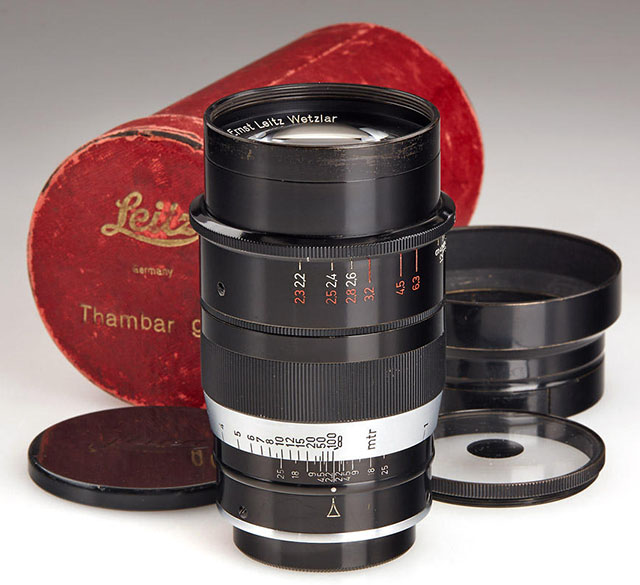
A complete set of a Leitz 90mm Thambar f/2.2 consist of the original red box, lens cap, lens shade and the special soft focus filter with a black dot in the middle. They exist in both a Meter and a Feet edition (the focusing scale). Only 3,500 or less were made from 1934-1940, from serial number 226001 to 540500. Read my article on Leica 90mm lenses.

New Thambar 90mm f/2.2 with Leica M Monochrom. © 2018 Milan Swolfs.
Thick / Thin
The first 90mm Elmar that came out in 1930 was called "Thick" of "Fat" When the smaller Elmar came out in January 1933 it was called "Thin".
Three-dimensional = Having the three dimensions of height, width and depth. In photography and lens design, three-dimensional effect is also the perception of even small micro-details; the texture of skin can appear flat and dead or three-dimensional and alive. Also, selective focus (foreground and background out of focus) can change the perception of depth. Also see Perspective.
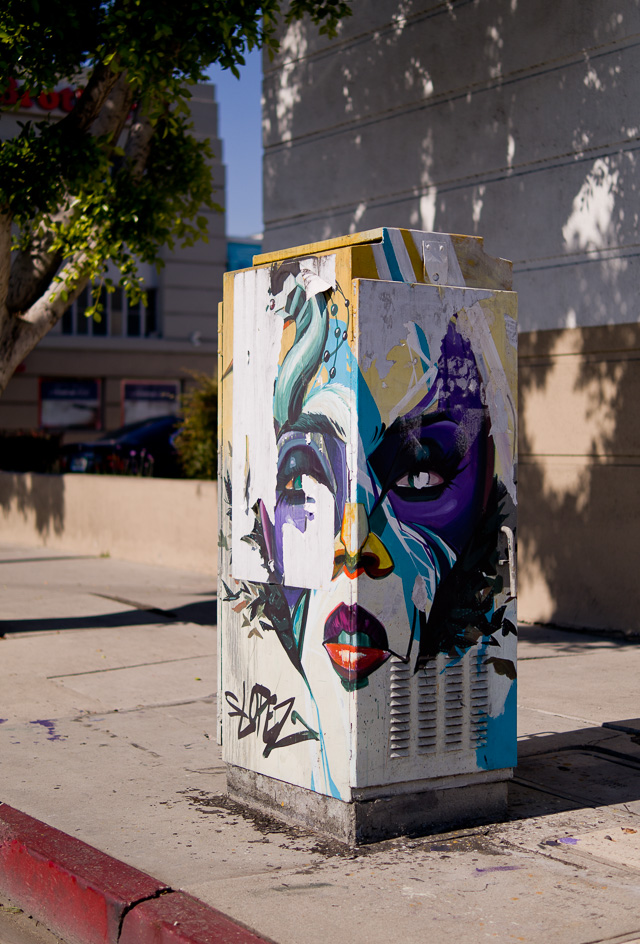
Three-dimensional = Having the three dimensions of height, width and depth. Melrose Avenue in Los Angeles. Leica TL2 with Leica 35mm Summilux-TL ASPH f/1.4. © 2017 Thorsten Overgaard.
Leica T is the compact camera developed by Leica Camera in 2014 as a touch-screen operated camera that can take the Leica L mount lenses made for this camera and the Leica SL and Leica CL. This camera series was names Leica TL later. See my article Compact Leica Cameras for more.
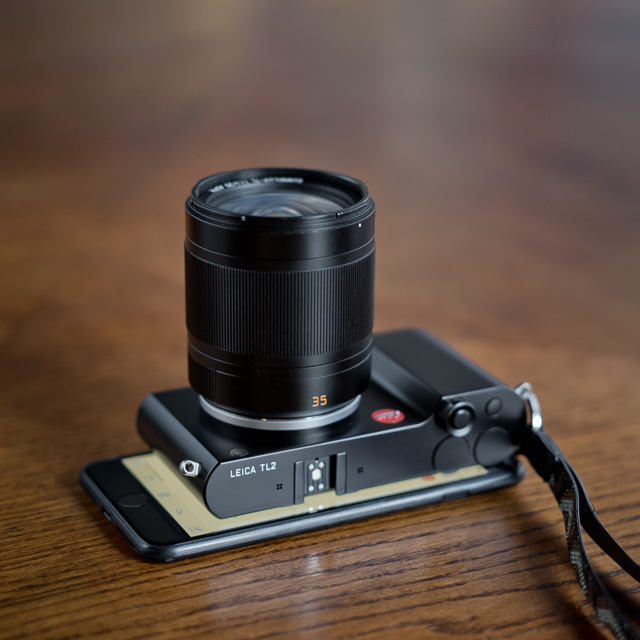
The Leica TL2 (2017) with a 35mm Summilux-L f/1.4 lens, compared with the Apple iPhone 7 Plus. © Thorsten Overgaard.
TTL
(T)hrough (T)he (L)ens light metering, usually WRT the flash metering capabilities built into the R6.2, R8, R9, M7 & M6TTL cameras.
V-Lux is a series of compact SLR-like digital cameras by Leica Camera AG developed with Panasonic since 2006, starting with the Leica V-Lux 1 (2006), V-Lux 2 (2010), V-Lux 3 (2011), V-Lux 4 (2012), V-Lux Typ 114 (2014), V-Lux 5 (2018). See my article "Compact Digital Leica Cameras".
To add confusion, Leica also made a Leica V-Lux 20 in 2010, V-Lux 30 in 2011 and a Leica V-Lux 40 in 2012 that was a temporarily renaming of the Leica C-Lux series.
Vario- is the Leica Camera AG name for zoom lenses. Vario-Elmarit, Vario-Elmar and Vario-Summicron and so on.
The Leica 35-70mm Vario-Elmarit-R f/2.8 ASPH (left) and the Leica 35-70mm Vario-Elmar-R ASPH f/4.0 (right)
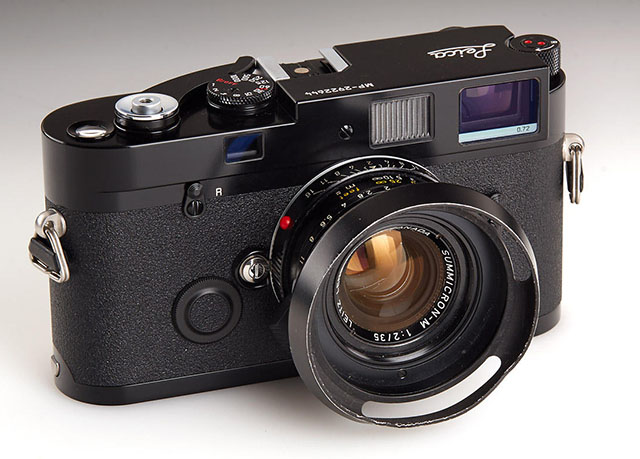
Ventilated shade on a 35mm of Elliott Erwitt's Leica MP camera.
Ventilated Shade - A shade is a hood in front of a lens that provides shade from light going straight onto the lens from outside what you are photographing, which could cause internal reflections like flare, which would make the picture less contrasty.
The ventilated shade has holes so it doesn't obstructs the view from the viewfinder. In many of today’s mirrorless cameras where there is no viewfinder looking ver the lens, so there is no actual need for a ventilated shade; but they are considered classic or vintage looking and are still in high demand. It makes no difference for the purpose of the shade (to create shadow) if it is ventilated or not.
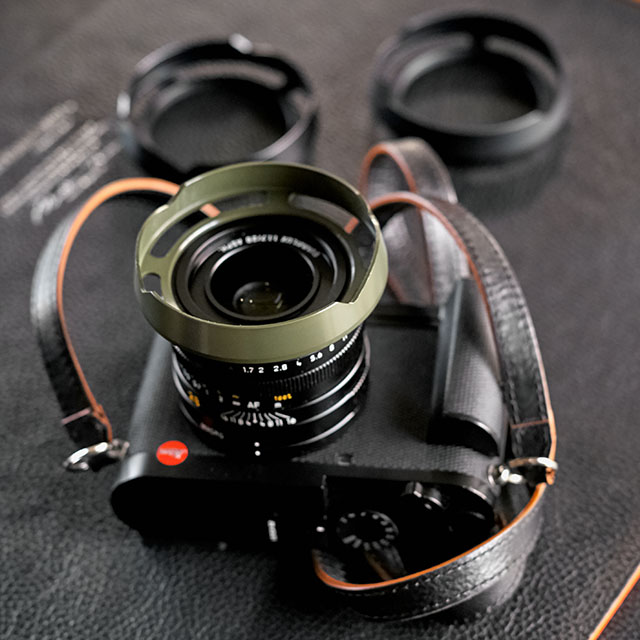
Ventilated Shade for the Leica Q. I make ventilated shades for most lenses and sell them from here.
Viewfinder a device on a camera showing the field of view of the lens. Also known as the German word "Messucher" (or Meßsucher).
1) A built-in viewfinder in a camera that simply show the frame you get when you look through the viewfinder.
2) A rangefinder viewfinder which is also used to focus the lens. In Leica M cameras two pictures has to meet and lay 'on top of each other' for the picture to be in focus.
3) An external viewfinder, usually on top of the camera in the flash shoe, so as to show the field of view of lenses vider than what the built-in viewfinder can show (15mm, 21mm, 24mm, 28mm etc viewfinders exist)
4) Very simple "aiming-devices" on top of a camera that is simply a metal frame without any optics. Just a frame, as for example very old cameras (the original Leica), or when using cameras in diving where you can't look through the camera.
5) A Electronic Viewfinder (EVF) that shows what the sensor sees "live".
Visoflex
A device mounted between the Leica M camera and a lens, containing a mirror mechanism like in a SLR camera, thus allowing the M user to 'preview' a picture using a tele lens larger than 135mm which is the maximum covered by the framelines in the Leica viewfinder.
Vulcanite
The black rubberized, textured material used to cover Leica camera bodies prior to the 1980s. It actually was made of vulcanised rubber (hence the name) and was and remains much loved by professionals because of its solid, sure grip.
X1 - The Leica X1 was released in September 2009, the Leica X2 in 2012, and Leica X Typ 113 was released in September 2014, all with a fixed 23mm f/1.7 lens. Leica X Vario Typ 107 and Leica X-E Typ 102 was released later. A Leica X-U underwater edition was released in 2026. See my article Compact Leica Cameras for more.
Zone System -A system of 11 greytones. Ansel Adams worked out the Zone System in the 1940's with Fred Archer. It may look as simply a grey scale (and it is) but it's the use that has troubled many. If you use a normal external light meter, it will give you the exact amount of light and you can expose your photograph based on that and it will be correct. 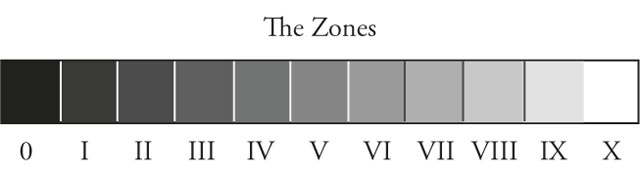
What Ansel Adams basically did was that he studied (by measuring with a spot meter), what the exact grey tones were of the sky, the clouds, the sand, the water, the skin and so on at different times of the day.
You could say that he built up a conceptual understanding of how different materials of different colors and reflective surface would look in black and white at different times of day (or different light conditions). He also realized that a tone changes for the human eye depending on it's size and in which context of other tones it is seen.
In short, you could say that the Zone System is know how something would look in black and white when looking at a scenery. Some who have struggled with the Zone System have done so because they think it is a rule. It is not.
| How Ansel Adams made New Mexico look: |
|
How most people see New Mexico: |
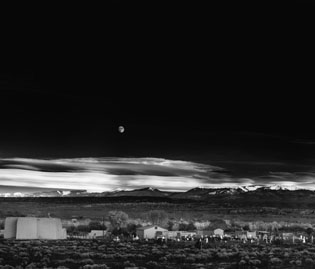 |
|
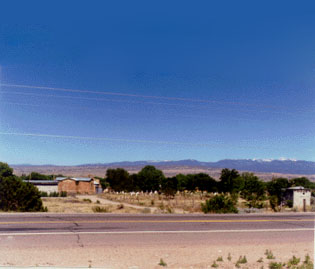 |
| The artistic use of the Zone System. |
Ansel Adams developed the Zone System to understand light for himself, but also as a fundament for teaching the light, exposure and making the final photograph. How will it look if you do the usual, and what will it look like if you manipulate it. But most interstingly; how do you work with light, cameras and photographic materials to achieve the look you envision.
The Zone System is meant as a basis on which to create your own aesthetic style and communication. Photography is painting with light. The greyscale is our palette. Ideally we should have a conceptual understanding of the tones and be able to use them intuitive. That was his vision for us all.
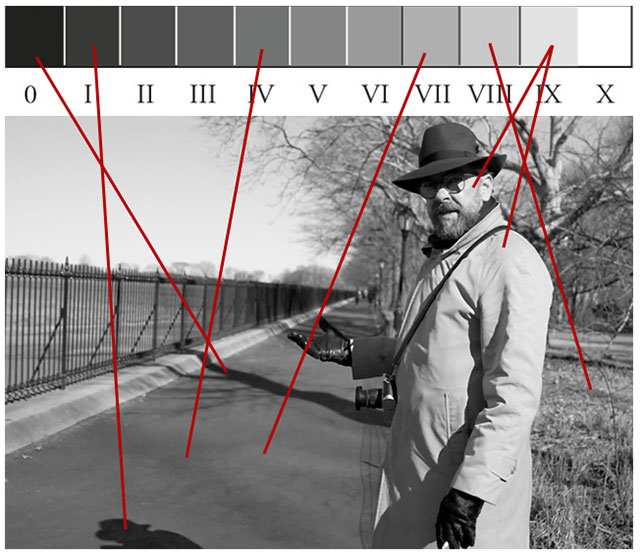
Thorsten Overgaard in New York, explaining the Zone System in his "Street Photography Masterclass".
Ø - Diameter. As in Ø49 for example which means that the filter diameter is 49mm for this lens (or if a filter is Ø49, it is 49mm in diameter and fits that Ø49 lens). Leica uses E to express their filters sizes, as in E49 for a 49mm filter size.
#2060-1020
|














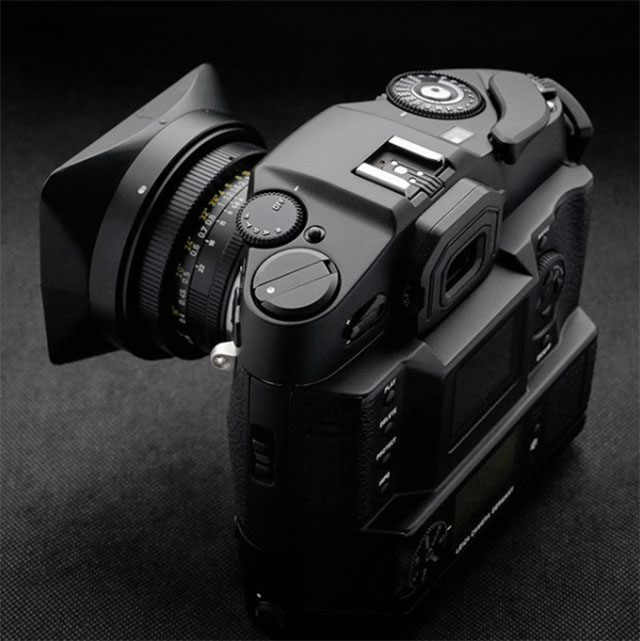
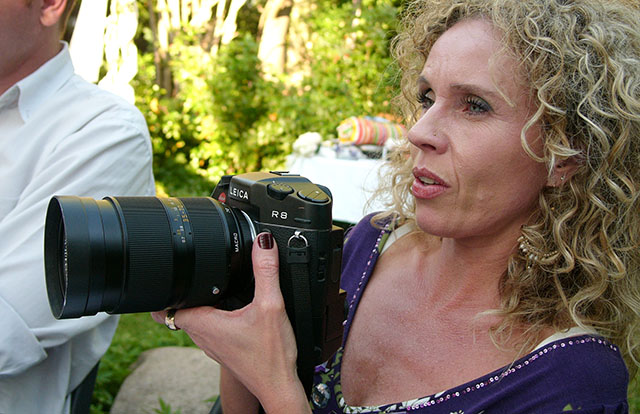
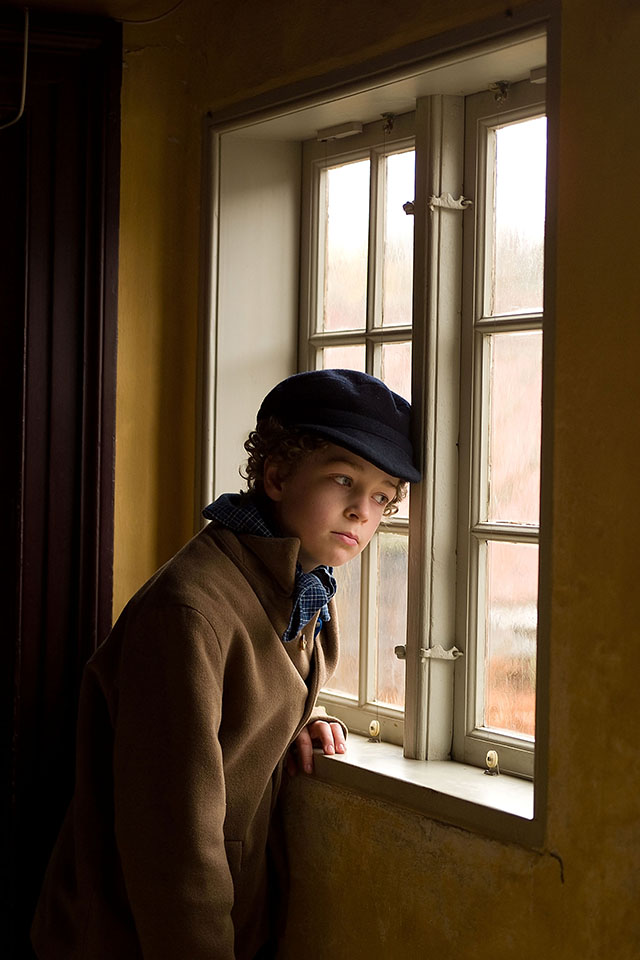

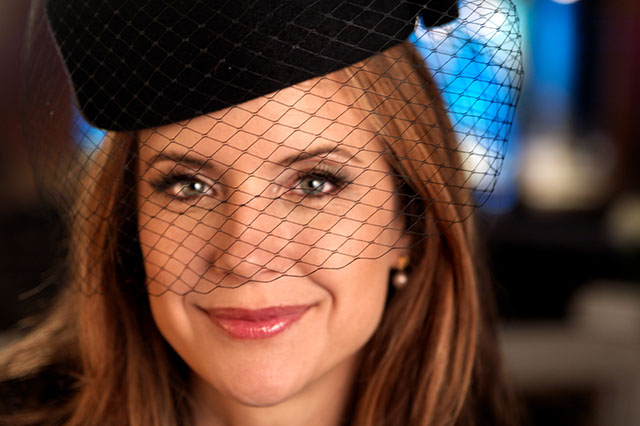


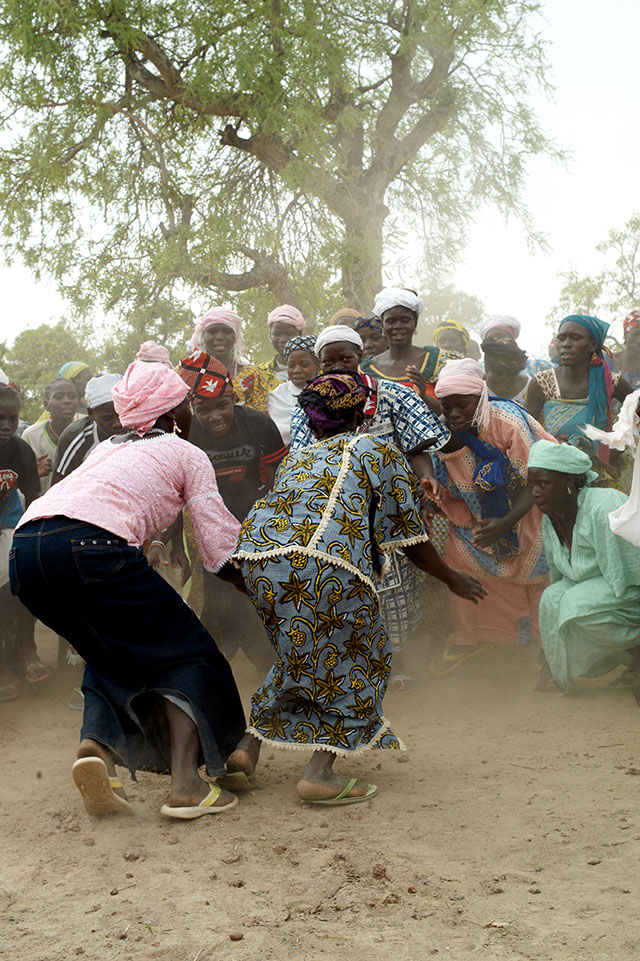


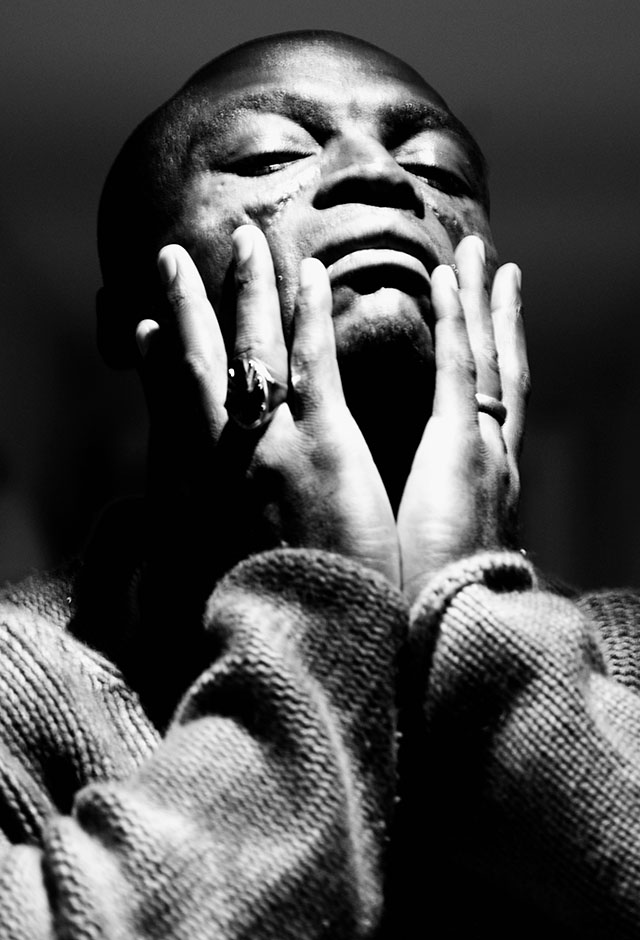
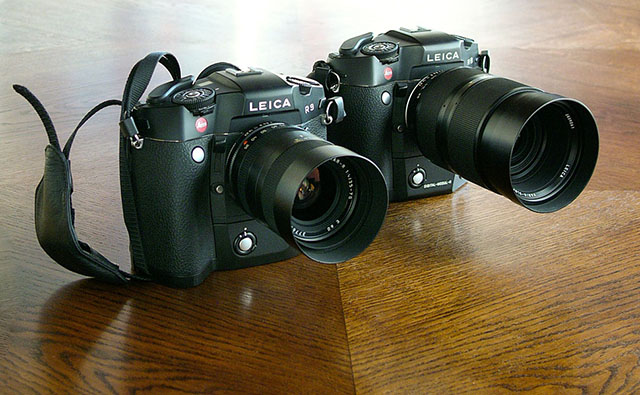
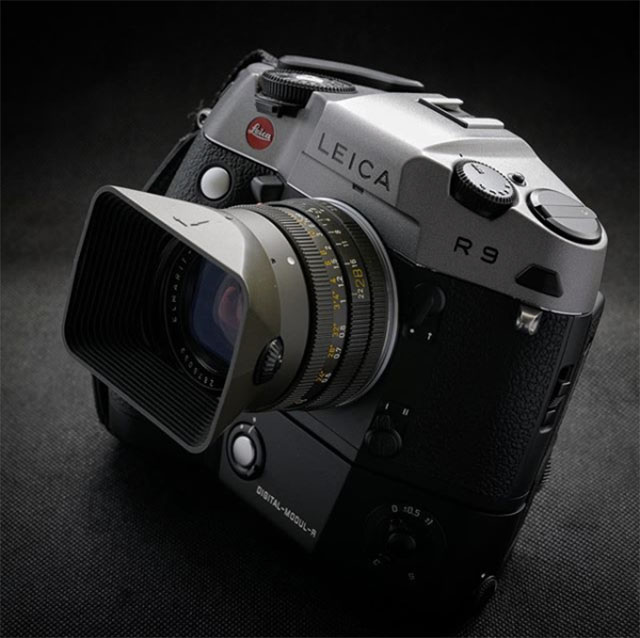 Leica R9 chrome body with DMR digital back by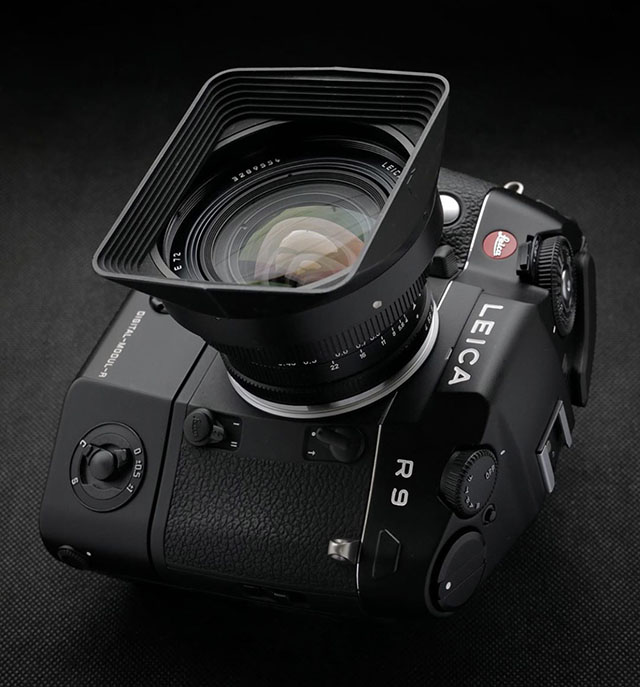
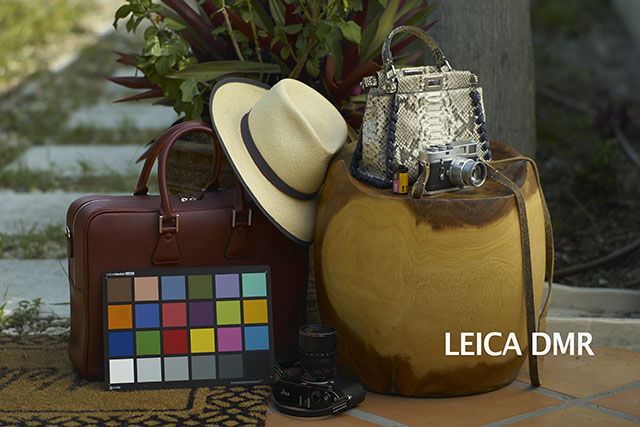
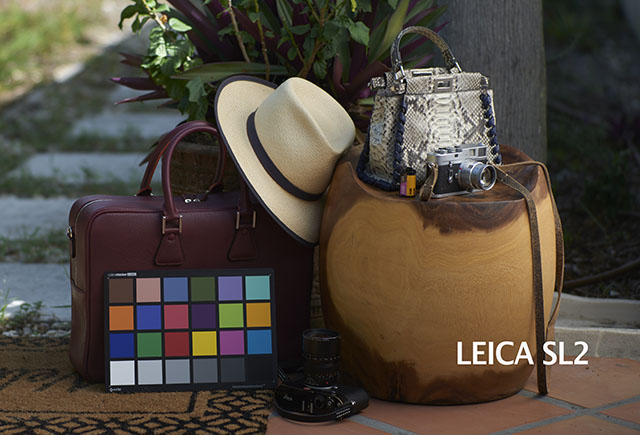
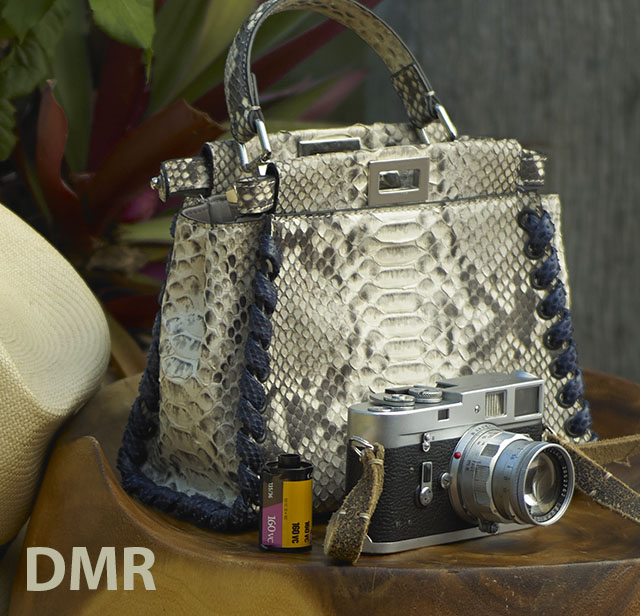
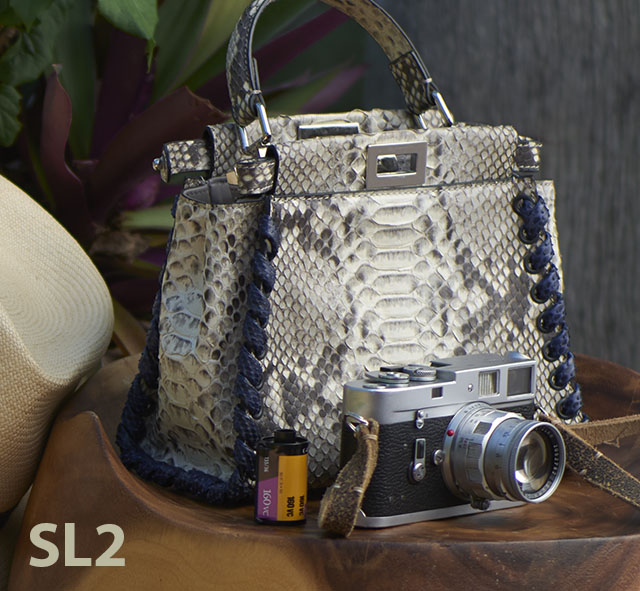
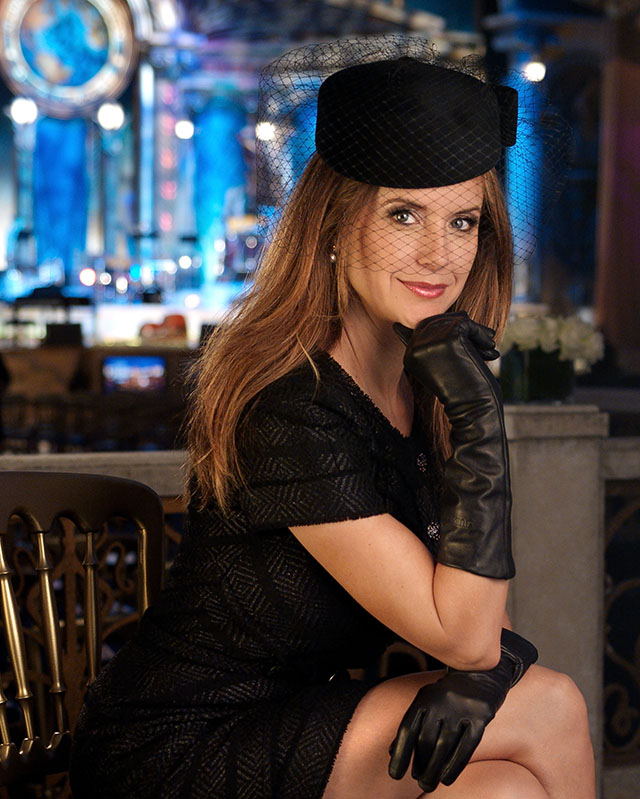





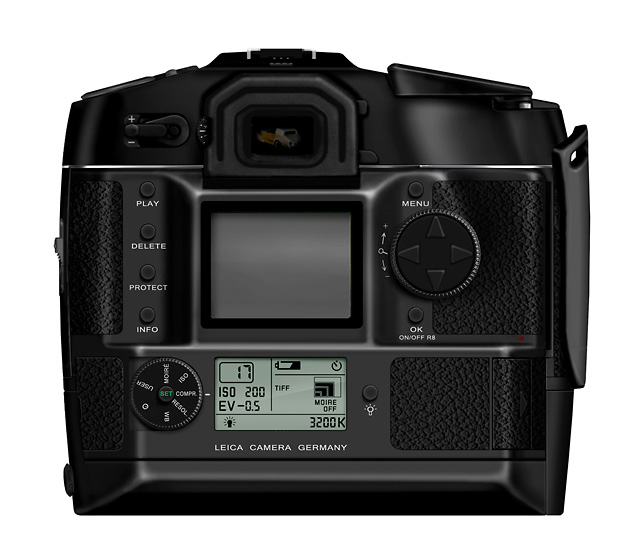
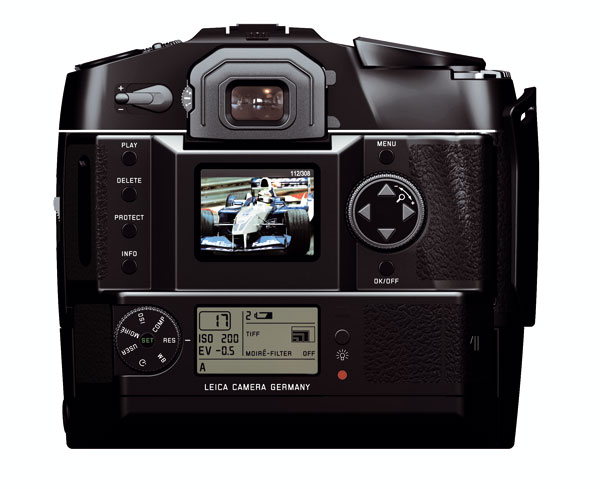
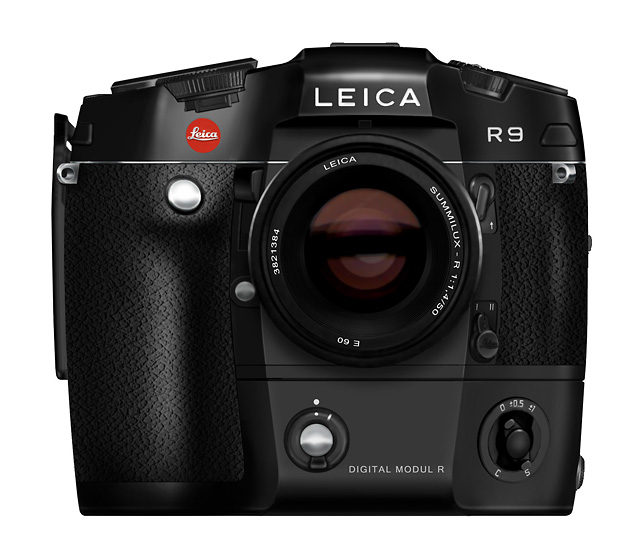

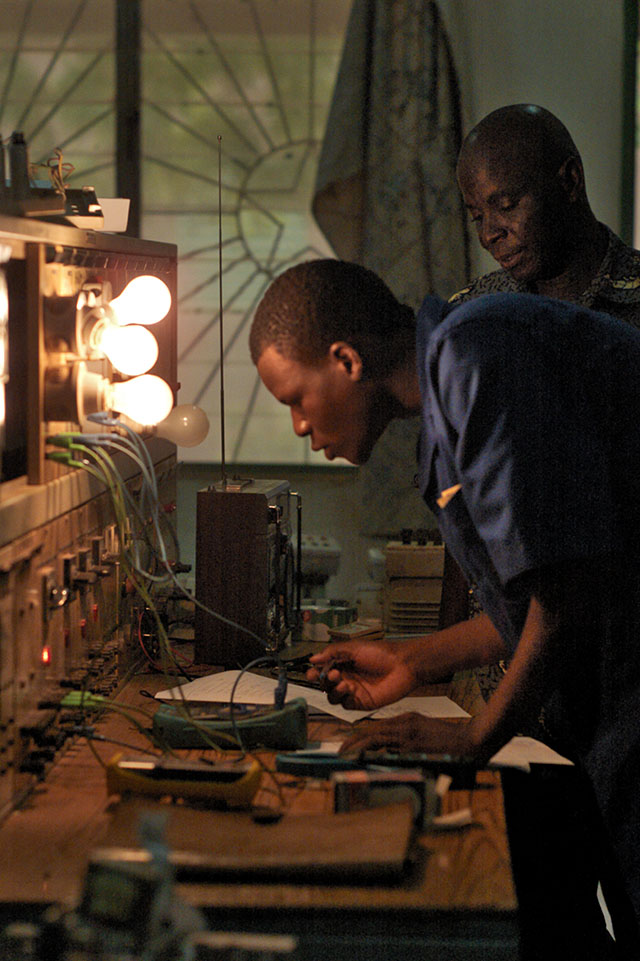
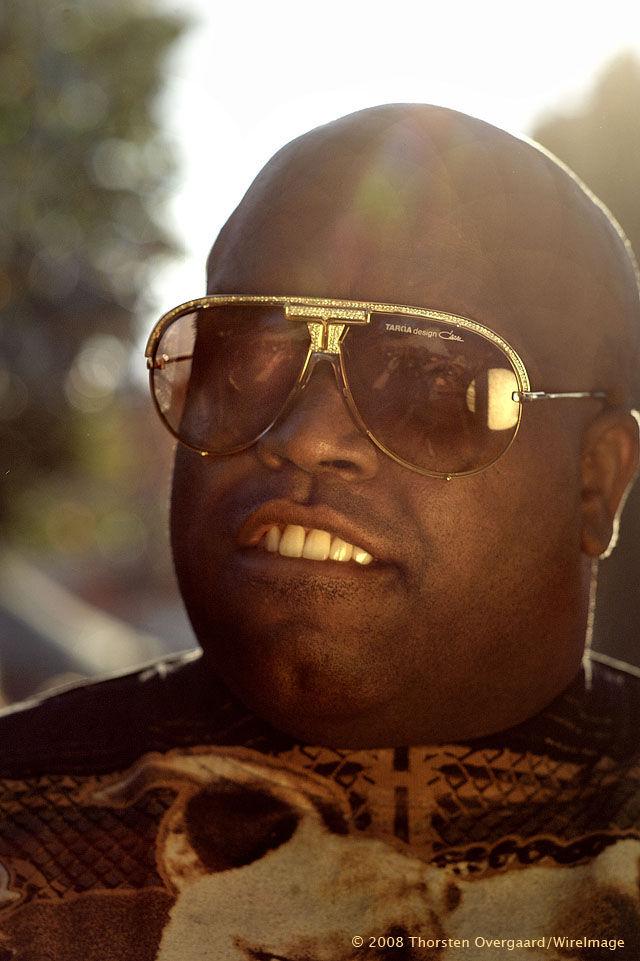
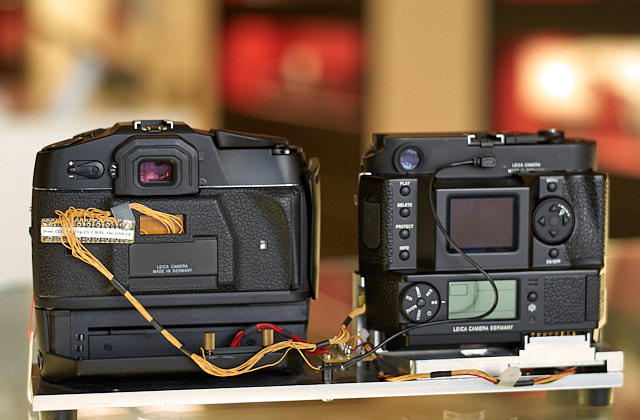
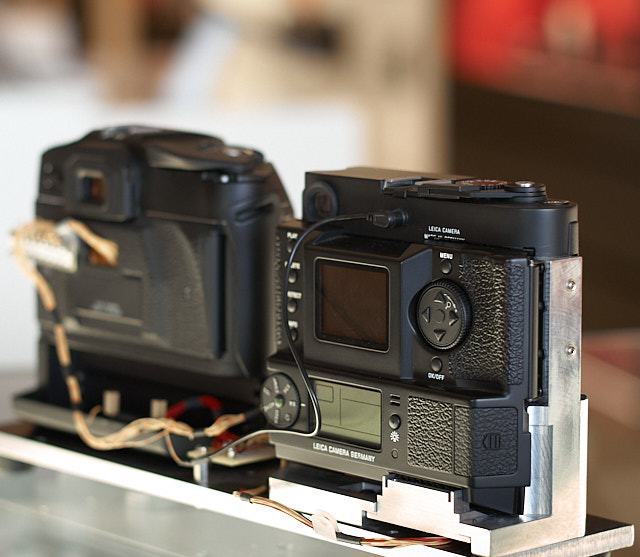



 Leica R8 with 35-70mm f/2.8 at the Veronica B. Vallenes show at Copenhagen Fashion Week, February 2011. f/2.8 at 200 ISO, 1/250 sec. Copyright 2011 Thorsten Overgaard, licensing available via Getty Images / WireImage.
 Marco Onorato receives an EUROPEAN CINEMATOGRAPHER 2008 award at European Film Awards at Forum on December 6, 2008 in Copenhagen, Denmark (Photo by Thorsten Overgaard/Getty Images). Leica R8 DMR with 35-70mm f/2.8 @ f/3.4, 400 ISO, 1/125 sec, Lightroom 2 RAW-conversion.